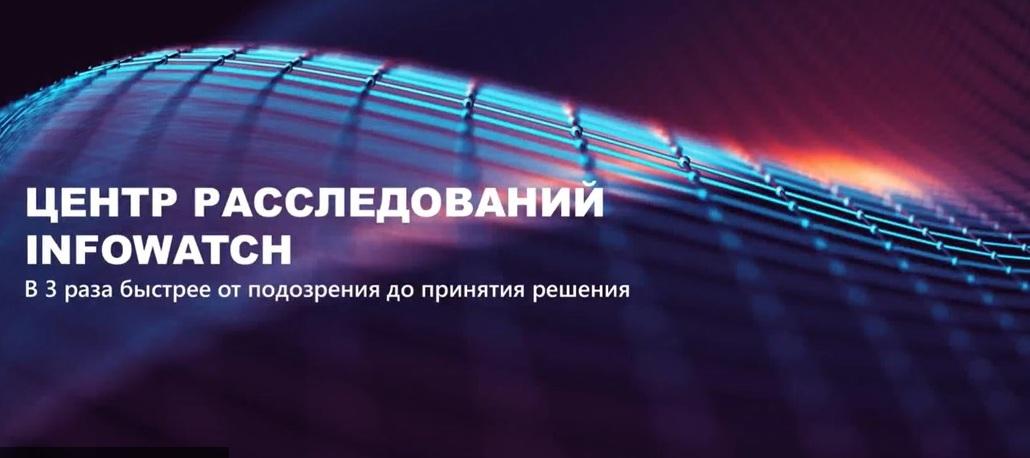
We are launching a series of events dedicated to the methods and practices of information security departments in the InfoWatch Investigation Center interface. At the first meeting, we will delve deeply into investigation capabilities using two case studies with analysis of cybersecurity incidents.
The InfoWatch Investigation Center provides access to DLP events, a visual graph of the violator's connections, a chronology of their actions, presence in risk groups, and data audit on PCs and network folders - to conduct end-to-end investigations using a single filter 3 times faster from initial suspicion to decision-making.

Now, let's focus in more detail on the practical use and features of choosing DLP tools for conducting a particular investigation. We will consider the process of verifying suspicions by collecting all significant circumstances and evidence into a clear investigation document.
- Overview of tools for end-to-end investigation of cybersecurity incidents in the InfoWatch Investigation Center.
- Investigation methods and selection of tools that complement each other when using a single filter, using the example of two practical cases.
- Demonstration of end-to-end investigations in a single interface - 3 times faster from suspicion to decision-making.
Today's event is led bySergey Kuzmin, Head of InfoWatch Employee Monitoring. Our meeting is dedicated to the InfoWatch Investigation Center. Today we will talk about the specifics and advantages of this tool, and, of course, we will practically analyze the most interesting investigation scenarios and best practices.
There is such an interesting fact that the amount of data is doubling faster and faster. Previously, it was 10 years, then 5 years, then a year. But in our field of cybersecurity, this naturally carries additional threats, because the number of data leaks is increasing, the average volume of leaks is growing, the DLP system counteracts intentional leaks, and we understand that it works in the most important area. Data protection is also countering intentional leaks.
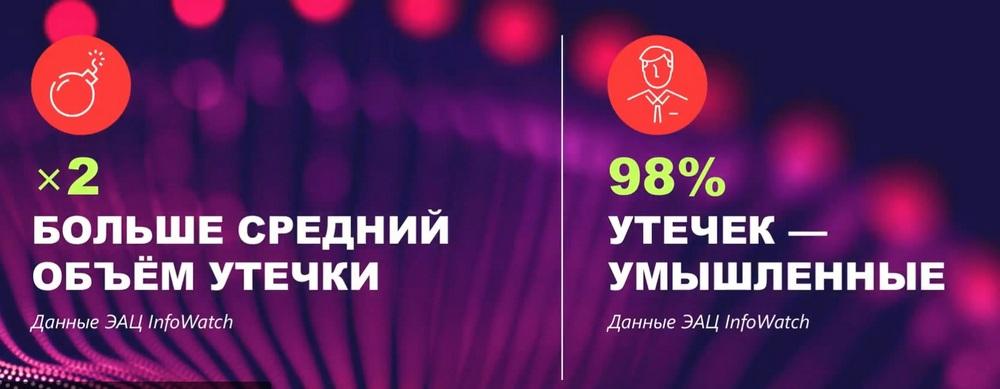
Therefore, the relevance of protecting data from internal leaks is not only not decreasing, it is proportionally increasing every year.
But it is important to note that leaks are not the only challenge. The amount of data that the DLP system generates, which is present in the organization, is also growing. We know that InfoWatch Traffic Monitor registers several million events per day for several of our largest clients.
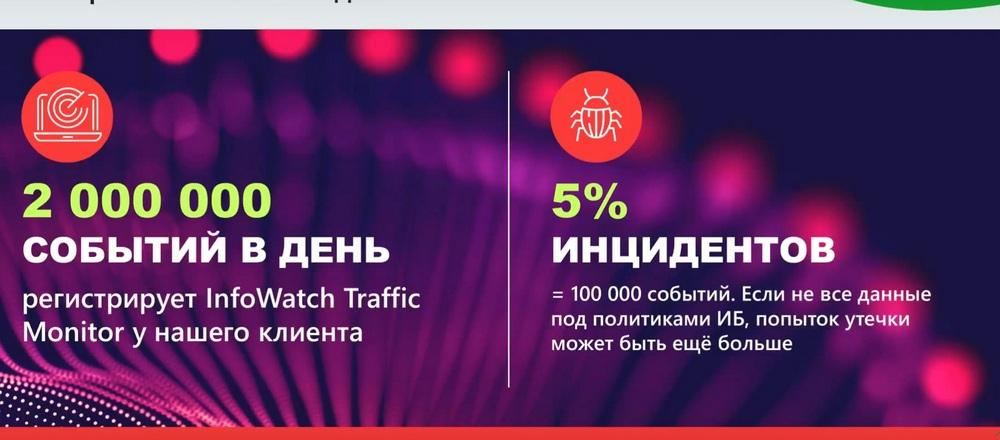
My prediction is that soon information security systems will generate even more events, not only DLP, but also other data that is in the information protection system. On the other hand, the number of incidents is quite small, about 5%, which is still 100 thousand events, and, naturally, it is not possible to cover such a volume with policies. That is, attempts to leak can come from the most interesting areas. It is impossible to process this manually. Here we call for help from advanced analytics systems using artificial intelligence and using a wide range of DLP tools, not only the TM system, but also the entire environment that is in the DLP system.
Protecting data is becoming more expensive. Why is this happening? Due to the large amount of data, due to the fact that it is necessary to use more and more information security tools in order to simply cover the entire data stream and meet the challenges of the time. And, of course, all this requires specialists, and qualified specialists who know how to work with this tool and who can easily integrate into processes.
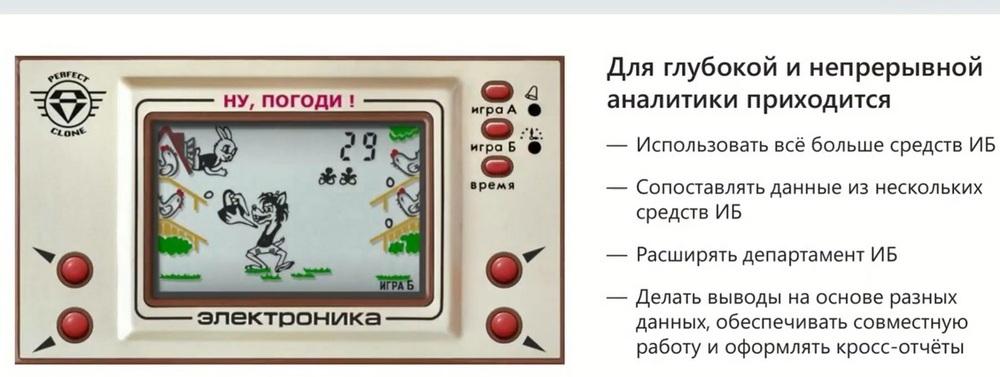
And for this, our task as a vendor is to provide a solution that would help protect data literally from the first day a new person is in the organization. And even for specialists who have been working with our system for a long time, who have seen the entire evolution of our modules, the task is actually the efficiency and correct use of this toolkit. How quickly to conclude - is this an incident or not, how to compare data, how to create a picture that is present in the organization, in order to immediately separate an incident from a candidate or unintentional incident and, accordingly, work with all this effectively.
What problems are there in order to provide a tool that would meet all these challenges? Among the DLP systems that are on the market, some do not have the full range of capabilities. That is, they do not have the capabilities that are now needed to solve the information security problem.
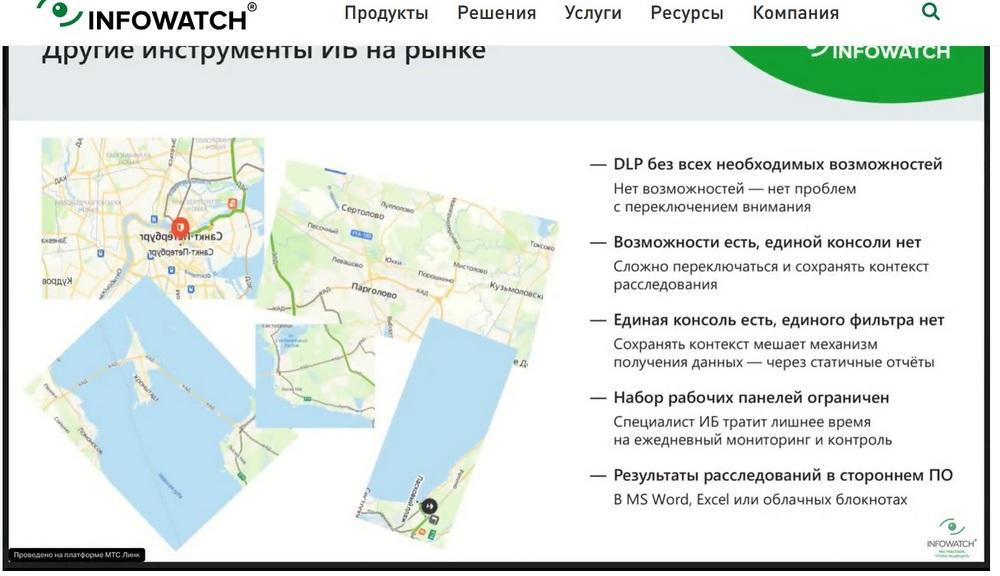
Other systems have capabilities, but there is no single console, a single tool where you can operate all this and save the context at any time. For example, many do not have such an advanced single filter as we do, which allows you not to form any static reports to solve the problem, but simply always be in the report format simply through different prisms. The set of work panels and tools that would allow you to quickly respond to incidents, receive information, is also limited, as are especially the possibilities for their customization. And also the results of investigations and the result of the entire analytics that a qualified information security officer conducts, using third-party tools, naturally, distracts his attention.
How did InfoWatch respond to these challenges? It is the integrated approach and the solution of all these tasks in our tool that allows us to reduce the time from the first suspicion of an incident, from the first fact that prompted us to start an investigation, to making a decision - incident - not an incident, and transfer it to some service or manager, or make a decision on the incident and carry out prevention.
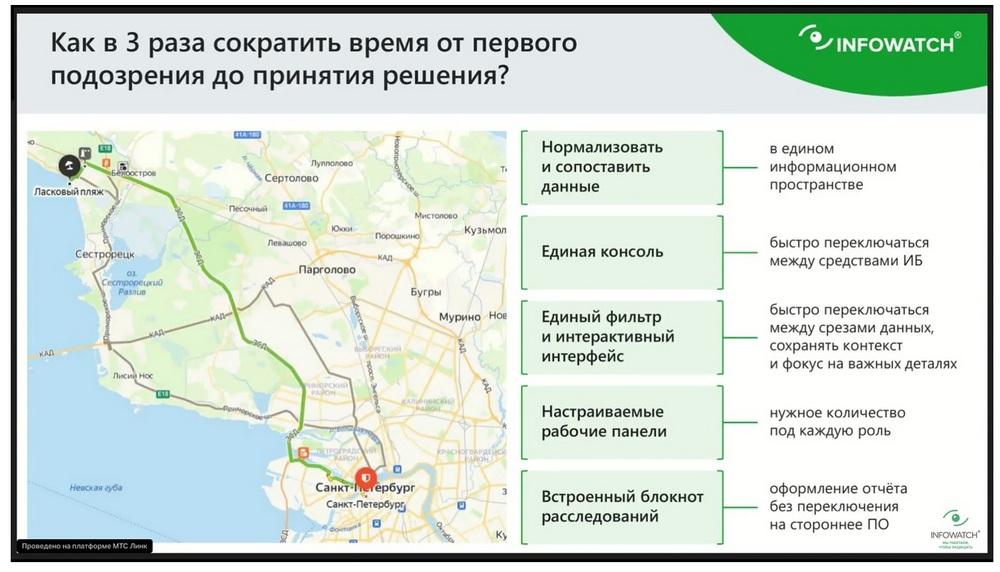
In general, there can be many solutions, but the most important thing is to achieve efficiency. And we spent the entire last year creating this tool, and as a result, we supply it to our customers in the InfoWatch product line. It allows you to compare data, that is, work in a single console, in a single information space using just a single filter and maximum interactivity. That is, quickly change data samples and quickly change the context of what we want to work with now, and also maximize customization and, including, draw up the specified solutions in a notebook, without using third-party software, which in fact also carries a plus of additional security.
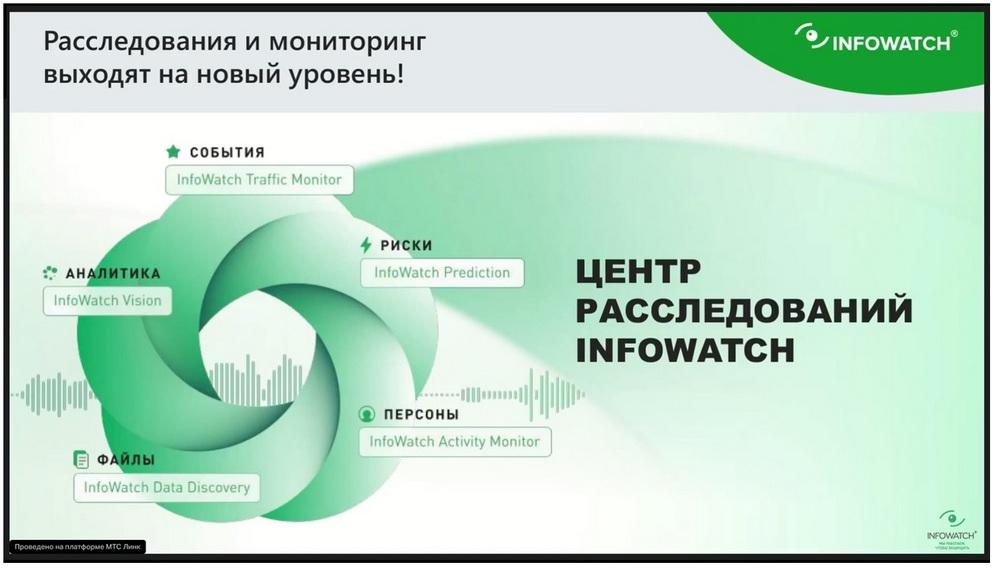
The InfoWatch Investigation Center is an interface that combines a line of protected products, this is our InfoWatch Traffic Monitor base, these are transactions, events, this is high-quality content analysis, speed of operation and maximum data coverage. This is the Vision bioanalytics module, which allows you to look at data in terms of communications, see how documents move, and also either start or enrich the investigation and understand how document flow occurs in the organization, or what a person works with, if this investigation led to some incident or person. The data is presented in the form of the InfoWatch Data Discovery module. This is a product that allows you to know where which files are located, who has access to them, what access rights violations there are. The InfoWatch Activity Monitor module is responsible for monitoring employee actions and allows you to look at what the employee is working with through the eyes of the user, using screenshots, with the help of a huge amount of information collected at and around the workstation, and accordingly enrich the context of the information security incident. And the InfoWatch Prediction module also stands guard over data protection, which allows you to predictively identify persons who are in the risk group, carry out analysis of incidents that may not have occurred or are only occurring, and to which there are prerequisites, taking into account the persons that the analytical system using artificial intelligence has identified as potentially risky.
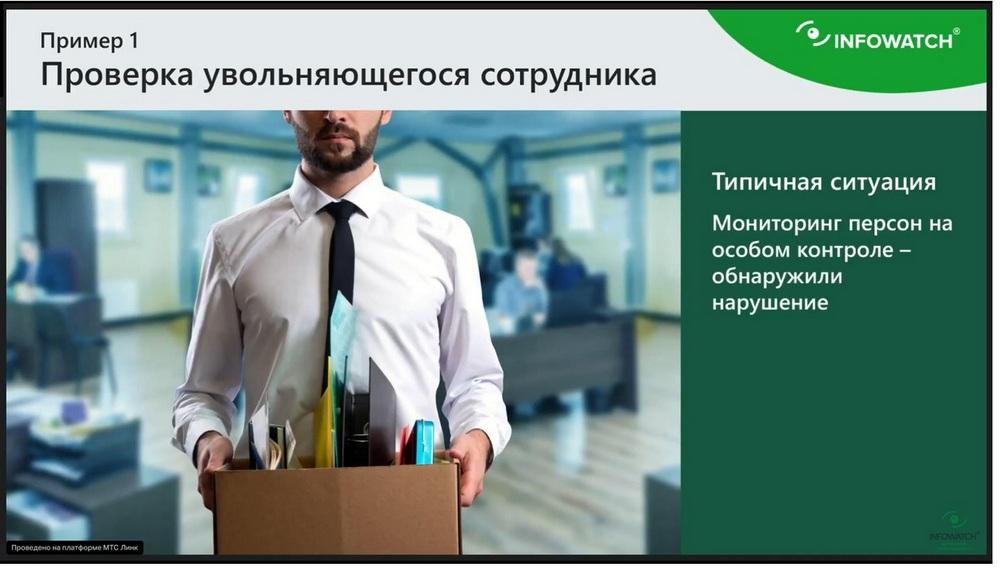
Checking an employee who is resigning
Let's look at two examples of how to work with this. Let's look at the example of an employee who is resigning. A fairly typical situation. We keep people under special control. We know that an employee has either written a resignation letter, or we know for sure from the manager or from the employee that he is going to resign, or we assume this with a high degree of probability. In any case, we have put the person under control. This is a fairly routine story. I am demonstrating the screen of the investigation center interface. We see that we have 4 employees under special control, a special dashboard, this is the main page.
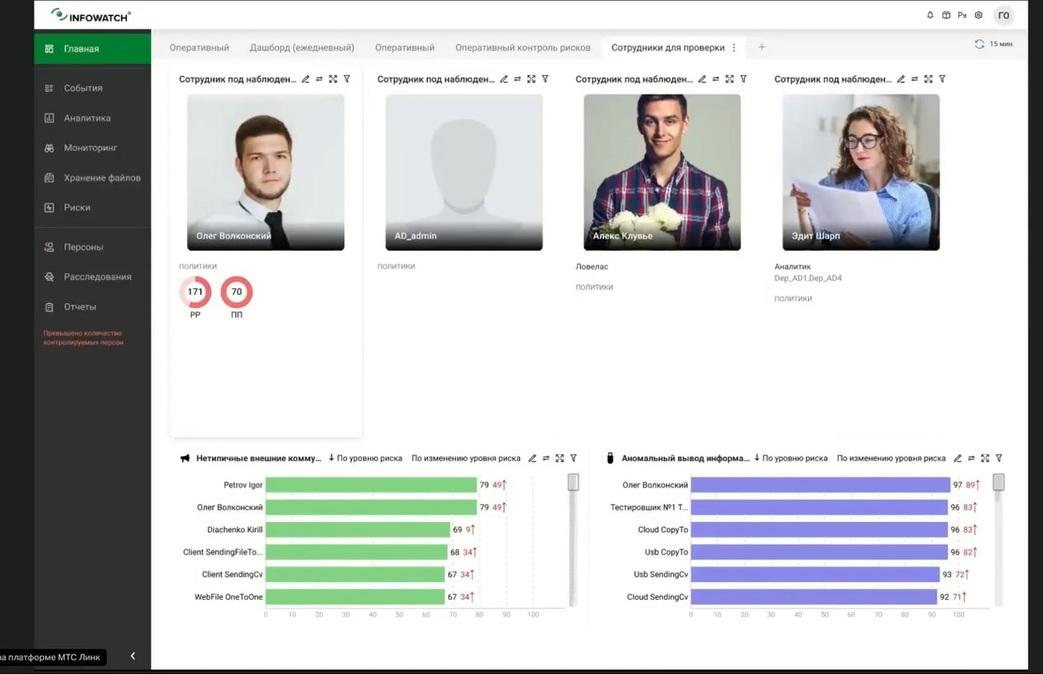
We see that there are no problems with the remaining employees, no policies have been triggered, but for one employee, Oleg Volkonsky, who is already familiar to our attentive viewers, there are "triggers". We have such an abbreviation PP - this is a sales plan, and accordingly we understand that it would be good to keep an eye on this. Given that the employee is under supervision, given that the employee is resigning, we can even, for example, edit the name of the widget, he is resigning in June. He is our first in importance, in viewing. We will also take a look at the fact that Oleg Volkonsky is in risk groups, which are determined by the InfoWatch Prediction module, for atypical external communications, for anomalous information output, they also have the maximum rating among employees, but this is just screaming "Alarm" that we need to understand the situation, what is happening with Oleg Volkonsky.
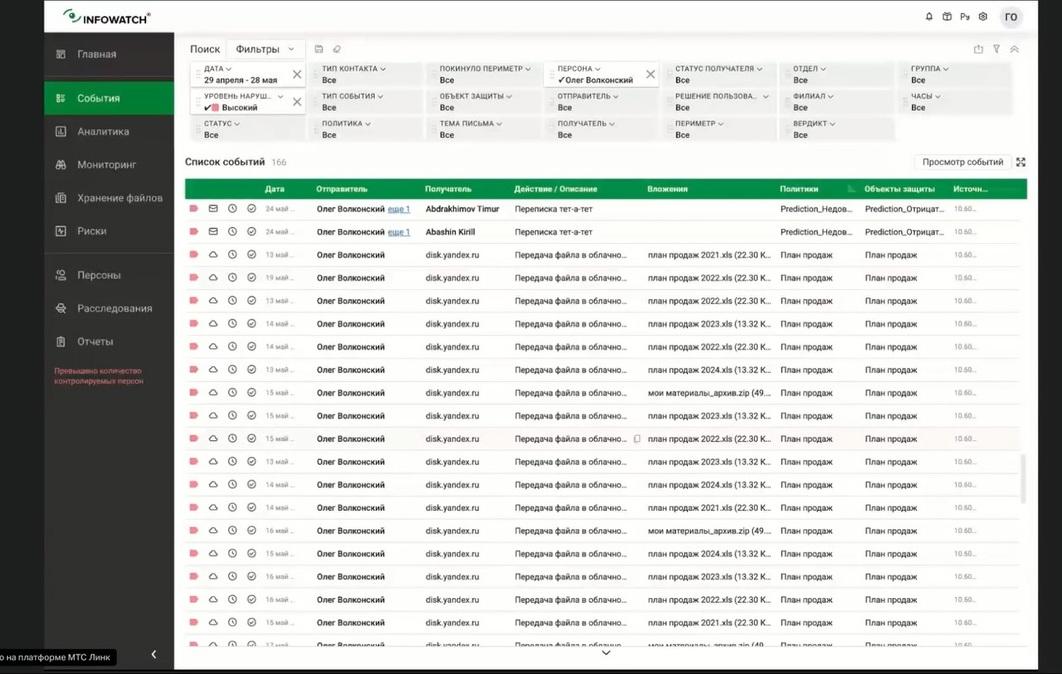
And we go to DLP events and see that he has a lot of tete-a-tete correspondence, in mail, so far this does not attract us much, let's look at something more interesting. And we see that in fact the signal that we had a little earlier, namely anomalous information output, is that he transfers the sales plan to Yandex.Disk in cloud storage.
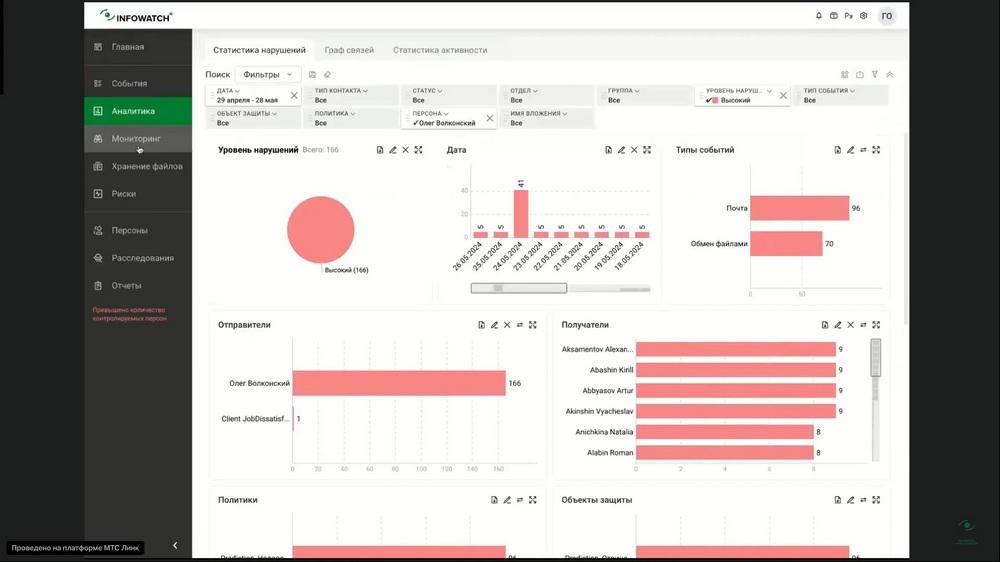
The employee, who is resigning, the system has been triggered for him, there are sales plans for different years in the archive. Let's take a look. This is already, in fact, the beginning of the incident. I think we can use these events as the opening of an investigation. And let's see what Oleg Volkonsky's activity consisted of. We have the Time Line tool of our Activity Monitor product. This tool allows you to chronologically restore the employee's activity at the workstation. We will exclude websites from the sample for now and see which applications the employee worked with.
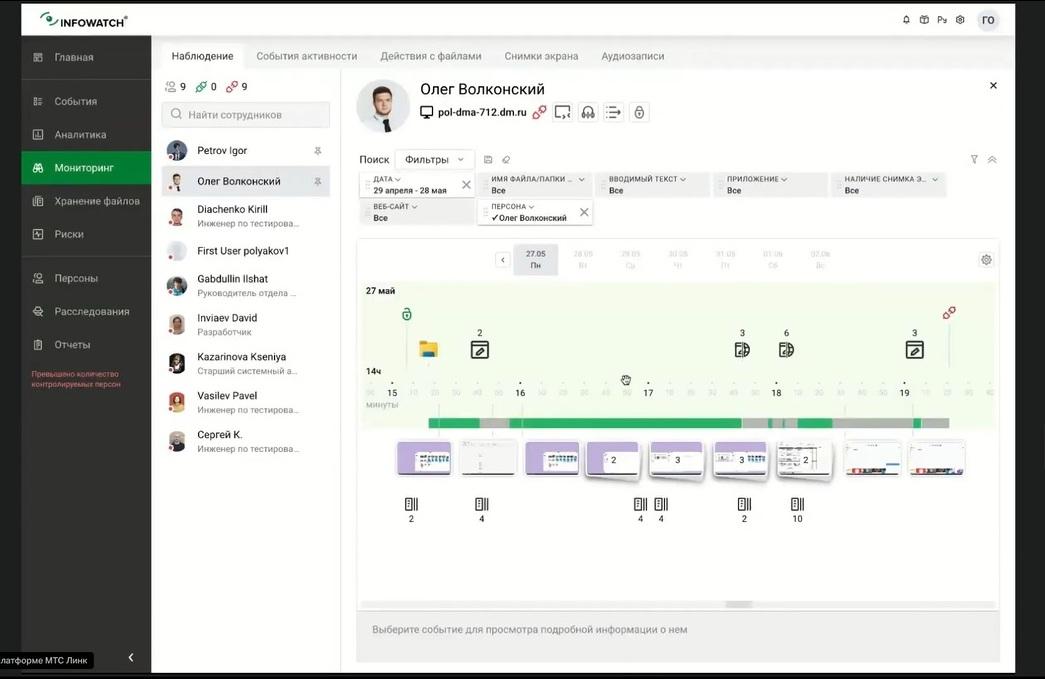
Here we see this Outlook, Explorer and Google. That is, a person is doing something in Chrome and working with some documents, with some data. And let's see which websites he was on for the day under investigation. Yandex website. Here is a clear hint that he was preparing some documents and sending them to Yandex, which the DLP system informed us about. Let's take a closer look. We see that he was putting some order in the documents. The resigning employee transfers all passwords, all sales plans, and all his documents are neatly put into a separate folder. And then let's look at the events that are around Yandex. So here he is still checking exactly what sales plans were for 2023. He is checking this consciously.
And we see how he sends the materials that he has just prepared at his workstation. This sounds like the beginning of an incident, because we see intent, that the download is complete and let's see if we should already start forming this case in the investigation at the current moment. I think we can even write: Volkonsky - incident.
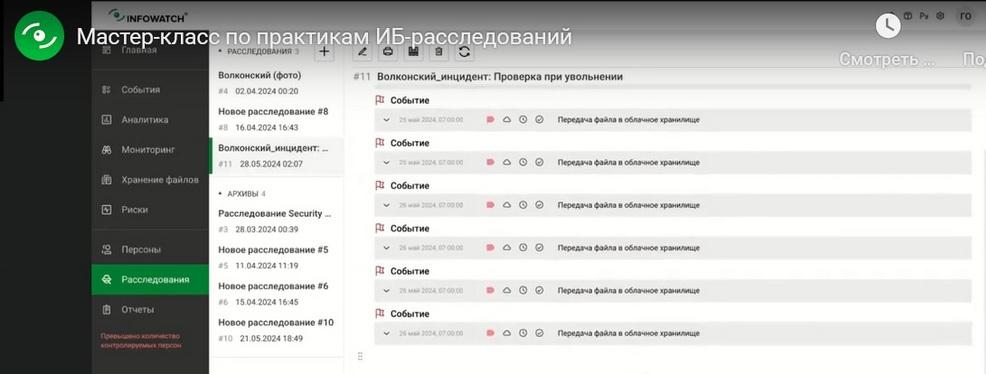
The check upon resignation shows that he has an event where he sends data to cloud storage. There is a fact confirming the intent that the employee is indeed taking information with him that may be useful to him in a new place of work.
And we decided to conduct an additional study of what else Oleg Volkonsky could have taken away. Here we see that at the current moment he has already sent his materials, with which he worked, to an external medium. This is already an incident.
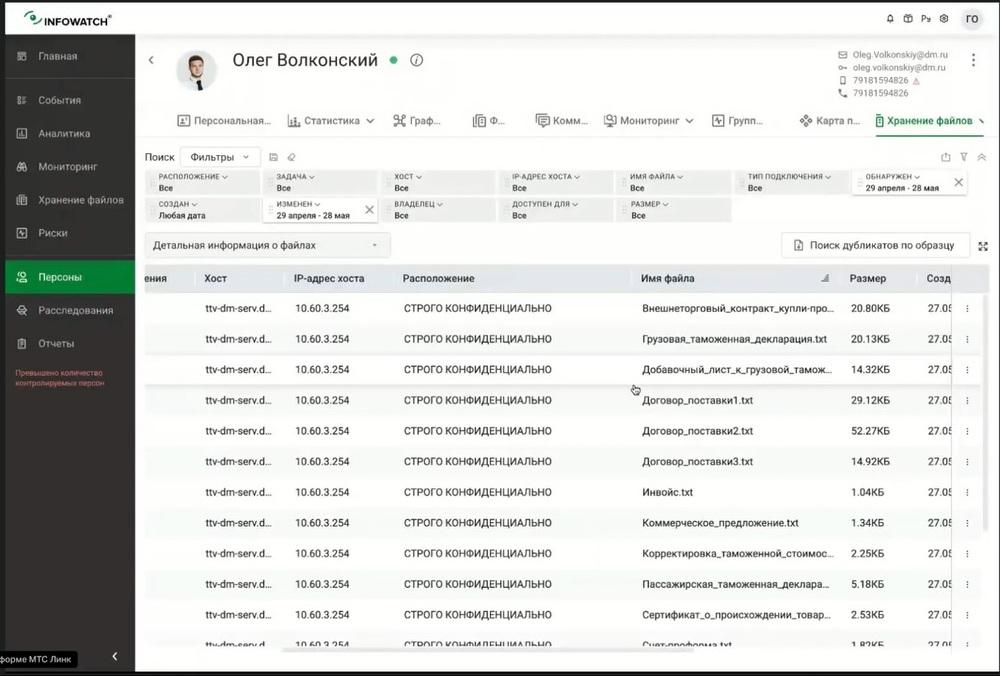
And we see that Oleg has access to a folder where strictly confidential documents are stored, and here there is already a complete list of documents that we absolutely cannot allow to go somewhere to the side. Our investigation has been enriched by the fact that the risks can increase many times if we do not take any measures. Let's look at Oleg Volkonsky's communications in the connection graph in conclusion.
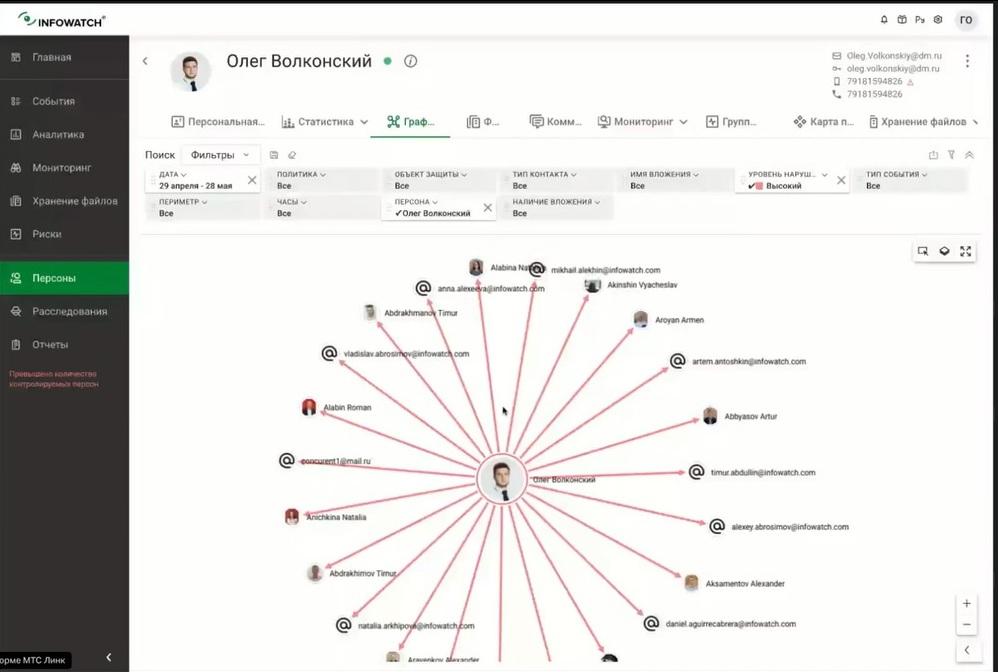
And we see that Oleg is communicating with colleagues, there are also violations here. Let's see what it consists of. In the TTT correspondence, Oleg shows some signs of negative influence on the team. That is, dissatisfaction with work: the policy was triggered, he negatively affects the team. Surely he is offering something to someone. Here he says that colleagues interfere with work, apparently tells about the reasons for his decision to resign, thereby trying not only to make data leak with his help, but also to leak a good working atmosphere in the team. Let's add these events to the investigation as well. Volkonsky - incident, check upon resignation. Let's also add them as examples. And in conclusion of the investigation, we can return again and write our conclusion or recommendation.
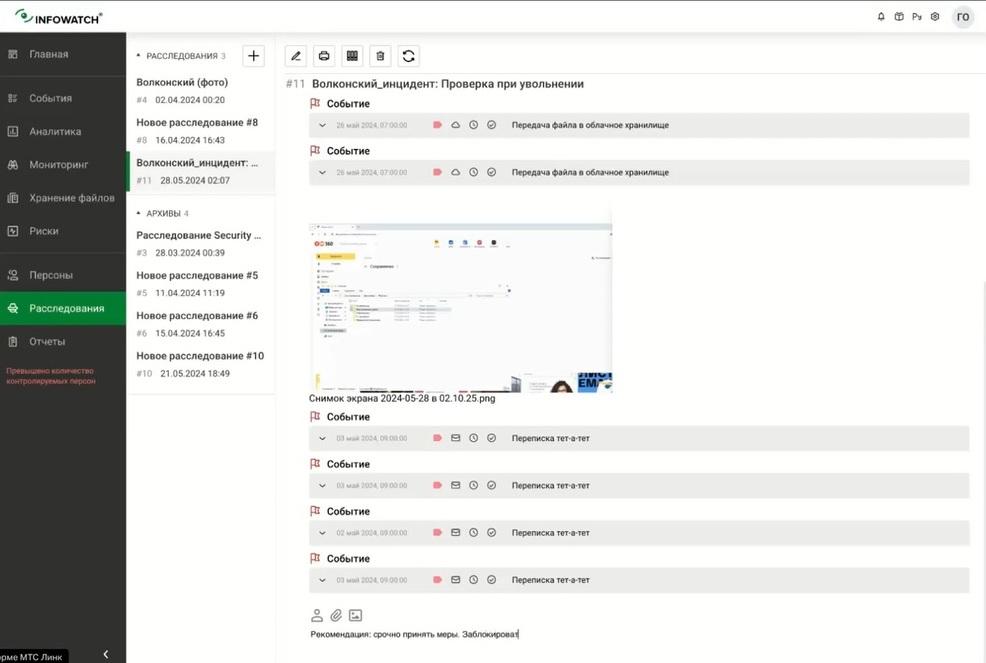
Recommendation: take urgent measures to block. We issue and can send a report to the manager that we have analyzed incident A, leak B, a potentially prepared leak.
We understand that a person can take away not only his personal data, but also much more important data. This concludes this check case, which began with the usual routine operation of an employee to monitor Oleg Volkonsky, who is resigning, and we understand that in fact the triggered policies and the additional risk group in fact became an important starting point for our investigation.
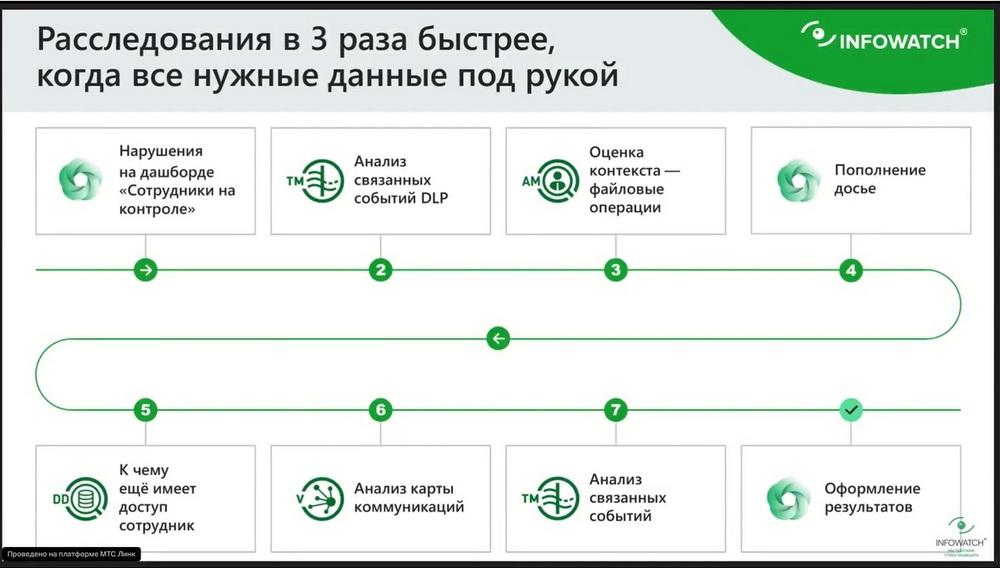
Let's go back to the presentation. We started with violations on the dashboard of employees who were under control. We conducted an analysis of events, quickly assessed the context, that is, we confirmed the employee's intent, enriched it with details that he had prepared before, and consciously collected information in a folder. We looked at the dossier, what else the employee has access to. We looked at the communication maps and related DLP events also showed us a negative impact on the team. We quickly formalized this in the form of results.
We did this quickly why? Because we did not search every time, did not create a new report. We did not reapply filters. We just took it and, staying in the context of Oleg Volkonsky's events, went to his dossier, looked at what information was there, what accesses were there. We looked at his actions at the workstation. Thus, our entire analysis of the incident, which could have dragged on for a whole day, took literally minutes, well, maybe tens of minutes, if we consider it under a microscope.
Here, if there is no some of the modules, in this case we will talk about Model Vision. In fact, you will have access to events, that is, you can work with the completeness of DLP events, you will have access to persons, investigations, reports. But the Vision module will enrich your typical widgets. That is, several widgets will also be available to you, for example, the level of violations, the date and type of events. But for a deeper analysis, for example, by objects of protection, by types of attachments, by groups of persons, analytics can be carried out, for this you need the Vision module so that you can use these widgets both on the main dashboard and in quick analytics and work with filters. That is, you will be able to form data slices much faster, because you will simply have more data, more statistical information.
The main thing is that Vision as a tool, it will give you the opportunity to look at the DLP event, at the data that the DLP system intercepted, which knows everything about how information moves inside the organization, will allow you to show this in terms of communication.
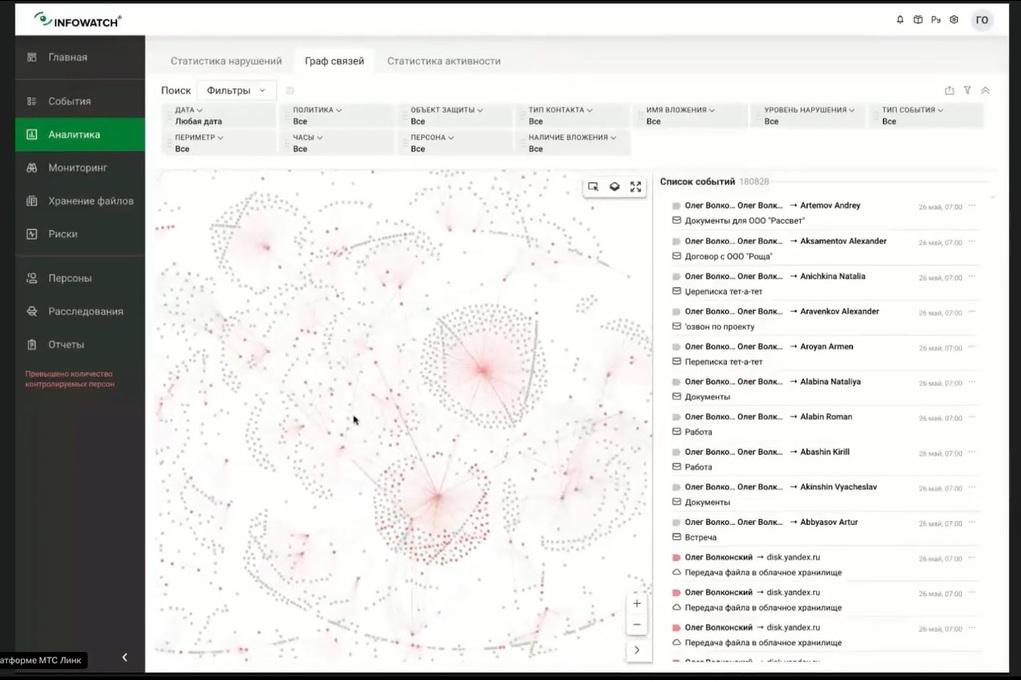
We see that these circles, points of attraction, show how information moves along certain slices. Now we have removed all filters, and we see that data flows to the person. But if we, for example, apply a filter by person, by the same Oleg Volkonsky, how much the connection graph is detailed, and we immediately see the leaks that come from Oleg, with whom he communicates, by what types, for example, here we see that he sends to Telegram, we see that he is on Yandex.Disk, here is the thickest edge.
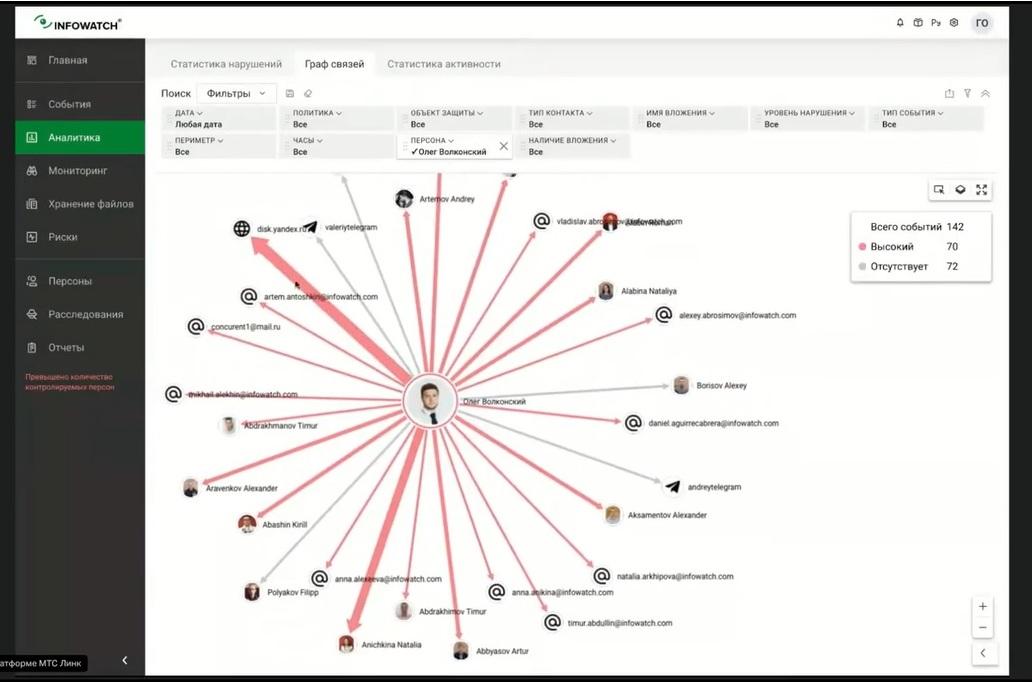
That is, to summarize, Model Vision will allow you to get to the data that is available more efficiently and quickly. At the same time, DLP events and the basic set of widgets will remain with you. Exactly the same mechanics and exactly the same principle are applied to the remaining Prediction modules. You can work without predictive analytics, but if you have the Prediction module installed, then you have a system that allows you to relevantly consider incidents. The Data Discovery and Chat Monitor modules, respectively, work on the same principle, they complement both the functionality and the data with which you can work. We can see how nodes communicate with each other, that is, large structural units, or, for example, the same person.
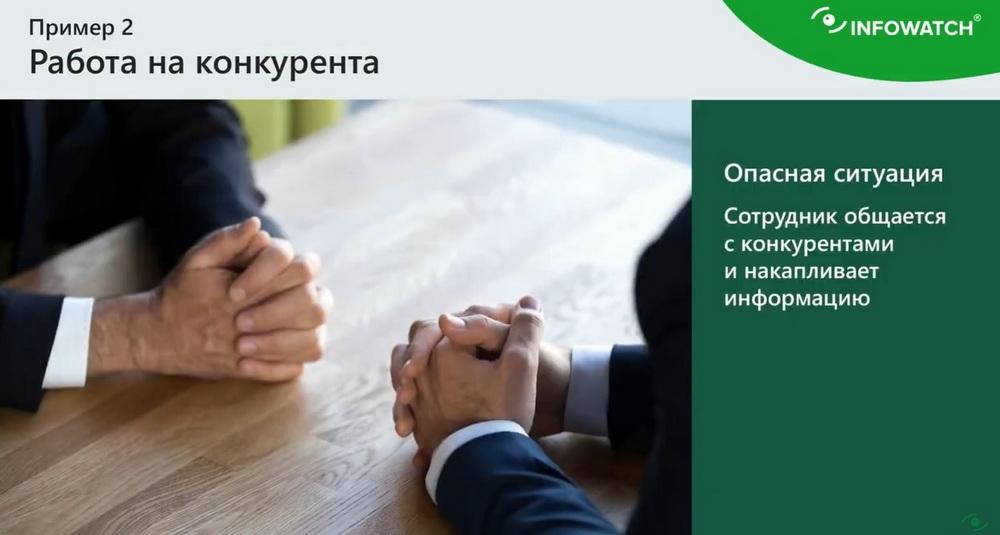
The second situation is also a complex investigation. An employee communicates with competitors and accumulates information. And again, we have a special dashboard that shows operational risk control. And we understand that if someone breaks into the top, and here we see that employees are in the top and with a growing rating by risk groups, atypical external communication, deviations from business processes.
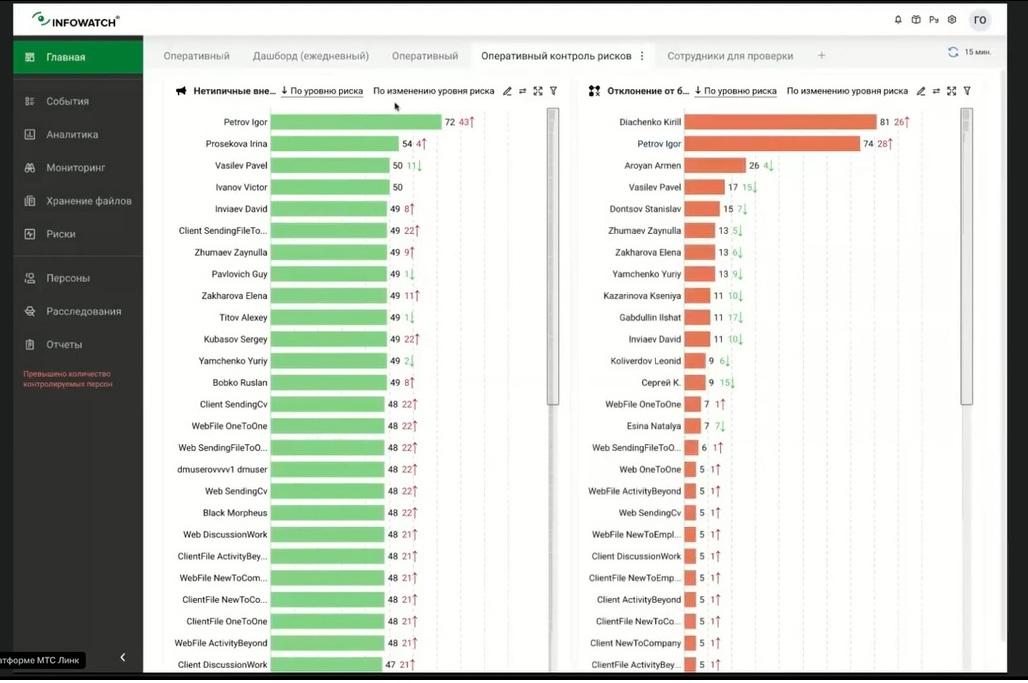
For example, based on our own experience working with business correspondence and its predictive analytics modules, we understand that it is necessary to look at exactly such a combination, that it would be good for a person to atypically communicate with someone and at the same time deviate in some non-standard actions in standard routine operations. And we see that Igor Petrov attracts attention. He is first here and second here with a growing rating. Well, let's look at the reasons. New addressee for the company and for the employee, that is, atypical communications consists in the fact that a lot of data is forwarded to new employees, to new persons for the company and for the employee. And the deviation of business processes consists of 100% in the fact that a person who has never, apparently, worked and not overworked, always left at 6 hours, began to actively work in non-working hours. And his rating took off. But let's see what Igor Petrov has prepared for us today, what is interesting with him. Well, at the current moment we know that Igor has started communicating a lot with new addressees, so we applied a simple filter of the sender Igor Petrov and the perimeter of the company. And we see that there is indeed a lot of tete-a-tete correspondence, and here we gave an example, let's say, in real life. It would be a domain with competitors, that a person starts corresponding there. What does he start corresponding about?
"Artem, I am preparing materials for the Quadra project, it will take time." That is, some preparation of some specific documents for the project. And the name is very specific, Project Alpha, Project Quadra. Apparently, there is also something allegorical here, and he writes that it will take time. Well, apparently, it is worth using this as the start of a new investigation, it would be good for us to understand. Investigation number 12, we will rename it later, created by the event that Igor is preparing some information for Project Alpha and for a third party with the name of a competitor.
Let's move on to the connection graph. As you can see, I do not apply any filters, I really look at who this person communicates with. And, changing the context a little, for example, taking only the company, we are interested in who else the person communicates with inside the company. Well, let's see what their communication consists of and what Igor Petrov's activity is in general. We are again going for detailing to our timeline. And here we see that the letter T indicates that the employee, our Igor, entered a lot of text. That is, he had events for the day under investigation with the entered text. Let's see what exactly our Igor was watching. Perhaps this will enrich the understanding of what kind of document he is preparing, or what the situation is in general. So, we see that he uses the BMW.ru website here, prices, very interesting. Igor is choosing, apparently, a car. Well, let's say, already an interesting activity. Let's see. Against, apparently, Lexus. He is probably comparing prices. Which Lexus model is better? What is better BMW versus Lexus? Well, obviously, we will soon be able to congratulate Igor on a new purchase, namely a new car.
So this incident turned out not to be an incident at all.