Joint event by OCS and "DACOM M" (Space) dedicated to the functionality of the GLINT protocol. You will learn how GLINT ensures data transmission and transforms the experience of working with it, making it more dynamic and rich, which is especially important for performing high-load workflows.

Topics covered at the event:
- Advantages and features of the GLINT protocol.
- How GLINT is structured and what usage profiles it is suitable for.
- Measuring GLINT bandwidth.
- How GLINT interacts with peripherals: USB and webcams.
- Introduction to GLINT's development plans for 2024.
- Project roadmap, including the use of smart cards for access and adjusting the protocol to the channel width.
- In addition, we will discuss proprietary protocols and their support by various operating systems, as well as open-source protocols and their features.
Today's event is led by Ruslan Belov, Product Director at Space VDI. He said that access protocols are an interesting and complex topic. And he started by talking about the GLINT protocol, the problems of protocols, and why such a protocol is needed. He touched a little on the world history of protocols.
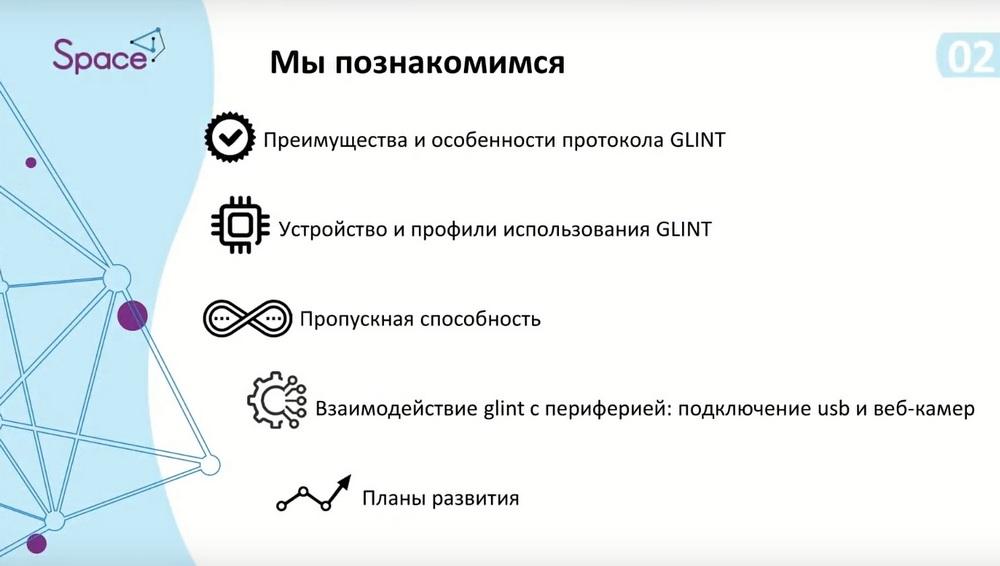
That is, first - the advantages and features of the protocol, how we can configure and adapt GLINT to a specific solution, about its bandwidth. Let's see how the protocol behaves when the channel width changes. Let's see what options there are for interacting with the periphery of connecting devices. And most importantly, these are the development plans for our protocol, where we are moving, what additional features will appear.
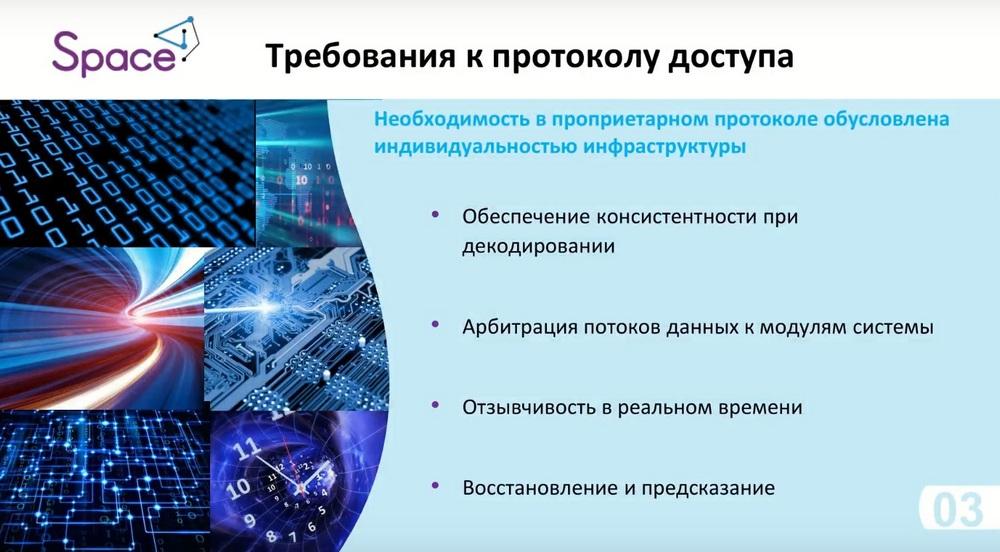
According to the protocols themselves, we identified and outlined such requirements for the access protocol itself: ensuring consistency when decoding video, that is, so that the picture does not break up, and the user can comfortably work in VDI conditions, in various profiles. It is necessary to take this point into account, that is, this is our click algorithm and options, respectively, for displaying the picture itself on the client side, that is, so that everything is in real-time mode with minimal delay. For this, the protocol must also be adapted for arbitration of streams in virtual channels and other options for transmitting various signals, that is, it is not only the image itself that comes from capturing frames of a remote session, but also input-output control of devices, such as USB, cameras, keyboard, mouse and others.
Real-time responsiveness, that is, ensuring traffic balancing, determining delays, capturing key frames, so that you can continue to build this picture. And the last point is recovery and prediction. That is, in case we had some kind of drawdown in the network, or there were some other problems with the load on the performance of the devices themselves, so that the protocol itself could understand which frames it needs to show, which to skip. And, accordingly, the latter is prediction, but here are options for new technologies, that is, neural systems, such as cloud gaming or the like, that in some cases processors with cores for neural networks can predict specific frames, thereby increasing the number of frames, that is, FPS, and allows you to provide smoothness of the picture itself, well, and the quality of the display.
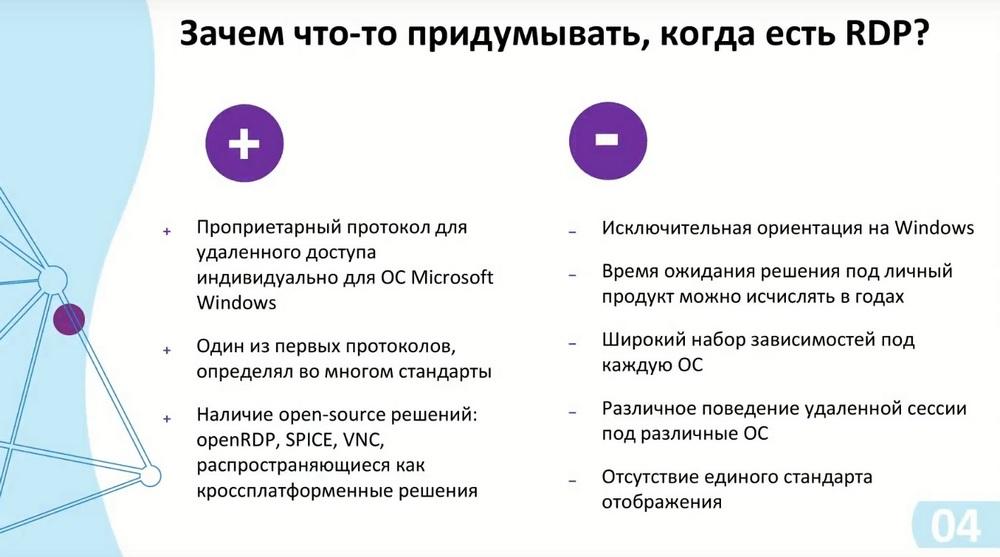
And the most important question is, why do we need some kind of protocol, why invent something when there is already an RDP protocol on the market, everyone uses it, it meets the needs of the market and is very well optimized by Microsoft itself. This is just one of the first problems of this protocol, it is precisely the proprietary protocol of Microsoft, but here it has a plus that it sets standards, it has the right to do so, it is one of the first that appeared in the world of remote access, thereby it can set the rules for how we can build our protocol. Of course, each protocol has its own characteristics. And regarding the minus of RDB, it is organized specifically for the Microsoft ecosystem. If we use terminal servers, RDS, and so on, then RDP is the best solution in this regard, because they natively allow remote access to these solutions.
But if we are already moving to the current market, the current position of the operating system in our country, that is, these are already operating systems based on Linux kernels, that is, Astra Linux, RedOS, then the RDP solution makes it difficult to further develop and adapt to these operating systems.
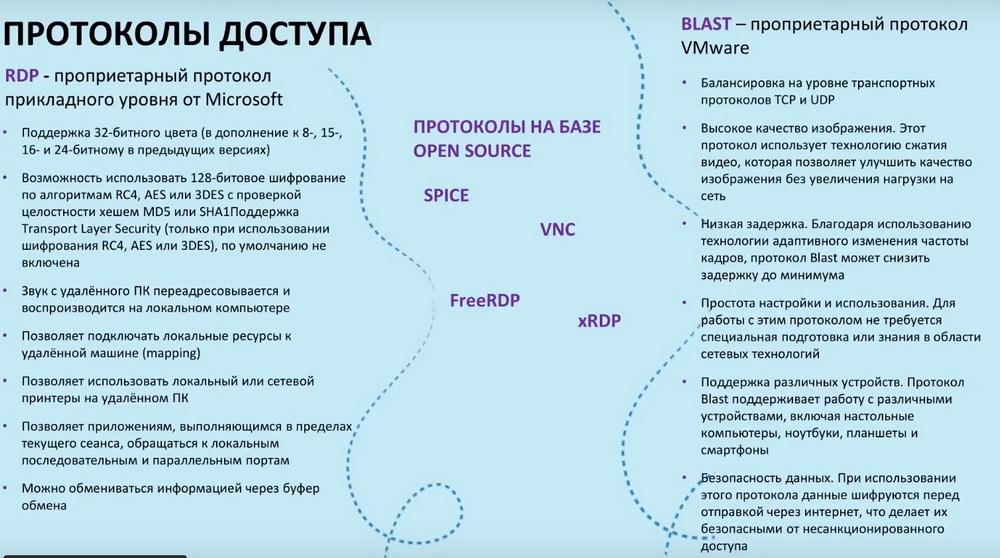
Thus, we have various solutions, such as Open RDP, SPICE, VNC, which provide an open package base, and we can use these developments and adapt them to our ecosystem. Of these protocols, which I wanted to highlight in the VDI environment, these are, respectively, the RDP protocol, the BLAST protocol, and ECA, that is, the Citrix protocol. It is not shown here on the slide, but it is also very popular and often used. The advantages of these protocols are indicated here, that is, great support for both peripherals and encryption options. BLAST has its own proprietary technology with balancing, but both RDP, it is designed specifically for its infrastructure, that is, for Windows, and BLAST is designed specifically for correct operation in the VMware environment. All this does not allow it to be taken and applied to VDI in our solutions.
And therefore, the first thing that was used was the SPICE protocol, VNC, such as FreeRDP and xRDP. They can allow remote access, but they have significant drawbacks. In some packages, there is no sound support, there is no, for example, forwarding of some devices, and besides, they are poorly adapted for bad channels, which is the main feature for the VDI solution. That is, when we build a network, calculate resources for each user, we must clearly understand that we need the maximum channel width in order to distribute it among users and be sure that, for example, in a loaded session mode, when we have hundreds of users and at the same time they are connected to some kind of VCS, that is, there is a transmission of video, audio, peripheral devices are involved, that our channel can withstand and we fall under the necessary parameters.
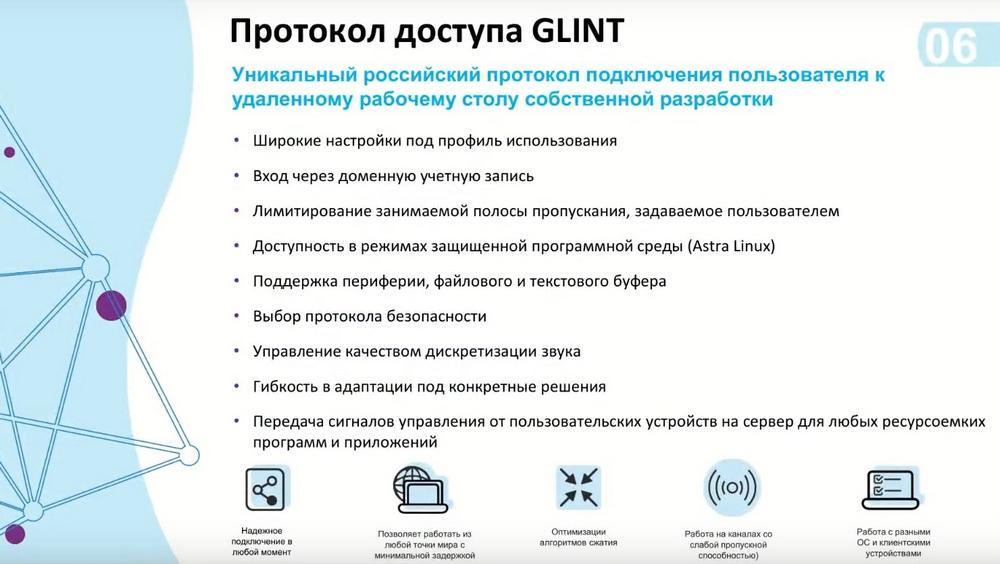
As for the GLINT protocol, it has the widest settings for the usage profile. That is, if we go into the settings of the Glint protocol itself, we can see a large number of parameters that we can adjust for certain scenarios. In the near future, we plan to release a simplified version of these settings, that is, as in some applications there is a choice of low quality, medium quality, high quality, or adaptation to the channel width. We plan to implement such an option so that administrators who configure these settings on clients can more easily understand how to configure for a specific use case. And in addition to this, one of the main features is centralized access to the protocol settings from the dispatcher itself. This is also a plus of the proprietary protocol, because it is ours, we can adapt it to VDI systems, we can manage the settings not directly from the client side. The main thing, respectively, is logging into a domain account, that is, without this, no way. And if we take solutions based on Open Source, then in some cases this feature is not available. Either you need to add something, or attach some additional libraries.
Limiting the specified bandwidth, that is, this is what we can specify for a specific channel width and users will not occupy the channel above it. Availability in the protected software environment modes of Astra Linux, here it means that we for Space dispatcher and Space client solutions… (Space dispatcher is a broker that manages user connections, is based on the Astra Linux operating system, under which we are building our VDI). Other operating systems are supported. From the client side, this is a wide range of these operating systems. On the server side, we provide the possibility of exactly two OS - RedOS and Astra Linux. Here, so far, these two operating systems are because they are now the most in demand on the domestic market. And with Astra Linux, we are conducting a compatibility assessment in the protected program environment mode.
Choice of security protocol, sound sampling quality management. And also this is the main thing, it is flexibility in adapting to specific solutions. The second main quality of the proprietary protocol is that we can change the code base. Thus, the customer can already influence the development of the protocol and offer some solutions that are necessary for its infrastructure. And the last thing is the transmission of a control signal from user devices to the server for any resource-intensive programs and applications. The important quality of the GLINT protocol is that even if the channel bandwidth is very low, it will continue its interaction with the remote session, will not be interrupted and will supply us with signals to the client side. We will even have frames delivered in 4 pixels, we will not see anything, but the stability of the protocol itself will continue, that is, self-connection will be carried out. And when our network is restored, respectively, the protocol will take the channel width that it needs and will continue its interaction. This is another advantage over open source solutions.
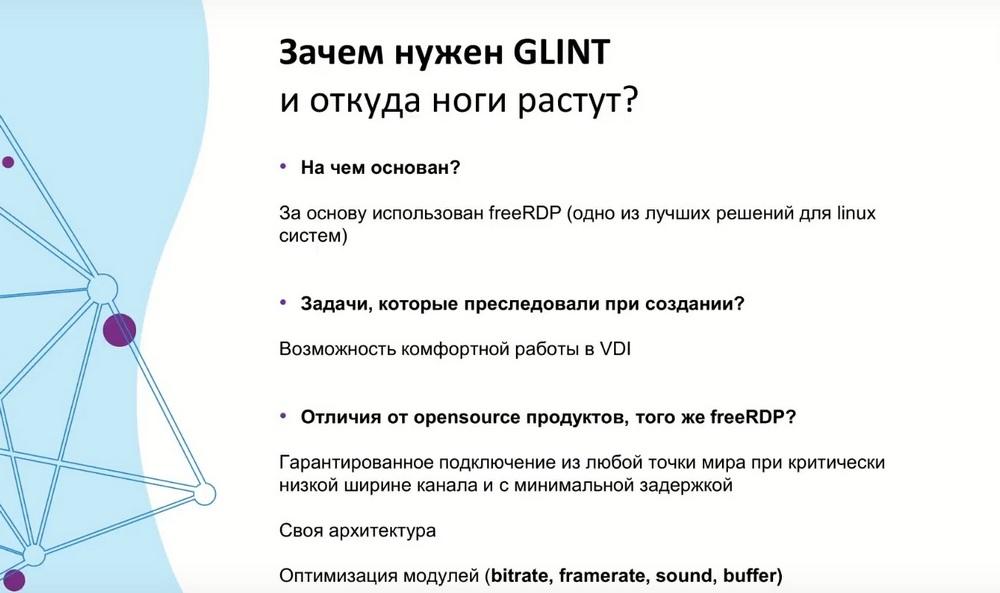
Our protocol uses freeRDP packages. We decided to do this at the beginning of the establishment of our protocol. We took this protocol precisely from the grounds that it is very well suited for Linux and it is very easy to customize. Little remains of freeRDP itself, that is, we rewrote both the client and server parts, but when some new solutions from freeRDP appear, we try to look at them, rewrite the code specifically for our solutions.
Therefore, you will not find GLINT itself anywhere on external repositories, it is located there with us, and this is also its advantage, where no one can somehow make its versions from it that will violate security. The possibility of comfortable VDI operation, but as I said, the outsourcing solution freeRDP does not allow comfortable operation in VDI, because it takes up the entire channel width, and at low channel bandwidths it begins to fall apart and even disconnect. At some point, we may not have a GLINT session, but we will still support everything. Here we have everything wonderful, and this is due to the fact that we have divided the protocol into modules that allow us to optimize this protocol in a specific part. That is, bitrate, framerate, sound and various options for working with other virtual channels. That is, this is the clipboard, and the connection of devices, and other options.
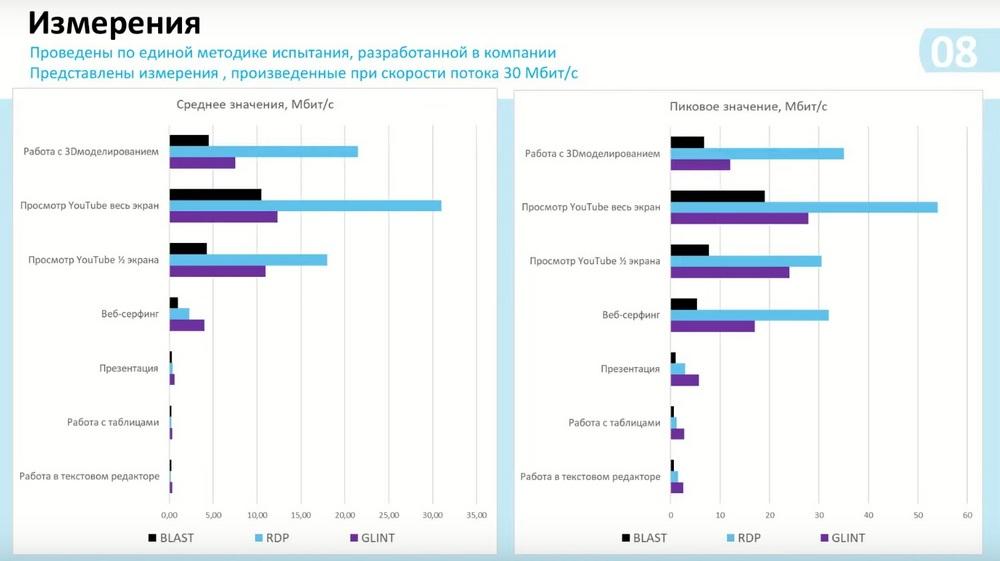
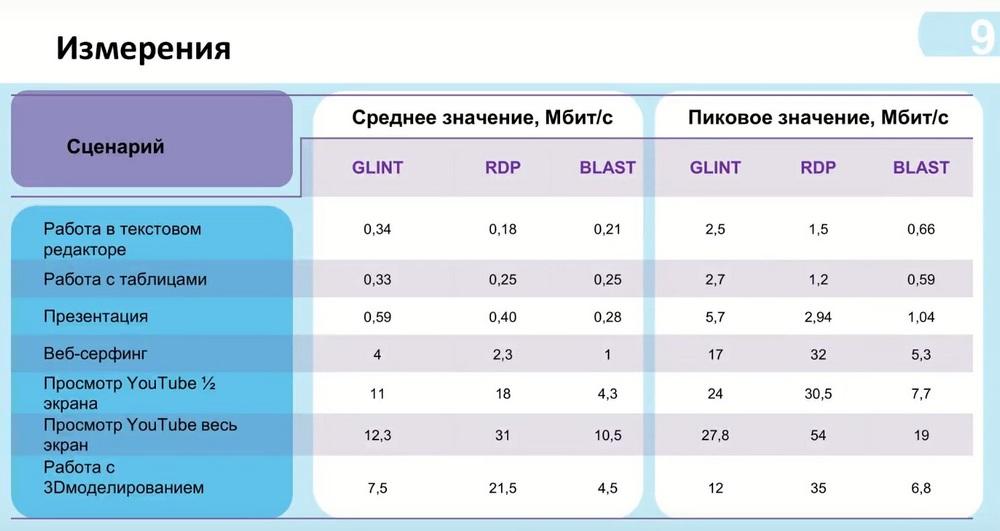
Regarding measurements. Here you can look at the measurement graph of the GLINT protocol (see slide above). It was carried out when measuring the stream speed at 30 megabits per second. Here we can see that GLINT shows the average value for each scenario. That is, here we have a scenario - working with 3D modeling, working with watching YouTube in full screen, in one-second screen, web surfing, presentation, working with tables and working in a text editor. The protocol itself, if you look at RDP, it tries to occupy the maximum channel width, so we see here that it rests on 30 megabits per second in the case of average values, and in peak values it can occupy a larger channel width. Even if you limit it, it will take the required number of frames when first connecting and will distribute the load further. Bluetooth, respectively, has a smaller channel bandwidth, in this case it does not occupy it all and tries to keep the average values, that is, approximately like the BLAST protocol, if you look at this graph.
Let's move on to the periphery now. GLINT's capabilities in the periphery are extensive, including connection to a wired keyboard and mouse, working with USB devices such as flash drives or directory forwarding.
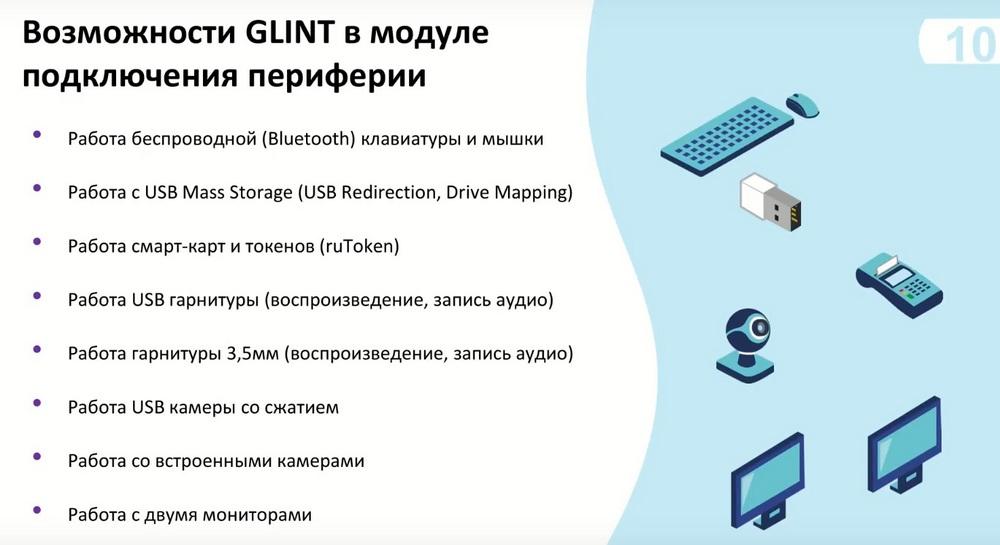
The operation of SmartCAD and tokens is currently implemented specifically for ruToken tokens. In the current release, this feature is being expanded and we are already talking about this in our roadmap. Operation of USB headsets and sound playback, operation of headphones, respectively, 3.5 mm headset. Operation of a USB camera with compression, operation of built-in cameras and operation with two monitors for a solution when it is necessary, respectively, to transmit a picture to two monitors.