Today, the distribution company OCS and "Indeed", a Russian developer of software systems in the field of information security, are holding an event where the vendor's following products will be presented: • Indeed Access Manager - multi-factor authentication for employees and a single point of access to the company's IT systems; • Indeed Privileged Access Manager - managing privileged user access to the company's IT systems; • Indeed Certificate Manager - centralized management of digital certificates, smart cards, tokens, and automation of processes related to them.
Today in the program:
- Problems, incidents, and cases;
- Scenarios and application practices;
- Sales recommendations;
- Partnership terms.
Today's event is led byAnna Shlapak, Partner Account Manager, Indeed. Indeed is a Russian vendor, a Russian developer. We have completely our own components, we write them ourselves, and use domestic software. We have been on the market for 15 years. The company has over 500 active customers, implemented projects, over 200 regional partners, more than 100 employees, most of whom are technical specialists.
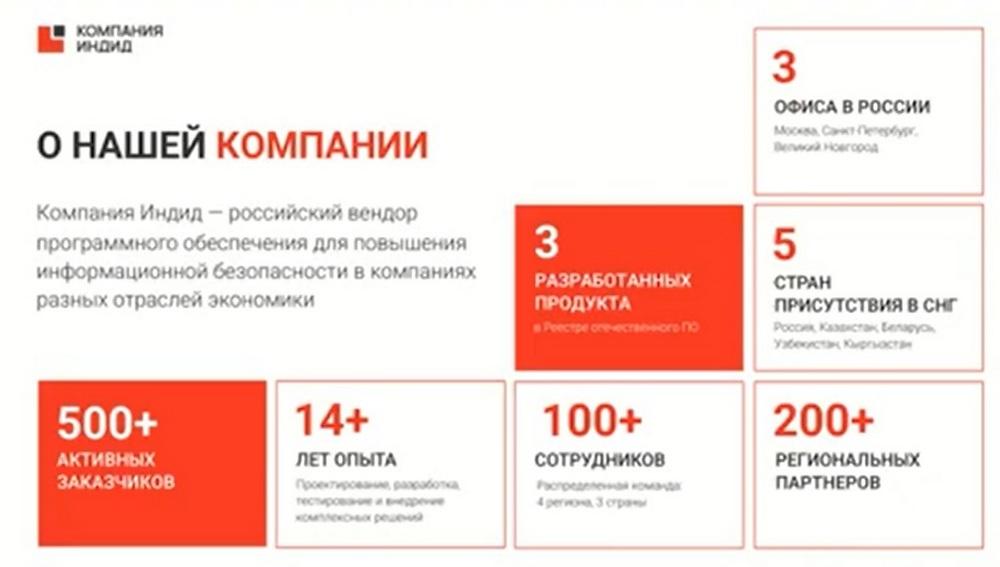
Indeed has 3 offices: in Moscow, St. Petersburg, and Veliky Novgorod. Over 15 years, we have developed 3 products. All of them are in the register of domestic software.
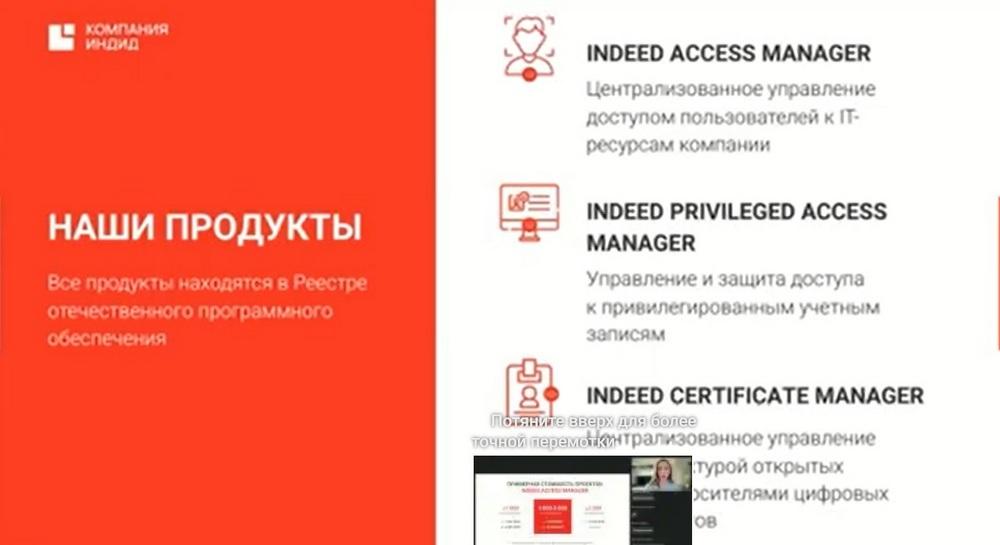
The first product isIndeed Access Manager. Centralized management of user access to the company's IT resources. The second product isIndeed Privileged Access Managermanagement and protection of access to privileged accounts. And the third product is -Indeed Certificate Manager - centralized management of digital certificates and tokens.
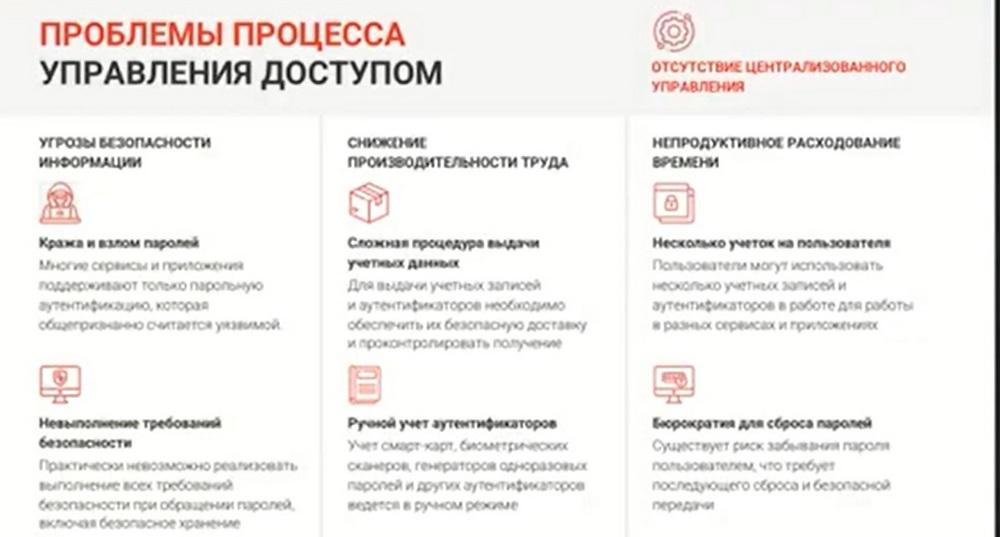
Indeed Access Manager is a solution formulti-factor authentication with single sign-on technology to all corporate resources. The biggest problem for customers is usually passwords. Knowing the password allows attackers to obtain confidential employee data, and then confidential data of the entire company. There are 2 types of common passwords: complex and simple. Simple passwords are easy to remember, you don't need to write them down anywhere, but an attacker can easily find access to a simple password. There are more complex passwords with a diverse set of letters, numbers, and other characters, which are very difficult to remember. Therefore, employees often write down such passwords on pieces of paper, stick these pieces of paper on the monitor so as not to forget where they put them, or write them in notebooks or in notes on the phone, and someone hides them under the keyboard, and even sometimes under the transparent phone case. No matter how complex the password is, in any case, an attacker will be able to obtain it, it will just take a little more time and resources to guess it.
Another problem is when employees have third-party web resources on which they are registered, sites or social networks. As a rule, no one comes up with a new password for a large number of Internet resources. And if an attacker obtains, for example, a password from a social network of a company employee, they can gain access to their work account. This is easy to do, because passwords are usually used for all web resources.
Another problem is that employees sometimes forget their passwords. And then they need to change them. They need to go to the administrator, and for this in many companies there is a process of agreeing and signing an official application with the manager, you need to find everyone, get signatures from everyone, someone may not be at the workplace. As a result, the employee will be in front of their workplace, without access for several hours, which, of course, is not effective.
I also want to note that compared to 2022, in January - May, our data leak statistics increased by 33%. And most of the leaks are precisely passwords and logins.
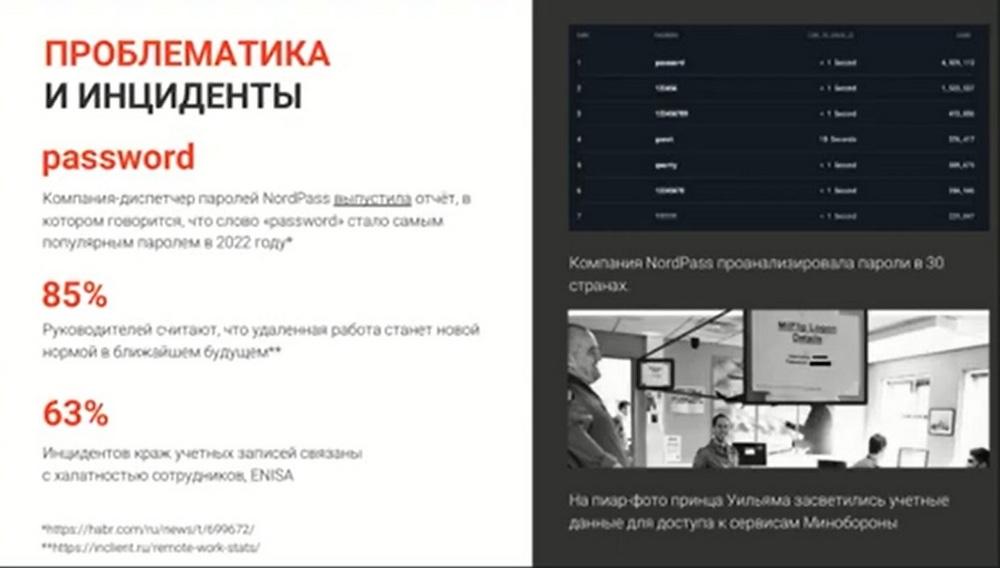
In 2022, the most popular password was - "password". Also very popular are passwords "12345" or "123456", as well as "poe" or "POE" and various variations of this password in upper and lower case.
I'll tell you one interesting case. Once Prince William came to the Ministry of Defense for an inspection. On such an occasion, it was necessary to gather the press service in order to take photographs. The photographs were taken. And in one of them, a piece of paper with the login and password of a Ministry of Defense employee accidentally ended up in the frame, which he had hung on the table higher so that everyone could see it, so that he himself could see it. The spread of this photograph could not be prevented. It ended up on the Internet, but the Ministry of Defense managed to change access for all its employees in the shortest possible time. Attackers did not manage to carry out any malicious actions in the infrastructure of the ministry.
Understanding
the importance of password secrecy, our company has developed the Indeed Access
Manager product. This product is aimed at controlling employee actions, at controlling
access to company resources both from the internal and external network.
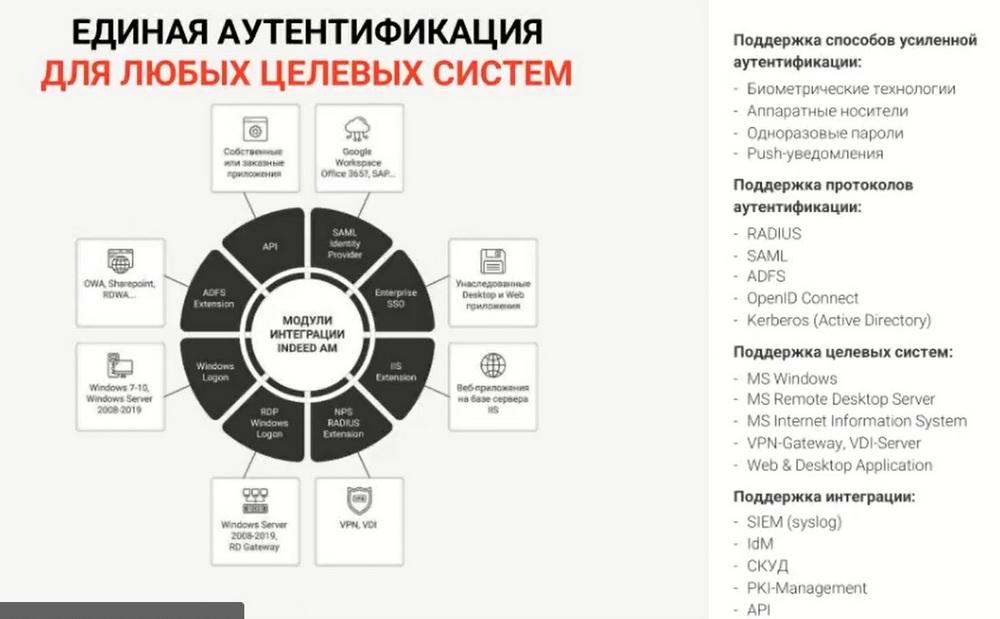
Our product is licensed by users and by integration modules. In total, we have 8 modules. The most popular modules are the remote employee connection module, the access to stationary workplaces module, to web applications, and to target applications. All these modules are collected through a questionnaire. The customer fills it out themselves, where they indicate what functionality they need.
We also have a large number of authentication elements. Customers do not need to pay additional funds for them. The customer buys a license for users, buys the necessary module, for example, a module for remote connection, in their infrastructure can come up with an authentication method, whatever they want. It can be additional factor authentication, it can be multi-factor authentication.
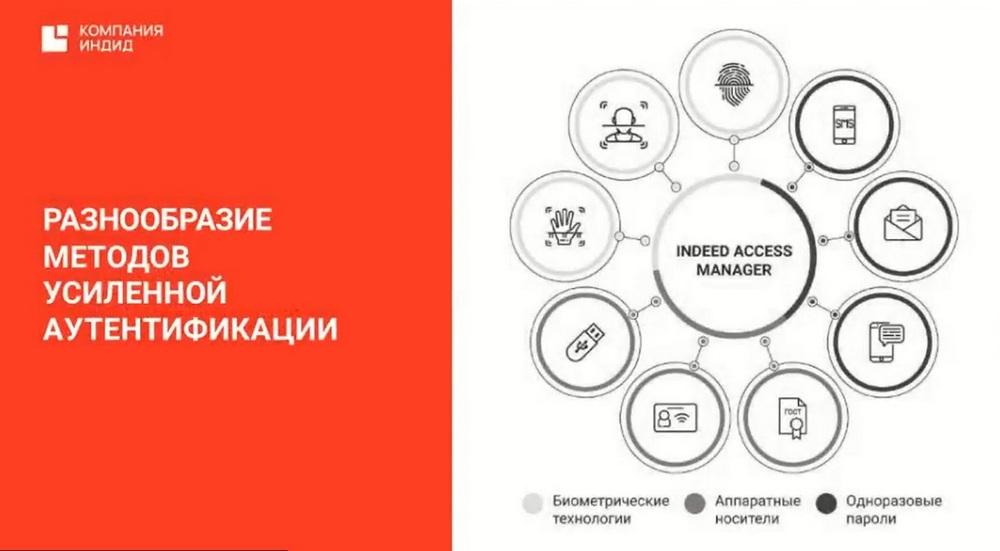
What are these enhanced authentication methods that I mentioned? These are biometric technologies: fingerprint, palm vein scan, 2D-3D face contour, these are hardware tokens. Let me clarify right away. We are software development vendors. We do not have our own physical tokens, we do not develop hardware platforms and other physical tokens. We can upload our software to a friendly hardware token developer. These are cards or scans for the hand or finger. Also this is the generation of one-time passwords and push notifications.
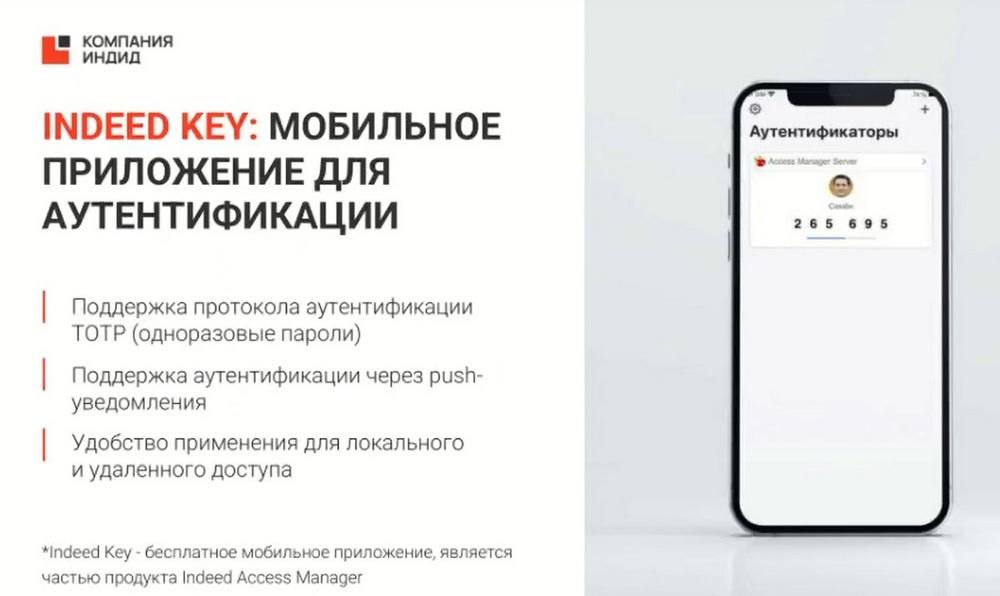
Also our mobile application Indeed Key belongs to enhanced authentication. It works in two modes. The first mode is the generation of one-time passwords. In this case, a network connection is not required. The second method is the generation of push notifications. A network connection is required here. The mobile application is free. It can be downloaded. And it works in two languages: Russian and English.
I told you about the single authentication method in all corporate applications. We have an agent that allows an employee not to enter their passwords anymore. Access to all corporate resources and web resources this agent is installed by the employee on their workplace.
And, when they launch the window for entering their data, this agent can intercept this session and enter the necessary data without the employee's participation. That is, thereby we can disable the employee's knowledge of the password.
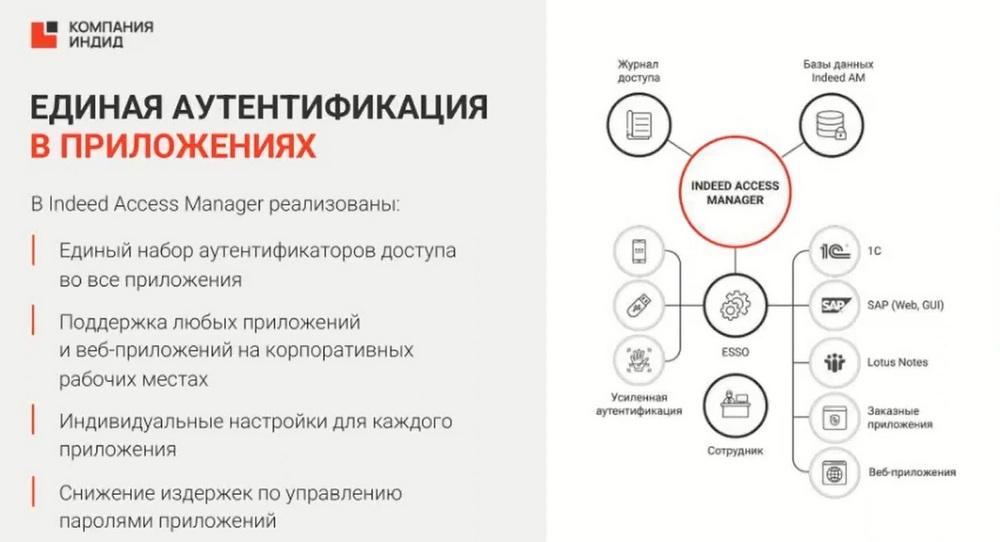
We also always highlight the remote access protection module with a separate slide. Because it is no secret that since the beginning of the pandemic and now, in the current realities, remote work has become very relevant. Many customers are transferring their employees to remote work, and employees can connect to the company's internal network from any device from outside. And the customer must be sure that such a connection will be secure, it will also be protected by a second factor or many factors of authentication. In this case, we close the need for secure access to the company's internal resources from the external network.
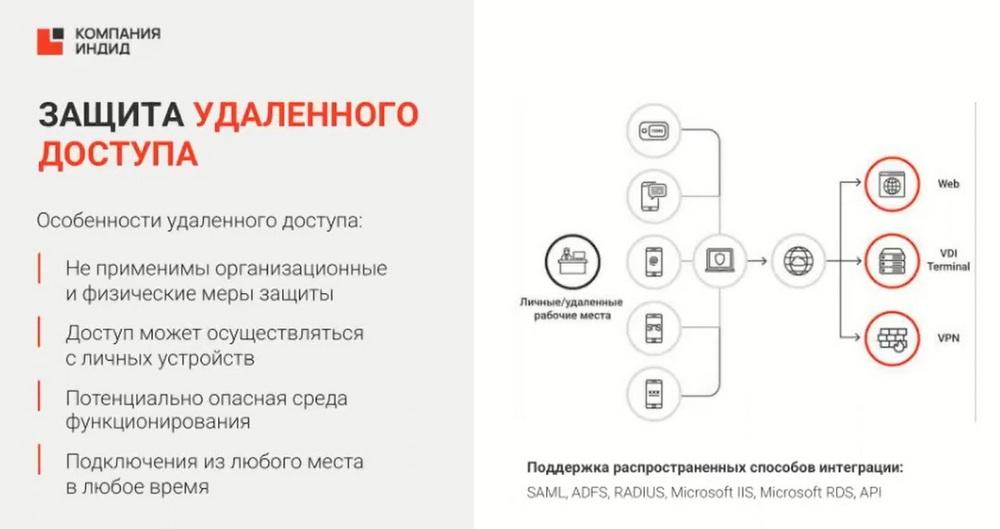
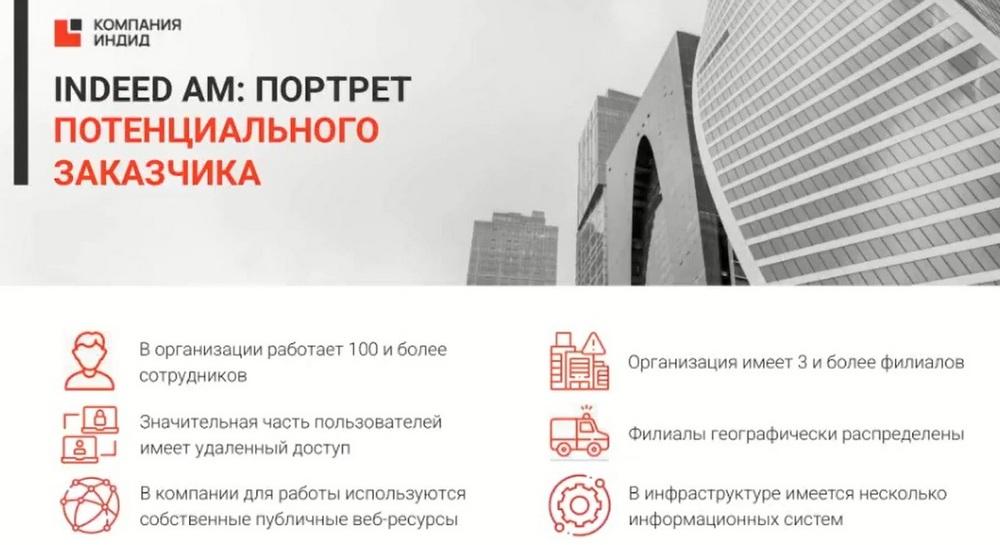
So, the question arises of who needs our product. We have 6 points on the slide. If at least 2 of them are suitable, you can safely go to the customer. For example, if 100 or more employees work in the organization, or a significant part of the employees are working remotely, or the branches are geographically distributed. If we know such, we can safely go and offer our IAM.
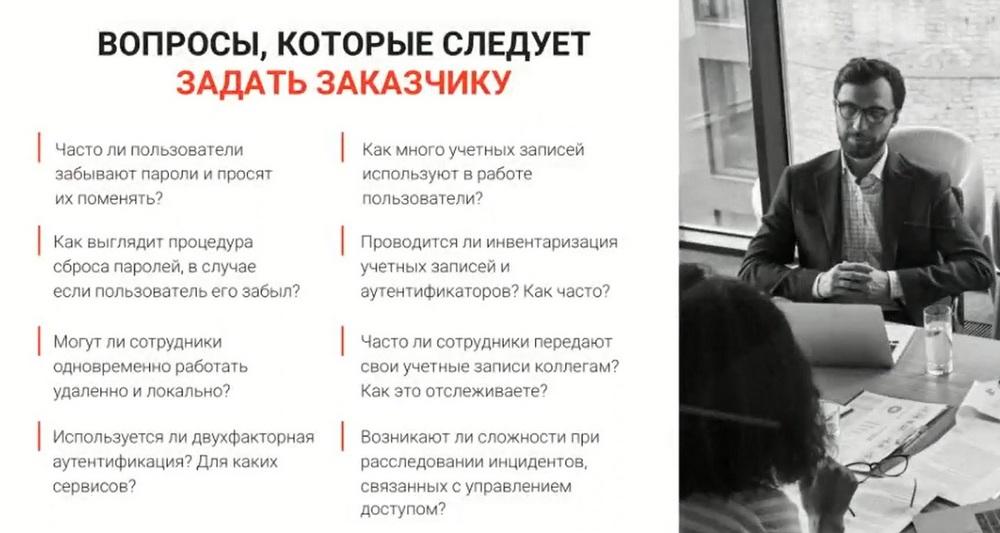
How to start a conversation with a potential customer? To help you, we have compiled a list of questions that you can use. These questions allow you, when you come to the customer, to identify their needs. Or vice versa, to plant in them the idea that something in their infrastructure is not right, and is it not time for them to think about a product like IAM?
Next. We know who the customer is, we know what questions to ask them, it is worth talking about the benefits of our offer.
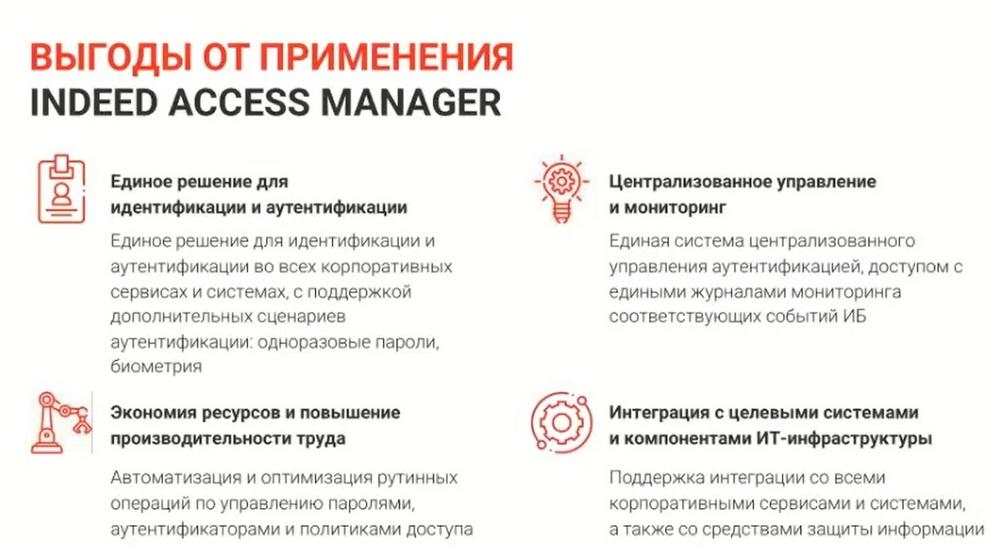
The first obvious benefit is either the complete absence of passwords, or the knowledge of passwords by employees, but protection by a second factor or many factors. Attackers can obtain employee passwords, we know how sophisticated they are in approaching this issue. But, even if an attacker obtains an employee's password, they will simply run into a second factor or multi-factor authentication. They will not be able to obtain biometrics or a card in any way. Of course, we do not consider such a case when an employee, committing intentional actions, intentionally transfers their card to an attacker. But, if we do not consider such an option, then the attacker will not be able to gain access to the employee's data.
The second benefit is that when an employee forgets their password, they no longer need to run and sign an official note with the boss, the main IAM administrator can do this. They can change the password in the program, or completely cancel the password.
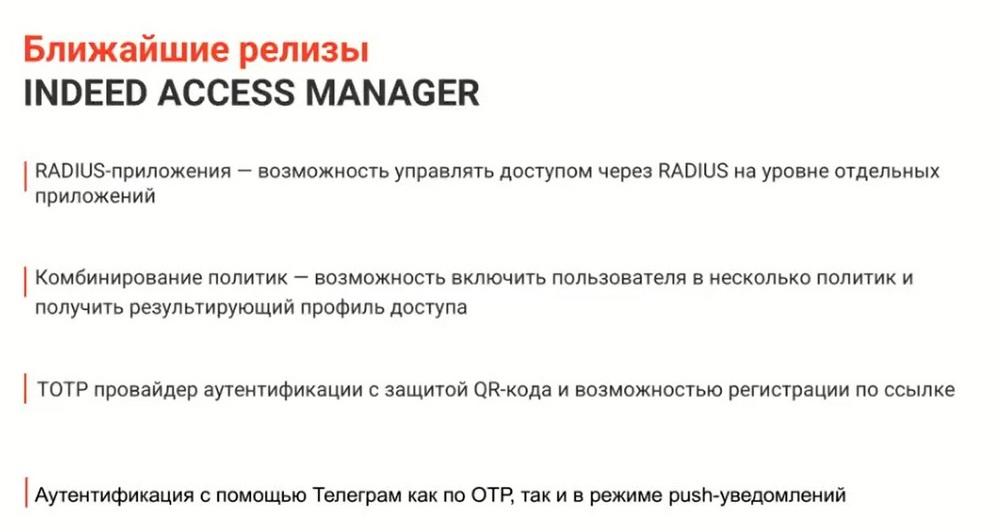
The slide shows the upcoming releases. These releases are planned for approximately the end of the summer. I will add that we have already added the ability to authenticate using Telegram from the upcoming releases. UTP and push notifications can come there. For example, you can make it so that an employee receives a push notification and they only need to press the confirmation or rejection button when they try to authenticate.
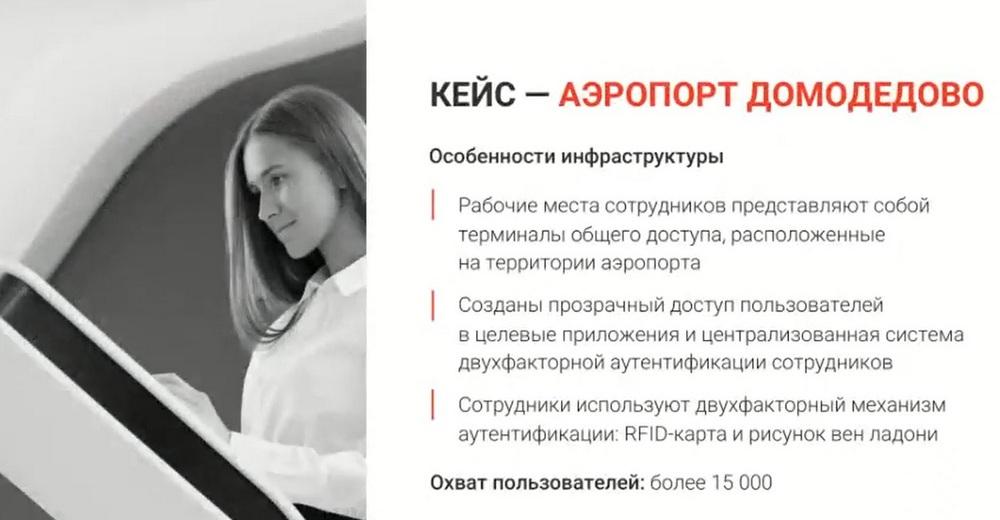
The first interesting case is Domodedovo Airport. Here, not all employees of the customer have their own stationary workplaces. For such employees, they have installed a device like the one in the picture. It looks like a kiwi machine, through which we used to top up our mobile account. Such employees have their card, they have a palm. They approach this device, attach the card, then the palm. The scanner scans the palm vein pattern. And, if everything is successful, the vein pattern matches, they are allowed into their work session, they can view confidential information about themselves, can write an application, or perform other actions. What would happen if there was no second factor? Such an employee may lose their card. In the best case, this card will be found by their colleague. They will be able to log in with it, see, for example, the colleague's salary, or take some confidential information. But in any case, such a situation will not be critical for the company as a whole. If this card is obtained by an attacker, they will be able to gain access to all information about the employee and about other employees of the company, and steal confidential information from the company.
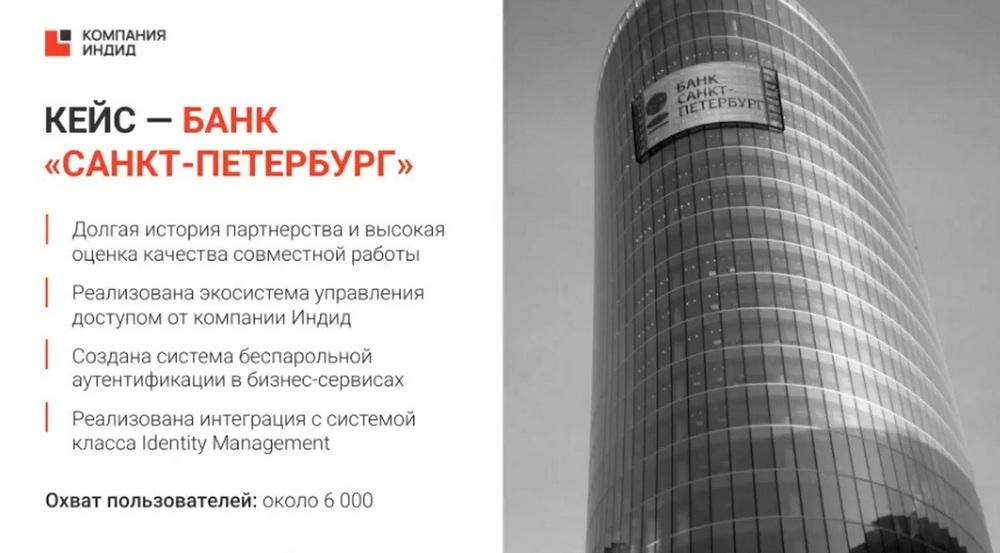
The second case is interesting because the customer, Bank St. Petersburg, has all 3 of our products. Initially, the customer bought our IAM for employees who travel to customers with their laptops and tablets. What can happen if an attacker obtains such a tablet or laptop? Of course, they will be able to gain access to all information about the employee, about the company, and, what is even worse, about the customers of this bank. Of course, this is completely unacceptable. Here, the customer uses SMS messages as a second factor, which come to the employee's mobile phone. If an employee has lost their laptop or tablet, they can always quickly contact their admin, explain the situation to them, and they will simply block all access for them.
This slide is about our customers. Of course, these are not all of them, but only those who have allowed us to tell about them. These customers are posted on our website. You can read them, they share their opinions and impressions about the implementations. And they also talk about the problems, why they decided to install our product.
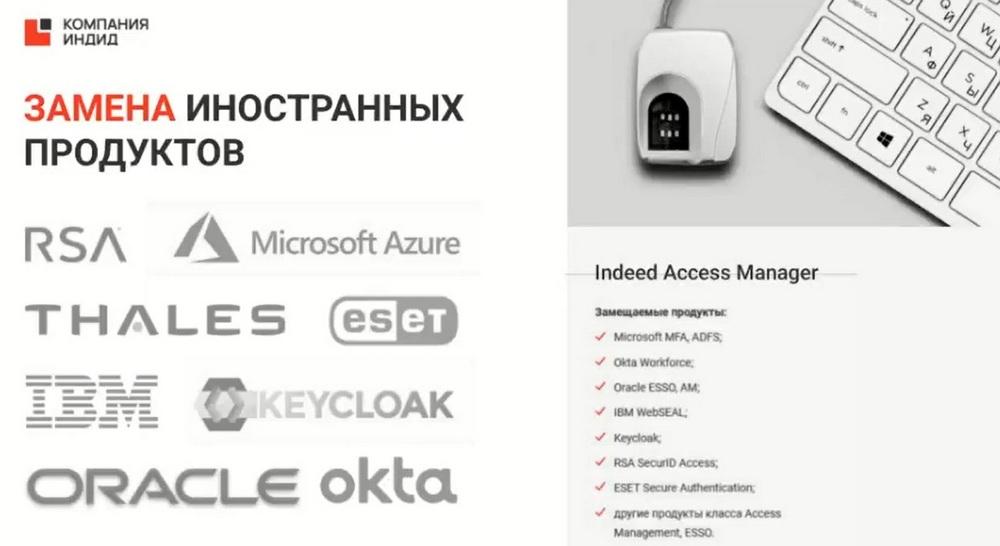
About foreign competitors. I am sure that you all know them. And therefore, if you know that customers, for example, are running out of technical support, then you can safely offer them migration to us.
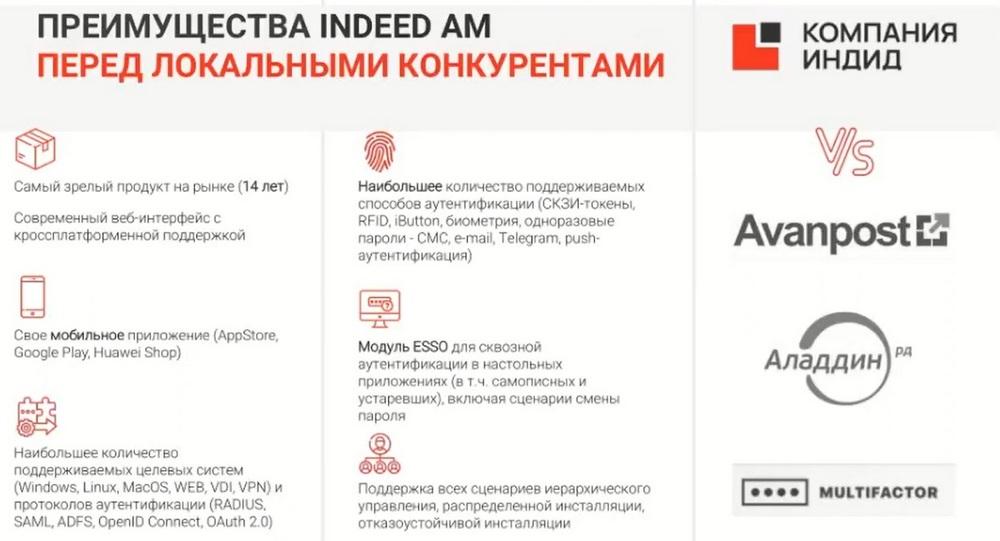
Our domestic competitors: Multifactor, Aladdin, Avanpost. Multifactor is a cloud solution. Aladdin and Avanpost, like us, are on-premise. What are our advantages? We have the most mature product on the market. Our product, like the entire company, is turning 15 years old. We have the largest number of supported authentication methods, our own mobile application.
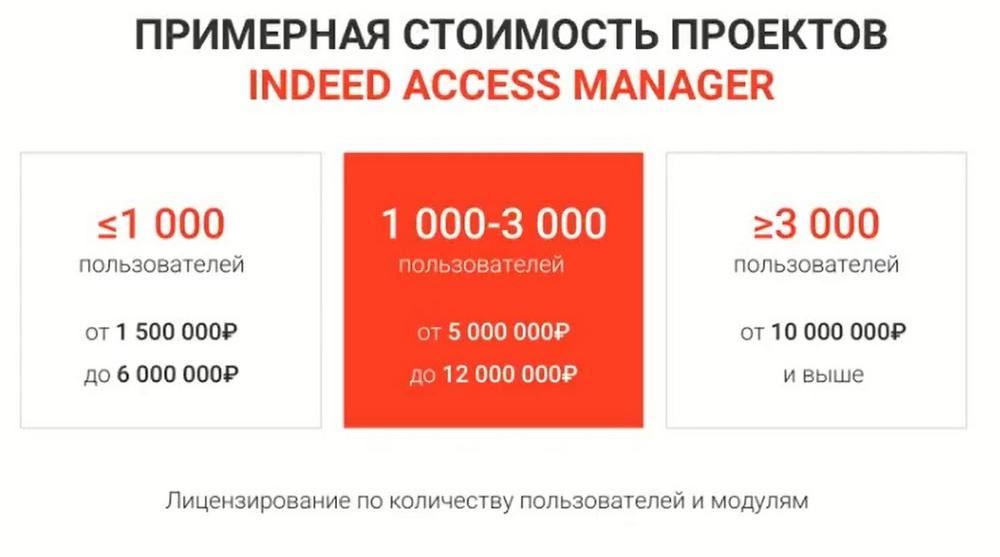
The website shows the approximate cost of the products. Because our price list is closed. We provide prices only when filling out a questionnaire, an authorization form for a specific customer for a project.
Licensing - by the number of users and by integration modules. The minimum number of users - from 100. Licenses are term and perpetual. A term license is when the customer buys a license for one year. It includes support for 12 months. Next year, the customer will need to buy the same package of licenses. A perpetual license remains with the customer forever. It includes support for 12 months. Next year, the customer will only need to renew support.
Indeed Privileged Access Manager
I will move on to the next product - Indeed Privileged Access Manager. Management and protection of privileged access by privileged users. The question arises, who are privileged users? There is a very informative slide "Categories of privileged users".
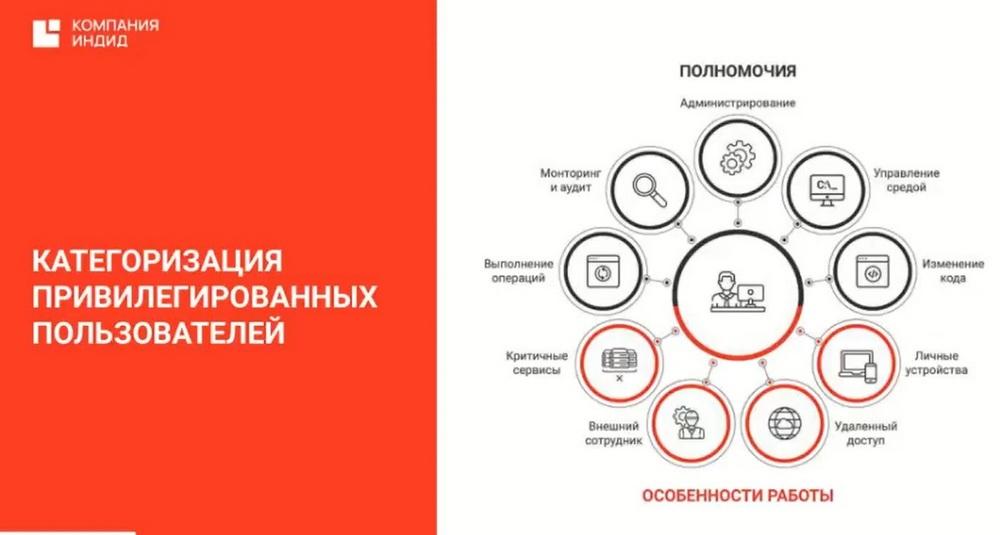
We have distributed privileged users by powers and by features of work. This may be an external employee who, for example, has access to the customer's infrastructure, or it may be an authorized auditor who cannot make any changes to the customer's infrastructure, but can see confidential information and use it. For some customers, the financial director or accountant is considered a privileged user. But we are considering here administrators and contractors.
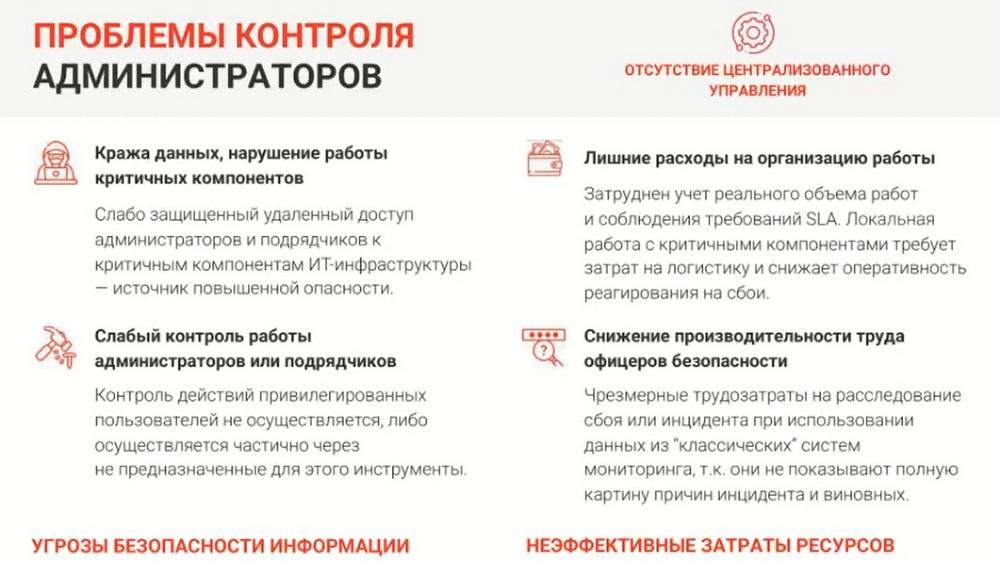
Here the customer has a problem. We know what can happen if an attacker obtains the password of ordinary employees. This, of course, is not a good situation, but not critical. If an attacker obtains the password of an administrator who has access to the entire customer's infrastructure, then this situation becomes catastrophic. An attacker can crash the infrastructure, can cause some incident, can stop production, i.e. cause irreparable damage to the customer's infrastructure.
Indeed Privileged Access Manager
The next problem is incidents. When an incident occurs in a company, a long process of finding out what happened, who is to blame, is launched. Of course, incidents are resolved, but the root of the problem is not found, it is not clear why the incident occurred. Understanding all this, we have developed theIndeed Privileged Access Manager product. For ourselves, we here highlight three main blocks of functions. The first block of functions is management of privileged users, the second block is control of privileged users, and the third block is the recording of actions in various formats and further monitoring and analysis of these actions.
Also our PAM supports two-factor authentication and the possibility of syslog integration with our Russian information security systems.
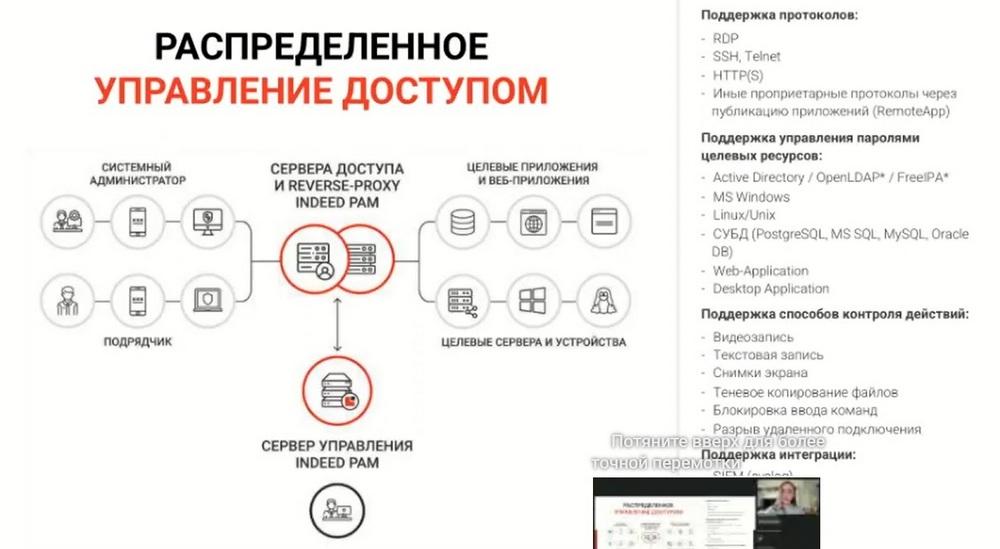
I will tell you about one of the scenarios. The fastest and easiest. We have many supported protocols and connection scenarios. Let's imagine that I am a system administrator. I have a login and password with the lowest rights, literally for entry and exit. I enter my login and password, connect to my account, find the web console for PAM, download an RDP file from there, launch it, and with the help of this launch a connection to the access server occurs. At this moment, I am asked for a second factor. I must enter this factor. Then the access server checks all accesses, policies, and, if everything is successful, I am allowed to target applications, to web applications already as a privileged user, for example, admin1. That is, I get access to target applications not as an ordinary administrator, but as a privileged user. At the same time, I do not know either the login or the password of the privileged user. The main administrator, superadmin, manages everything with PAM. This can be an IT employee who will control the customer, this can be an information security officer who controls themselves, it all depends on how the customer's policy is arranged. They choose the scenarios for themselves. Such a main administrator, managing everything with PAM, assigns policies, assigns accounts of privileged users. For example, some administrator "Vasya" will sit under admin2, and "Ivan" under admin3, etc. Assigns which target applications a particular privileged user will have, and at what time they will be able to access these target applications, etc.
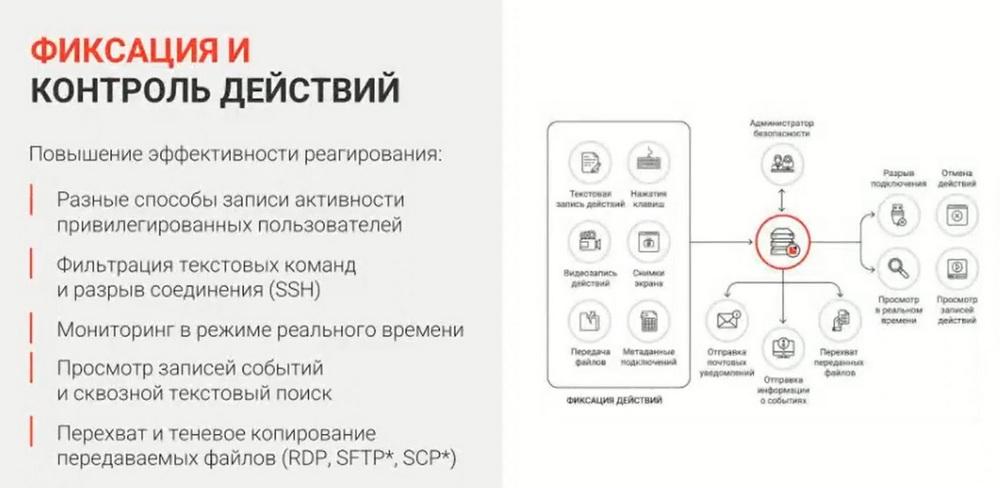
As soon as the administrator gains access to the target applications, the recording and control of actions takes place. This is video recording, screenshots, blog recording, this is pressing keys. There is also the possibility to monitor in real time what the administrator is doing now? A notification comes to the main administrator in the PAM console that there is now an active session or sessions. They can "drill down" into one of the sessions and see what the administrator is doing there. If they do not like any actions that they consider suspicious, they can block this session. After blocking the administrator's session, they will be kicked out of the system and they will receive a message that their session has been blocked.
Also in PAM there is the possibility to prescribe forbidden commands. That is, if the administrator tries to prescribe some forbidden commands, their session will also be blocked.
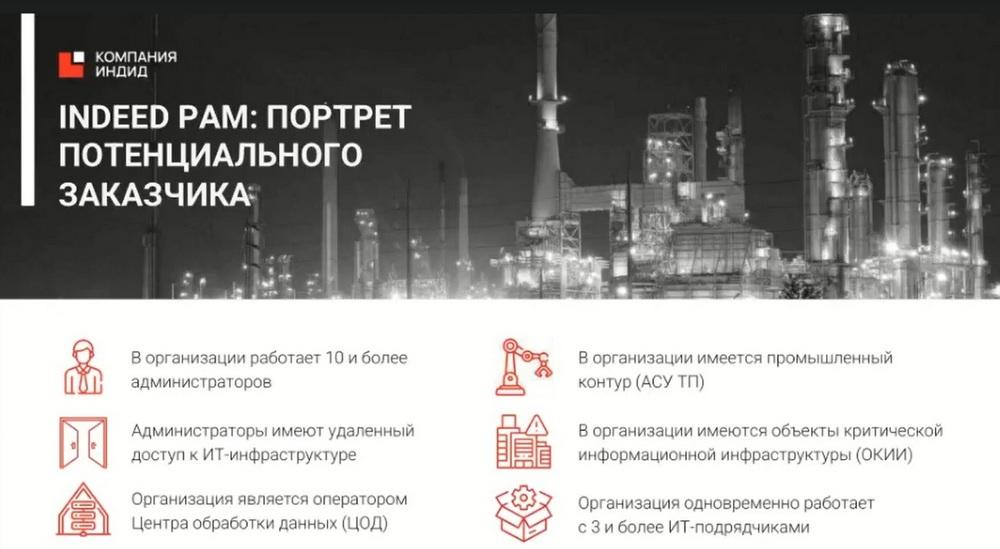
Traditionally if 2 out of 6 points are suitable, then you can safely go to such a customer. For example, 10 or more administrators work in the organization, the administrator has remote access to the company's IT infrastructure, if these are data centers.
On the next two slides are questions that it makes sense to ask customers and what benefits IPAM gives.
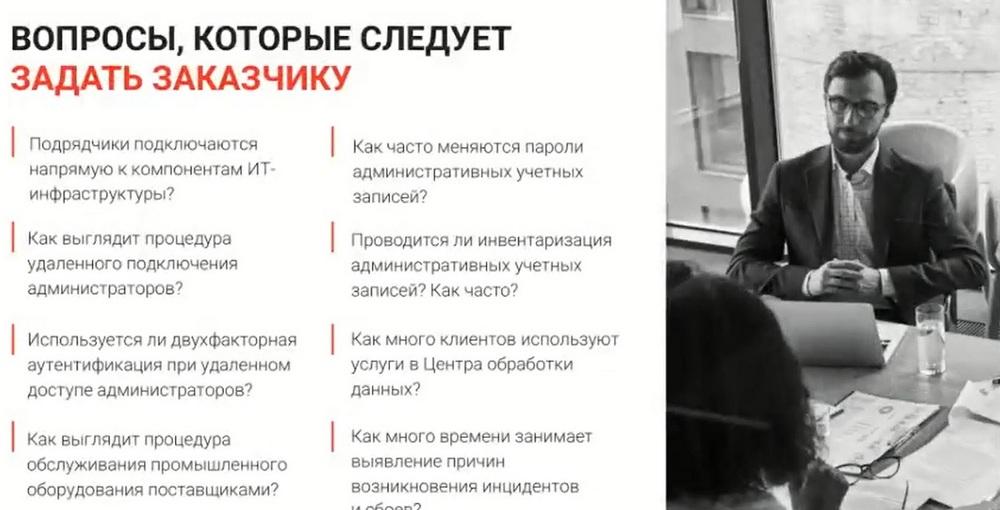
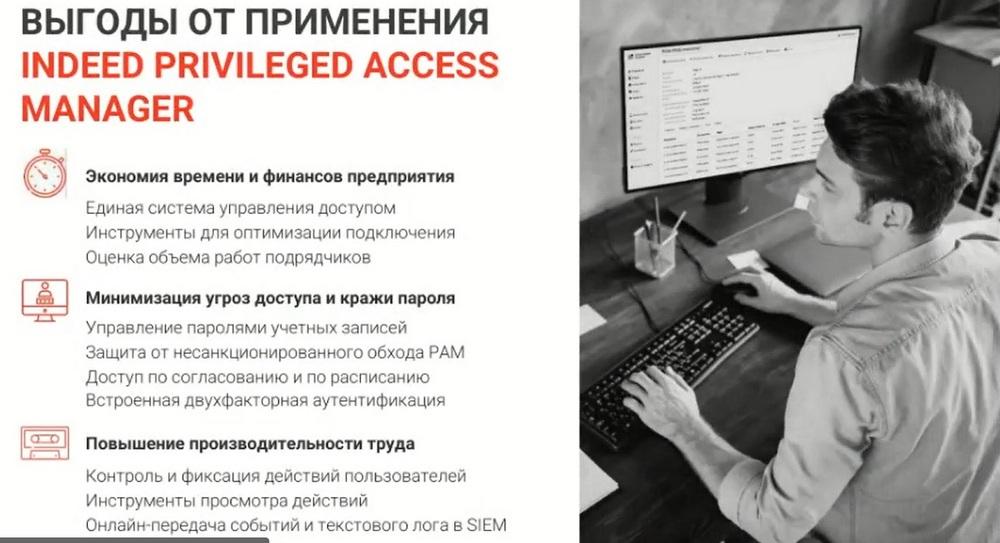
It is clear that ordinary employees do not know the passwords of privileged users, they have access only to their account. If some incident occurs in the company, then you can look at screenshots, logs, and in a short time eliminate such an incident. The slide shows the releases planned for the summer of this year.
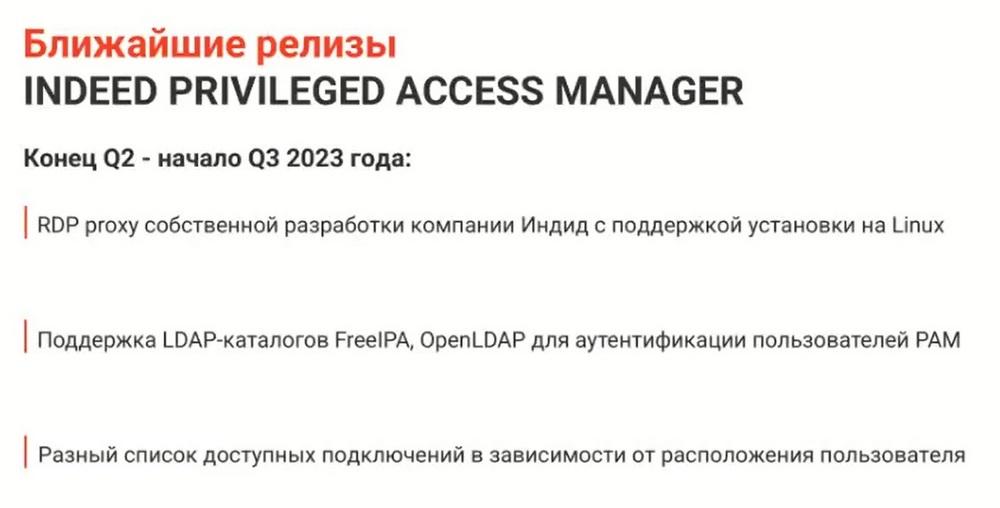
In literally a month we will "move" to Linux, all OS of this system will be supported. Case Federal Ministry.
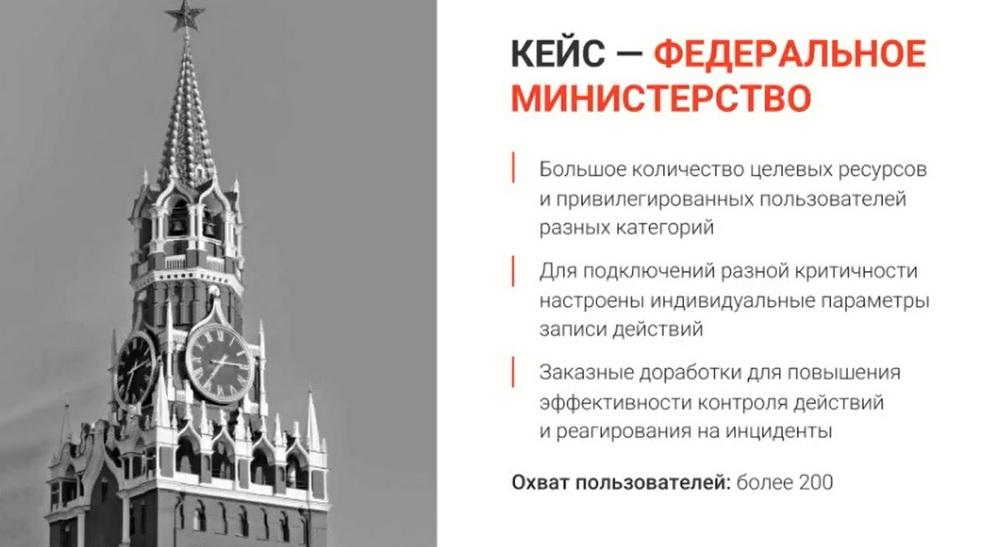
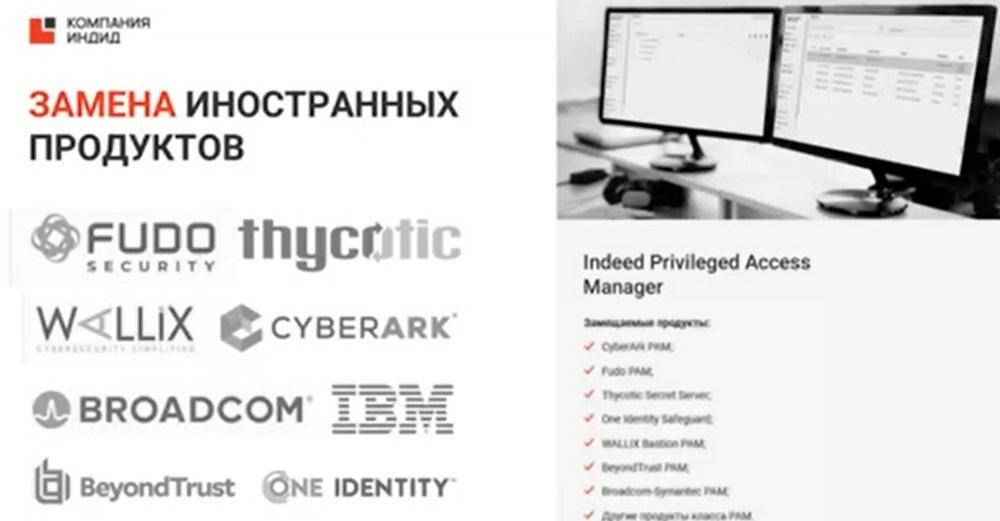
Here the customer has forbidden to talk about themselves, but employees of this ministry use a fingerprint as a 2nd factor. The next slide shows foreign products that IPAM can replace.
The next slide shows the advantages of IPAM over competitors.
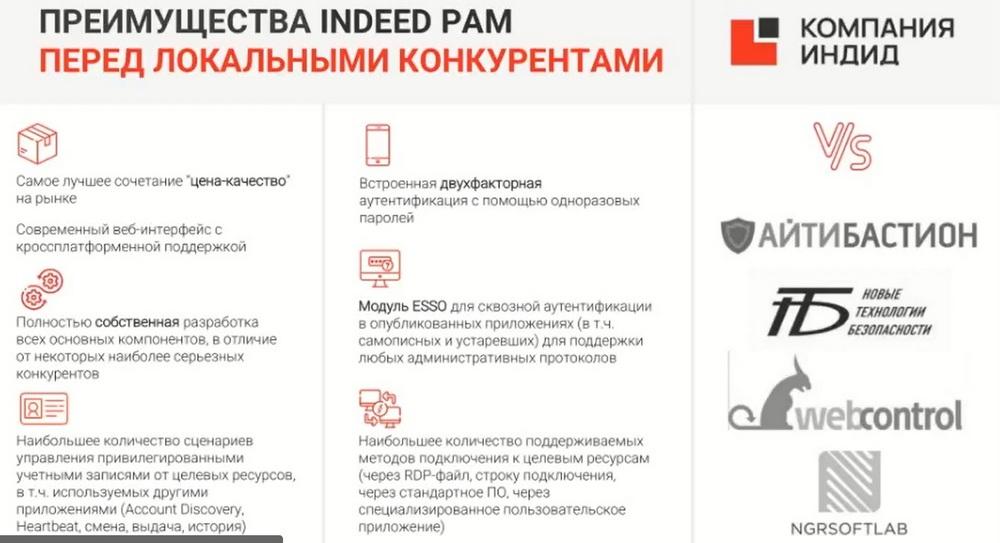
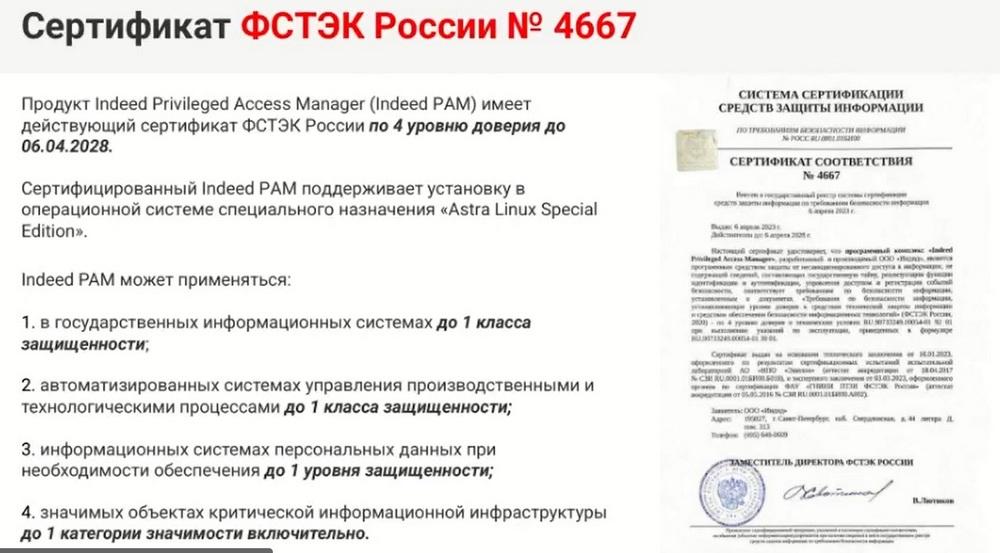
We have the best price-quality ratio on the market. We have all our own components. Despite the fact that we received the FSTEC certificate, we nevertheless did not raise prices.
The slide shows the approximate cost of IPAM projects.
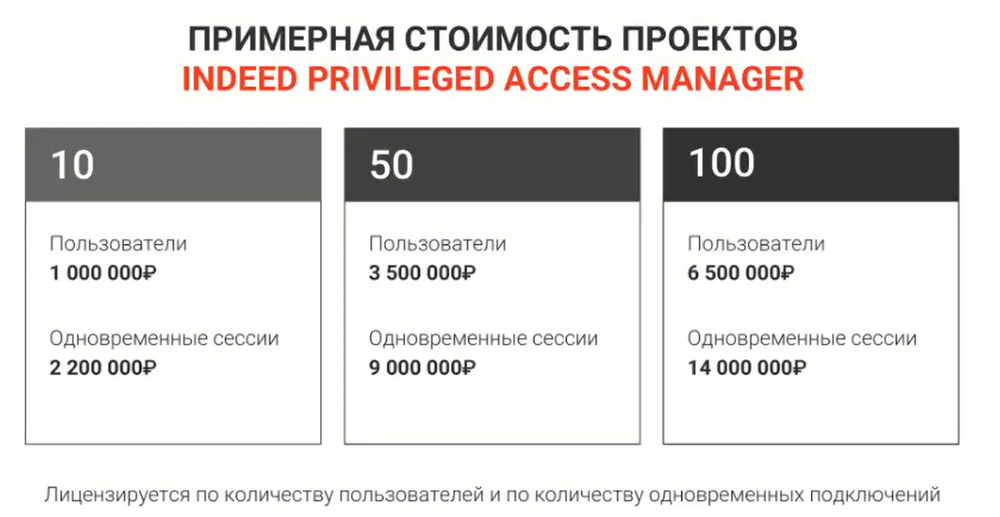
IPAM is licensed by the number of users. A limited number of users can generate an unlimited number of sessions, therefore there is also a limit on the number of simultaneous connections. Licenses are term and perpetual.
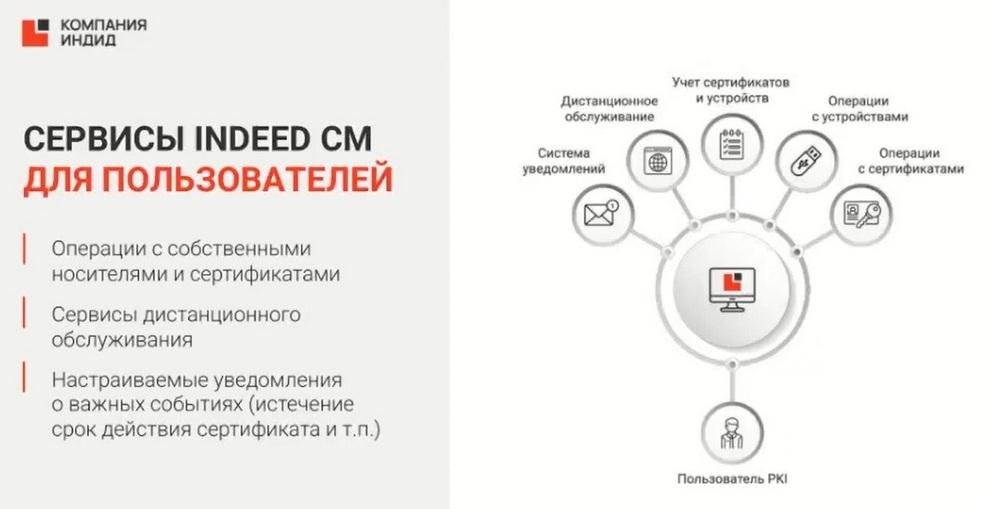
ICM is the centralized management of public key infrastructure and digital certificate tokens. There are customers who have their own certification centers or a large number of employees with their electronic signatures and certificates.
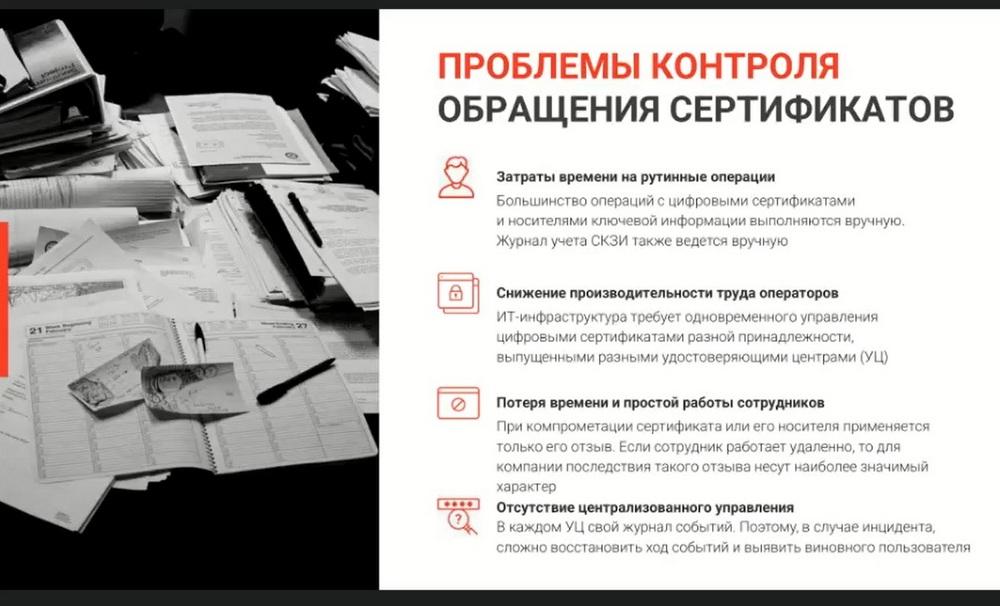
These certificates need to be controlled. You need to monitor when these certificates expire. If an employee's certificate has expired, they need to urgently go to their administrator, insert their token into their computer, and reissue the certificate. We have developedIndeed Certificate Manager, which automatically collects information about what certificates users have and can issue such a certificate in semi-automatic mode.
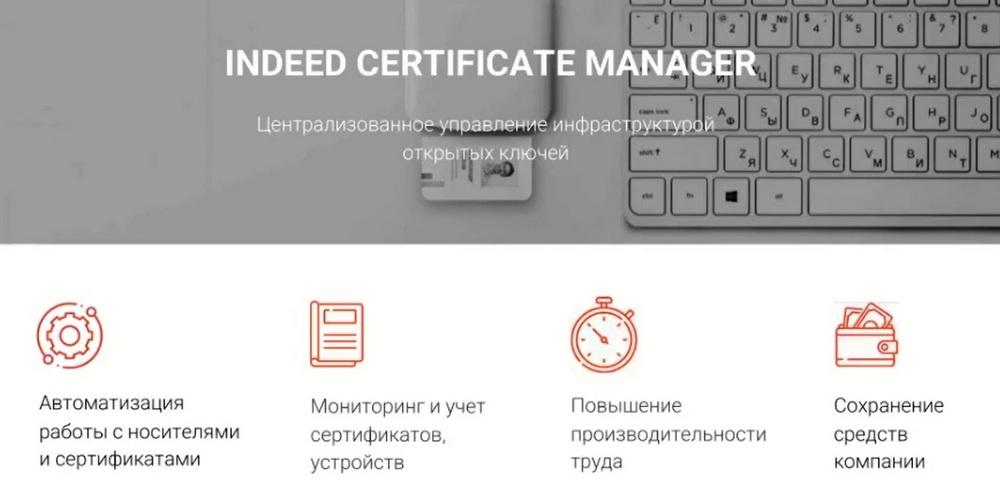
We support 3 certification centers: CryptoPRO, Microsoft CA, and Validata UC, support smart cards from third-party manufacturers: Rutoken, JaCarta, ESMART and others on the slide. Accordingly, there is an employee's personal account and an administrator's console.
The administrator has a console where they see all certificates, they can manage them, they can reissue them, transfer certificates from one physical token to another, they can configure notifications about important events. You can allow an employee to reissue their certificate themselves.