Joint event of OCS and "Basalt SPO", the developer of the Russian operating systems "Alt Workstation", "Alt Server", "Alt Education", "Alt SP", "Alt Virtualization", Simply Linux.
Today in the program:
- The "Basalt SPO" company and the "Alt" family of operating systems;
- Update of the "Alt SP" OS — release 10;
- Support for hardware platforms, including Russian ones, compatibility with domestic software and a developed ecosystem of solutions;
- Current solution: support for MS AD group policies and a group policy management tool (ADMC);
- Licensing features and technical support;
- Training of specialists and teachers;
- "Basalt SPO" partner program.
The event is hosted by Victoria Fedorova, Partner Manager at Basalt SPO LLC
.
Victoria began her presentation with a story about the "Basalt SPO" company, which has been developing its own Russian operating system for over 20 years, while using its own development platform with a full life cycle, equipped with its own assembly, testing and control tools. The company has 4 offices, the head office is located in Moscow, a large compatibility department in St. Petersburg, and development departments in Obninsk and Saratov.
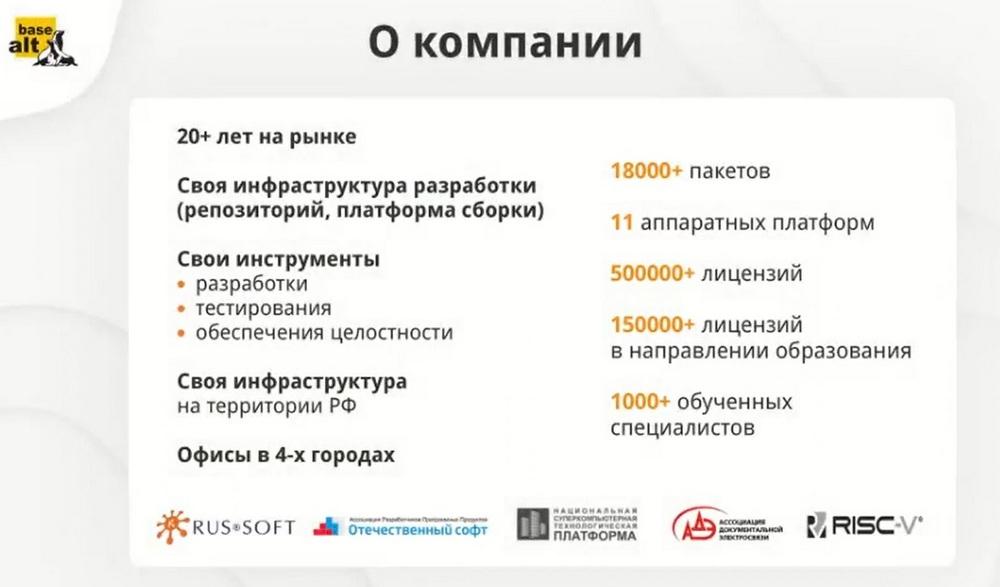
The main advantage of "Basalt SPO" is that the company's OS is not a clone of any foreign OS, the company has its own independent international project SIZIF, which is used as a base for building all operating systems of the ALT family, it is one of the ten largest world repositories. Thus, the entire development infrastructure is located on the territory of the Russian Federation, under the jurisdiction of Russian law, owned and supported by the company "Basalt SPO".
This is very relevant in connection with the changing political and economic situation and the presence of sanctions. Of course, ALT distributions are designed taking into account integration between them, which allows building information systems of various scales, as well as ensuring operation in heterogeneous networks.
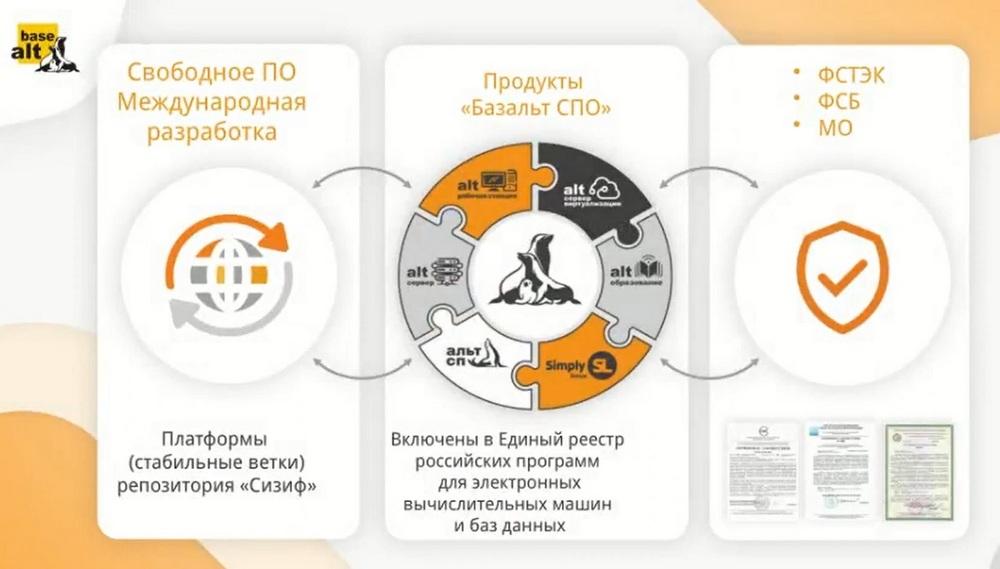
All products meet the requirements of the legislation of the Russian Federation, are included in the unified Register of Russian programs for computers and databases. There are certificates issued by the FSTEC of Russia, the FSB, the Ministry of Defense. These certificates confirm the high quality of products and allow them to be used in information systems with the most stringent security requirements.
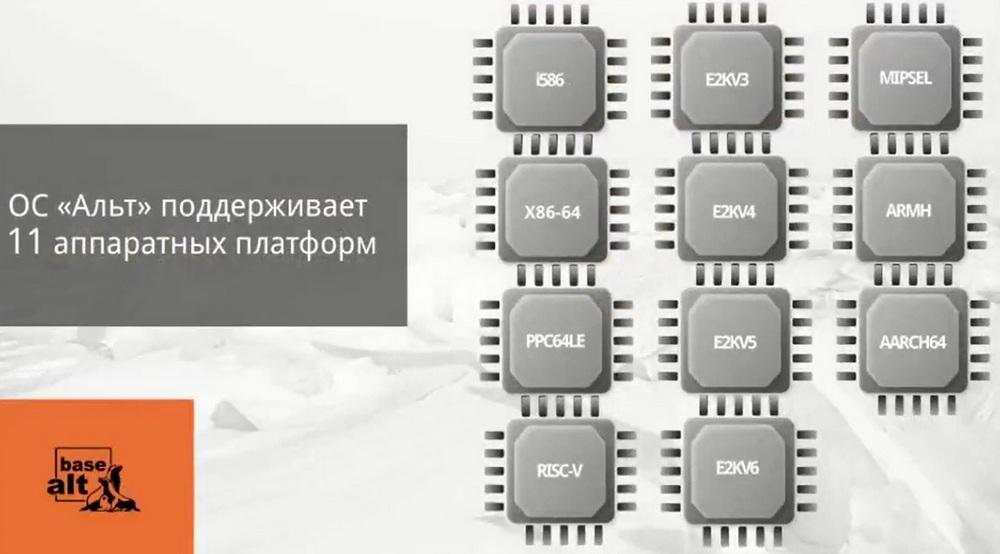
Currently, the ALT OS supports eleven hardware platforms. The solution is always assembled for a number of architectures with support for both foreign and Russian hardware solutions. Of the Russian solutions, these are "Elbrus", "Baikal Electronics", other domestic processors are also supported, for example, the "Multicor" company produced by "Elvis", etc. Of foreign ones, Intel solutions and solutions from the Chinese company Huawei are supported.
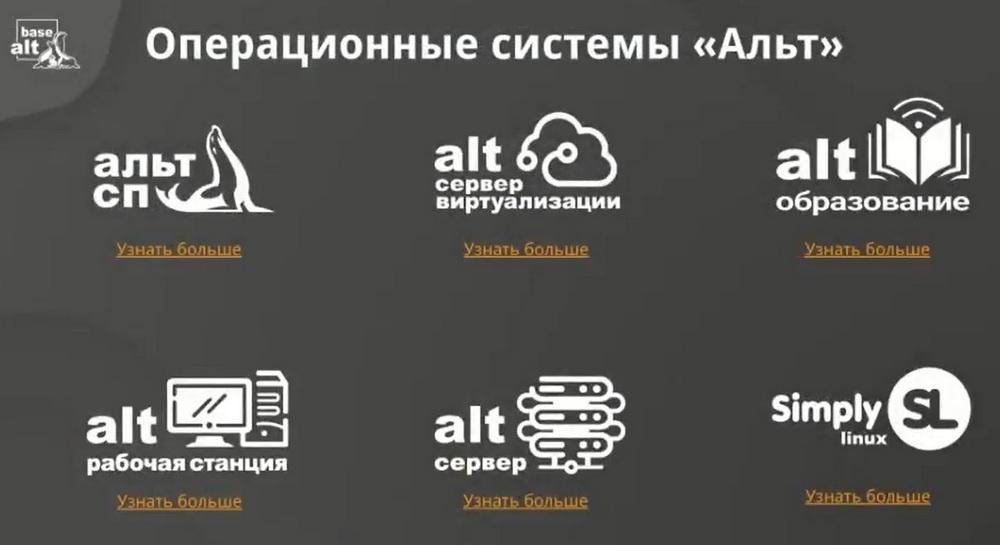
We have a certified ALT SP product line. This line is certified by the FSTEC. There is an uncertified line - alt education. This is a universal OS for all types of educational organizations. Alt workstation, i.e. they are on Windows 10 and Windows 11, on PCs and laptops. And two heavy solutions are Alt server and Alt virtualization server. The only product that is not included in the Register, and it is only for individuals. Therefore, individuals can freely download it from our website, use it at home conditions, but, I repeat, it is not included in the Register, and therefore today we will not consider it.
Any of our uncertified products can be freely downloaded from our website and tested. The testing period is up to 3 months free. As for the certified line, we issue it upon request. I.e. in your personal account you create a request, and we will give you an image to download the distribution.
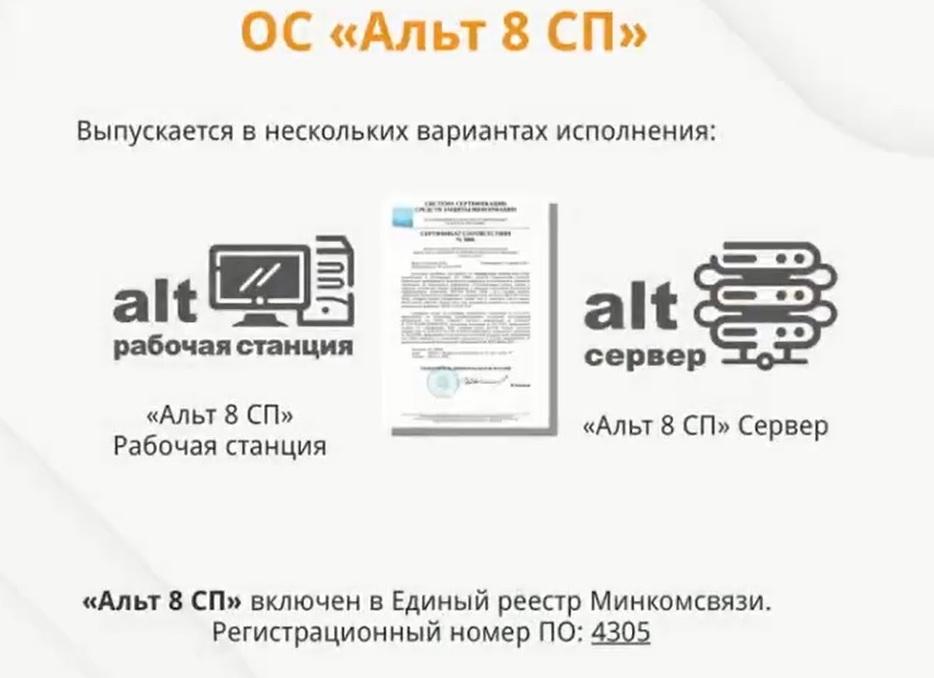
On August 10, an updated certified line was released. I.e. a completely different product has already been released than what it was before. This is no longer a technical upgrade, but a complete reinstallation. The line was certified on the basis of an uncertified line.
According to the form and according to the certificate, the product is still called ALT 8 SP. Many believe that 8 is the version number, but this is not the case. This is just the name. The only thing that is introduced in the form is the new name Release 10. The line is still certified by the FSTEC, SP and the Ministry of Defense.
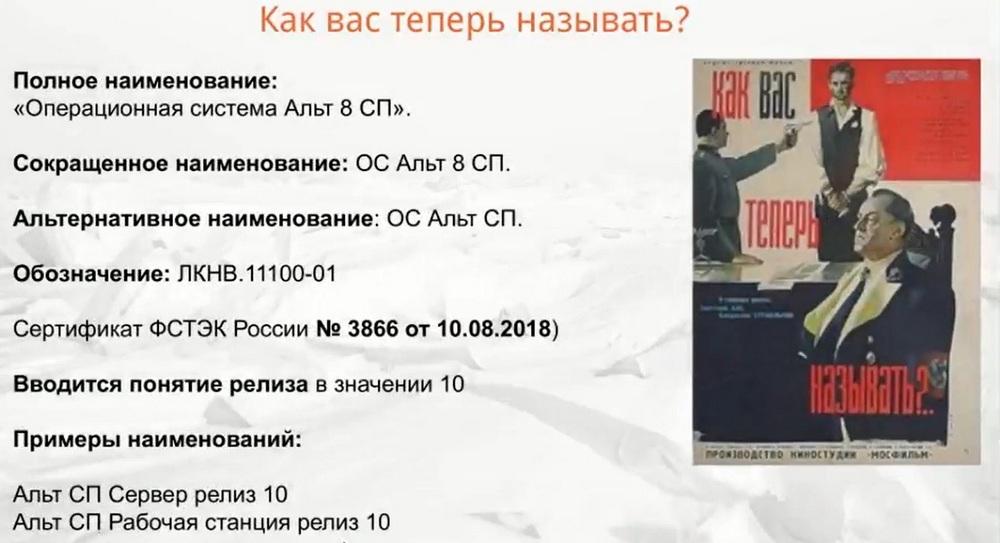
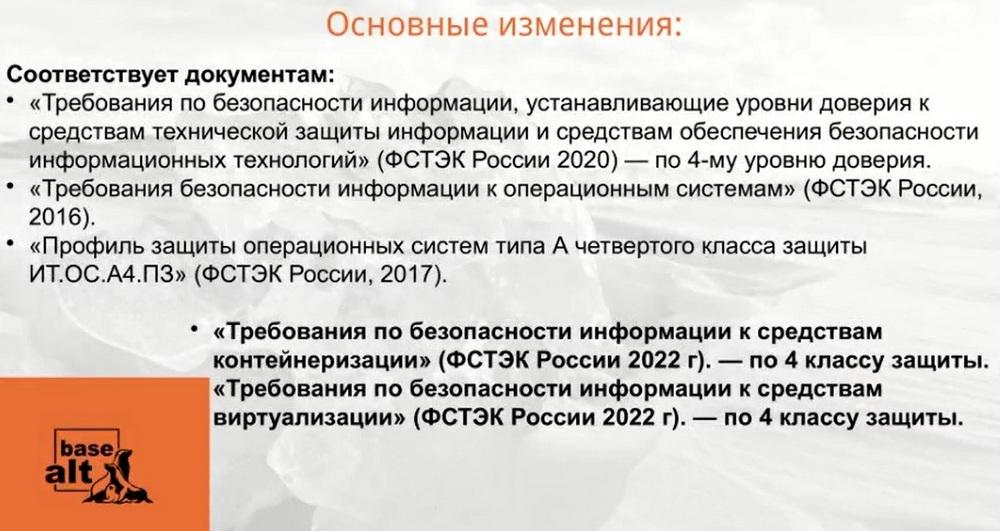
According to the FSTEC, we still have the 4th class of protection, i.e. it is suitable for working with personal data, with confidential information and for objects with critical information infrastructure. But the top ten was additionally certified to meet the requirements for information security due to the pandemic and virtualization tools. Literally according to the latest requirements.
Also, the updated certified line Alt SP release 10 was released in two versions: in 64-bit and aarch-64, i.e. this is Baikal.
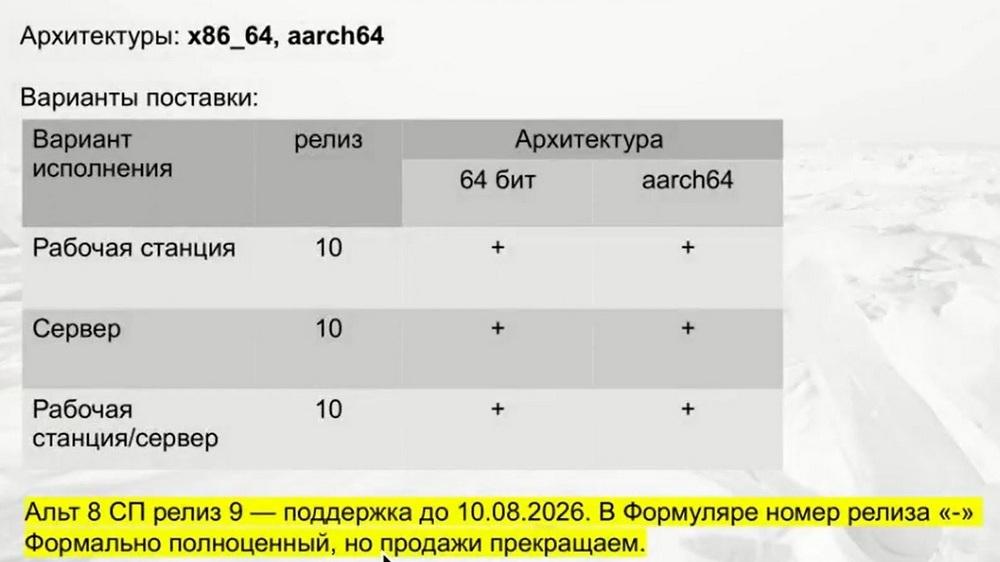
All other architectures we have remained nines. Release 9, i.e. the previous certified line will be supported until 2024. Therefore, those who have installed the previous certified line can continue to use it, and, if necessary, can update it.
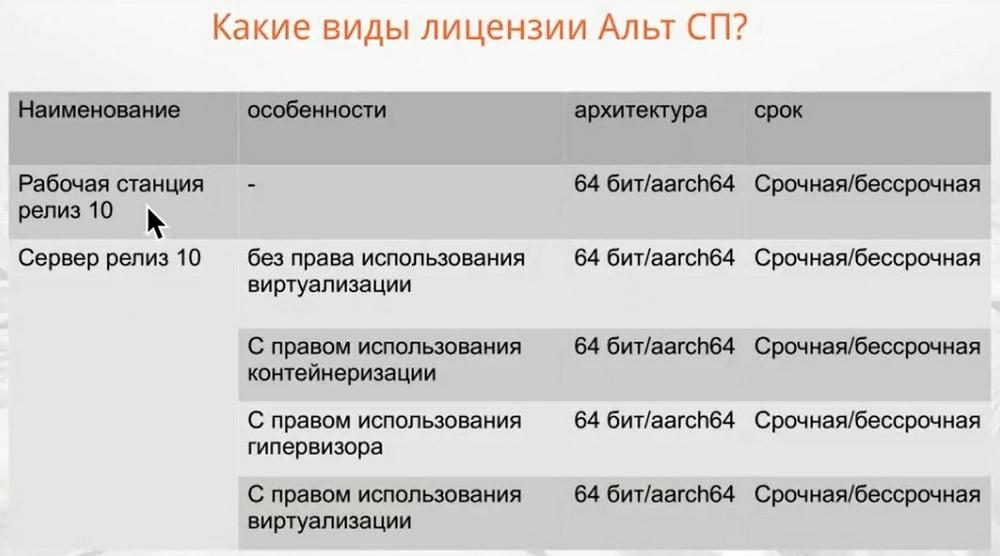
Now about what innovations have appeared in the certified line specifically regarding licensing. There are no changes in the workstation as such. The difference appeared in the server. If earlier there were only two positions: without the right to use virtualization, i.e. a regular server license, and with the right to use virtualization, now containers and a hypervisor have been added. This is a kind of virtualization. If the customer does not need virtualization, then the most cheapest option is purchased - a server license without the right to use virtualization. On it, you can just deploy the domain infrastructure - server, databases, etc. But not any kind of virtualization. Another more expensive option, a server with the right to use containerization. If it is not supposed to use virtualization, but only containers and their management, then you need to choose this position. If you only need PVE and nothing else, then take it with the right to use a hypervisor. If you need everything, full virtualization, then you need to take the most expensive option, with the right to use virtualization.
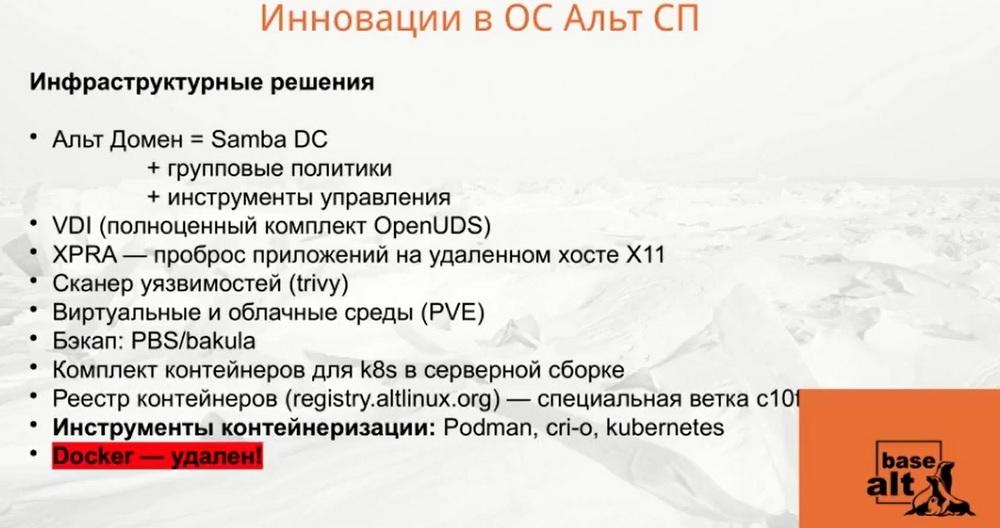
Let's see what innovations have occurred in the OS itself in the technical aspect. First of all, this is Alt Domain. There is no such separate product at the moment, but it is included in the functionality of the workstation and server, connects infrastructure solutions. This solution includes a domain controller on Samba DC, plus group policies, plus management tools.
Solutions for VDI have been added to the distributions. And this is also important.
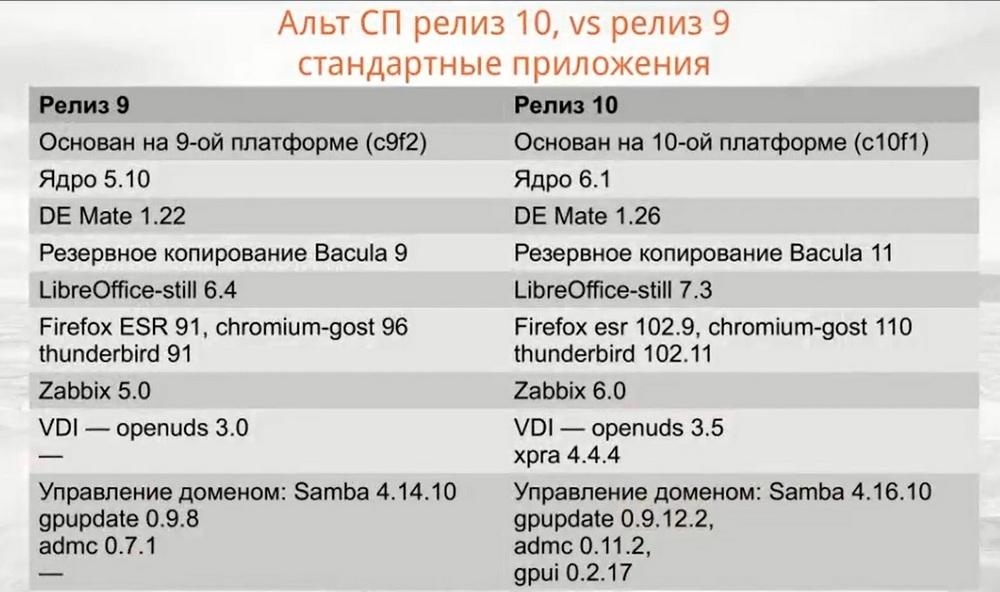
Next, the slide provides a comparative characteristic of the previous release 9 and the updated release 10. The kernel, environment, backup, etc. have been updated.
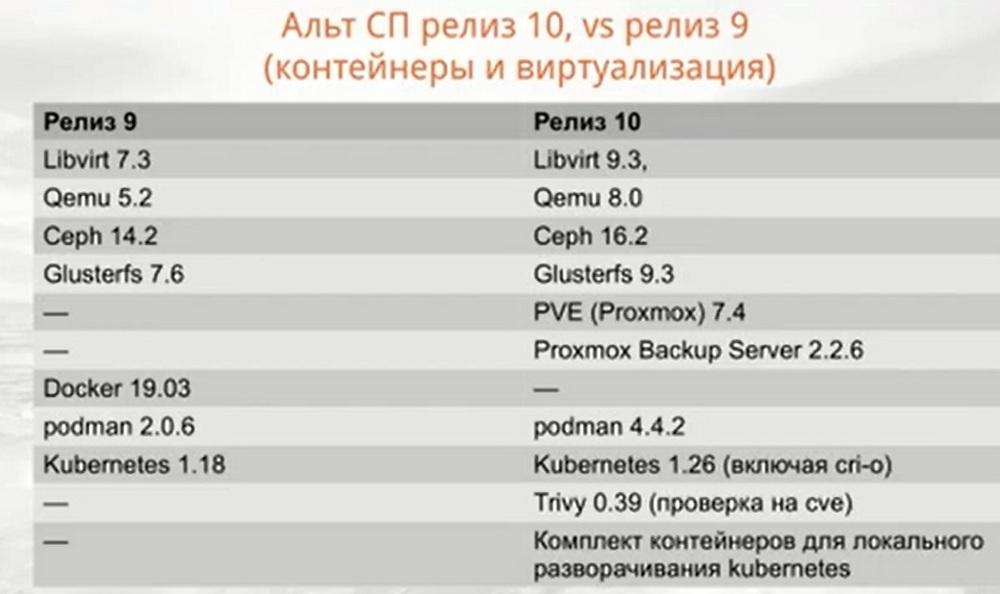
As for containerization and virtualization, Libvirt, Qemu, Ceph have been updated here... Additionally, we drove the entire PVE there. Docker remained in nine, but was removed in the new version. There will now be Proxmox Backup Server. Kubernetes has been updated. And, since it is now important that the OS has a system for checking containers, axes and repositories for vulnerabilities, we included Trivy there. These are the main changes.
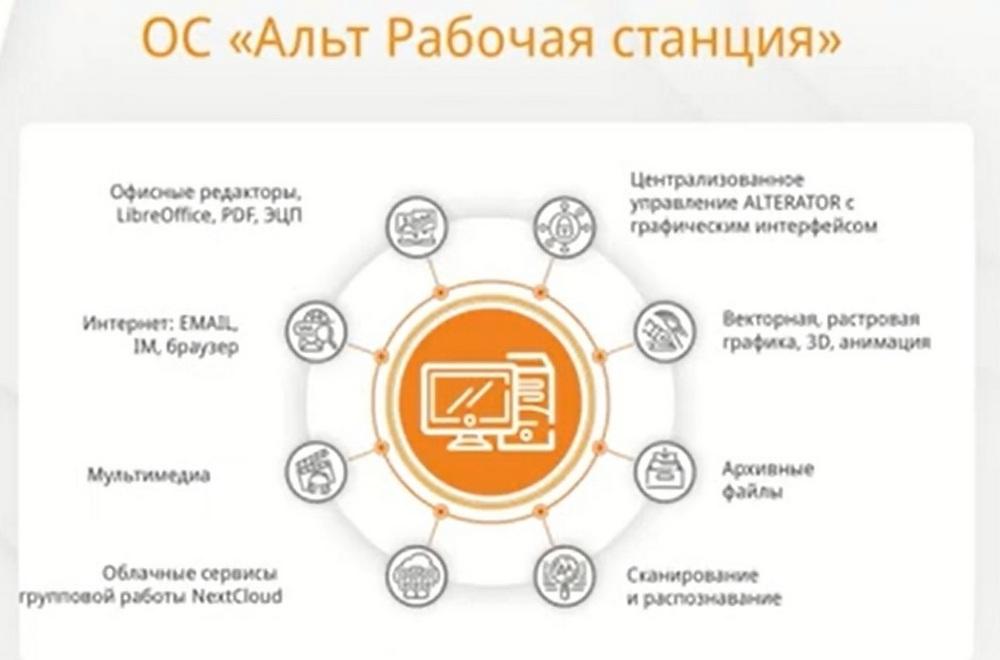
ALT Workstation OS
The entire uncertified line is based on the 10th platform. And the first OS is "ALT Workstation". A workstation is a ready-made digital workplace for the user with all the installed application software. Included is the LibreOffice office suite, which helps in working with documents of various formats, with texts, with spreadsheets, with presentations, with pdf files, etc. If the customer needs to install some kind of office suite, this can be done for an additional fee, but we already have the LibreOffice office suite included in this workstation. The OS includes a browser, mailer, multimedia protocols that help work with acoustics. The NextCloud cloud groupware service is included, programs for scanning and recognition, for working with vector and raster graphics, etc. are included. And a very important innovation is a universal configuration system that provides operation in graphical and web modes, this is called alterator management. On our website you can see that the workstation also has a subspecies "ALT Workstation K". If anyone is interested in the graphical mode, install "ALT Workstation K". In purchasing, licensing, in price lists, there is no difference between "ALT Workstation" and "ALT Workstation K".
ALT Server OS
This product includes backup, server... (see slide).
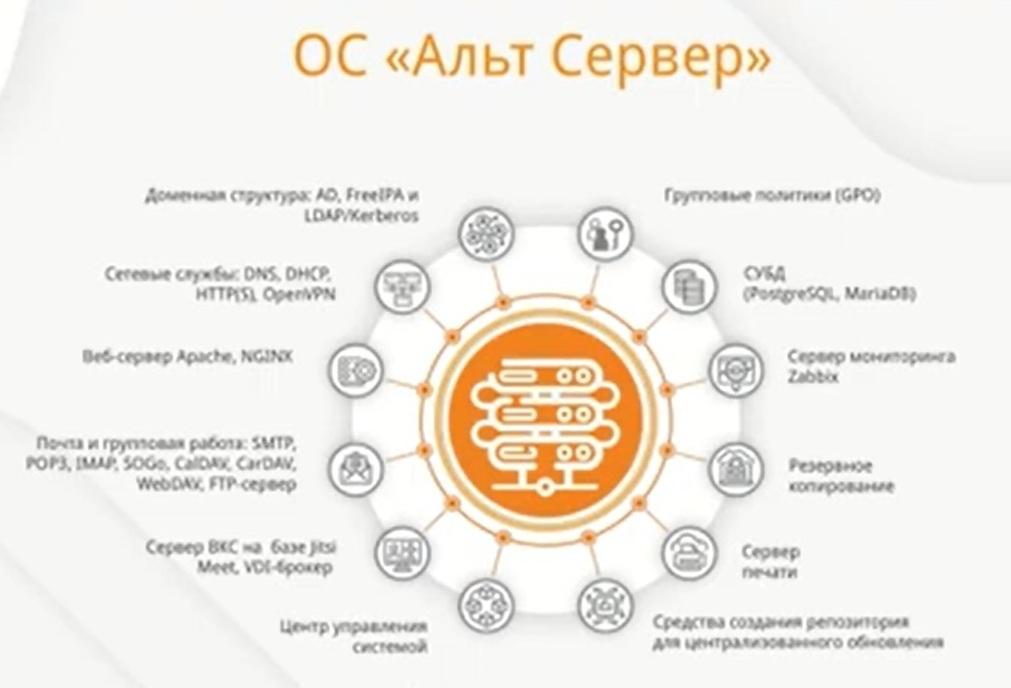
I will not dwell on each one in detail, I will only note the most important thing. This server license includes its own VDI broker, i.e. a program for centrally creating and managing virtual desktops, for which we do not charge an additional fee. And a distinctive feature is that ALT operating systems support Microsoft Active Directory group policies. Since all customers now have a headache after the departure of Western vendors, how to migrate from MS Active Directory, so since 2018 we started our project, in which group policies are implemented only for ALT distributions and we have implemented group policies for people - users, as well as for machines - computers. Exactly the same as it is done in Microsoft.
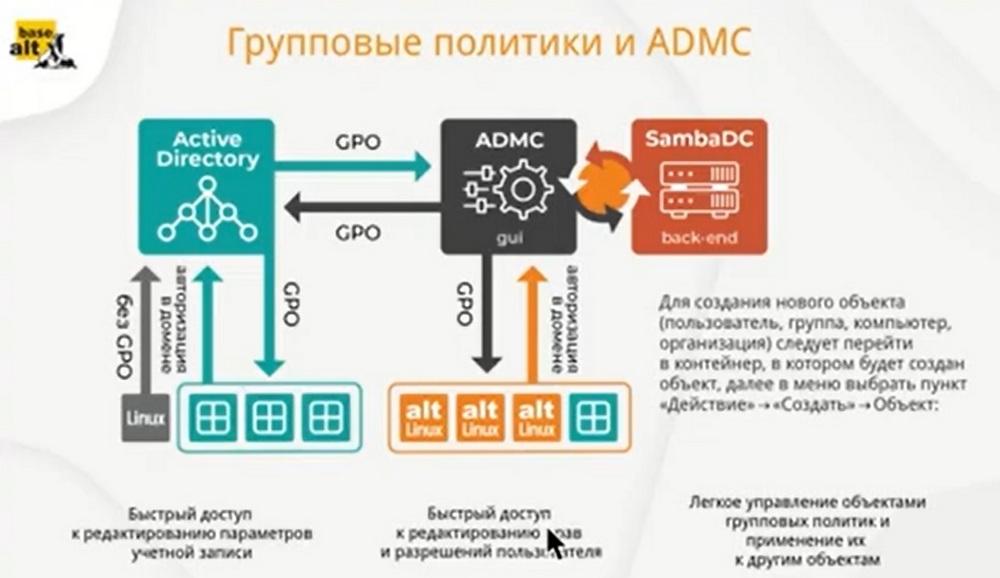
No other solution known in the free world can manage computer and user policies. That is, computers - yes, but users - no. So, full trust can only be between Samba DC and the MATE controller. We offer customers a smooth migration, we understand that they are afraid to immediately and drastically change all machines in the domain from Windows to Linux. And they can be understood. They are afraid of losing data, or users do not know Linux, it is difficult for them to get used to the interface. So we have a hybrid solution. And it is based on Samba DC, which perfectly manages not only machines with Linux, but also with Windows.
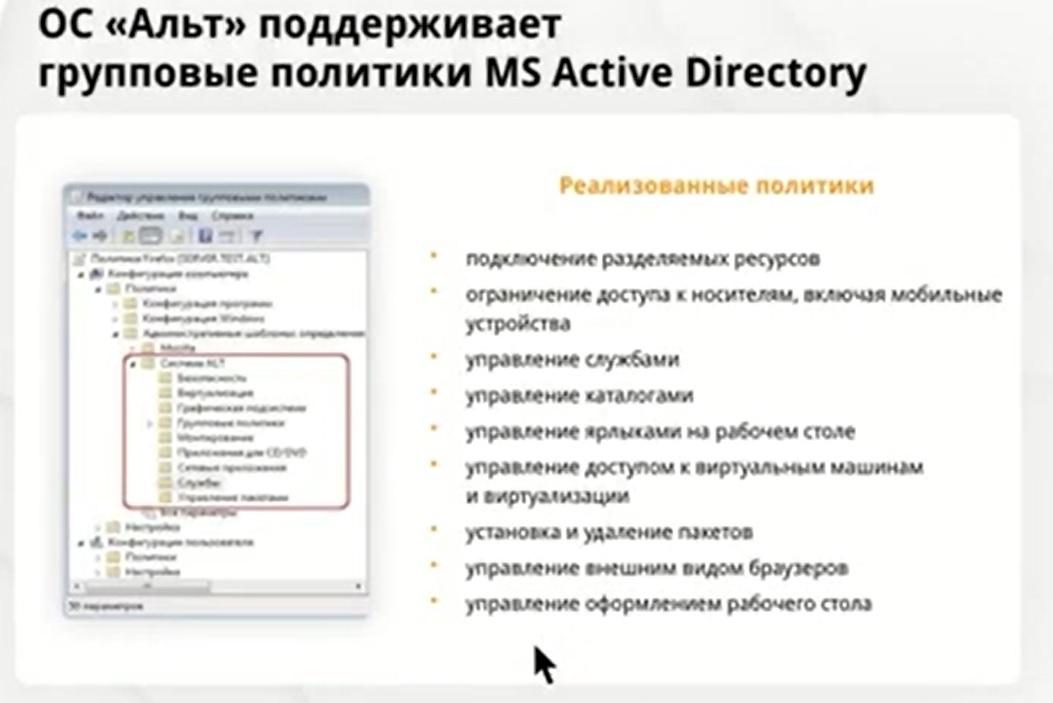
To date, we have developed a concept using Samba DC and Windows, which allows you to apply group policies to both machines running ALT OS and to ALT users. On the left you see a window, and if you load templates onto the domain controller, you will get the following ALT system, which will have the following subsections. Thus, we offer a smooth migration, a smooth implementation, a transition to domestic operating systems.
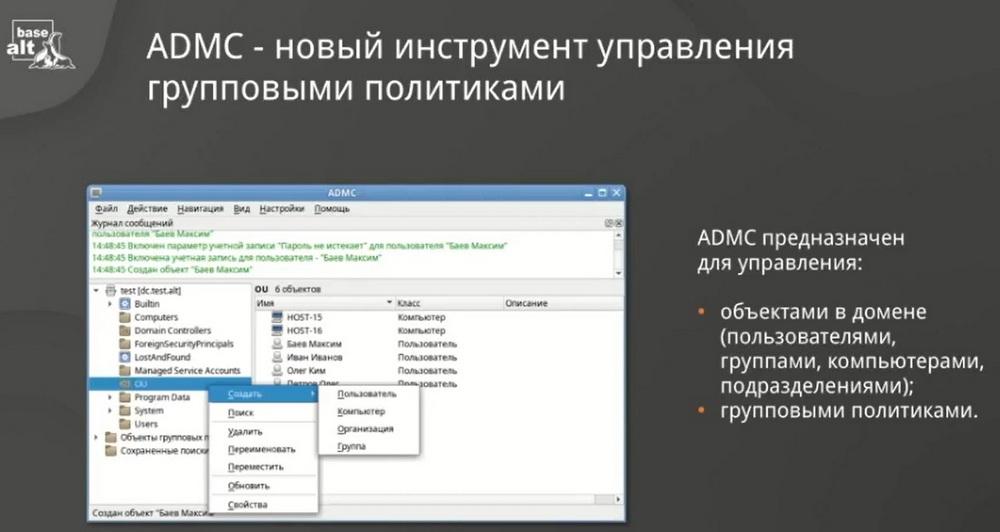
And therefore we wrote a tool and called it ADMC. It just allows you to manage the Active Directory domain, objects in the domain, users, groups, computers, organizational units, and group policies. That is, with its help you can create a user, a clear interface, enter user data, his passwords, etc.
You can even create a policy that will be tied to a specific unit in order to be able to operate within a limited circle of users. The very feature of the implementation of group policies in ALT operating systems is distinguished by such key features as integration into the Active Directory infrastructure, the presence of a declarative part of the configuration settings for specific distribution solutions, and the presence of not only configuration management on computers, but also user configurations. Of course, migration is always a complex process and raises many questions from both customers and partners.
"ALT Server Virtualization"
Another large-scale product "ALT Server Virtualization".
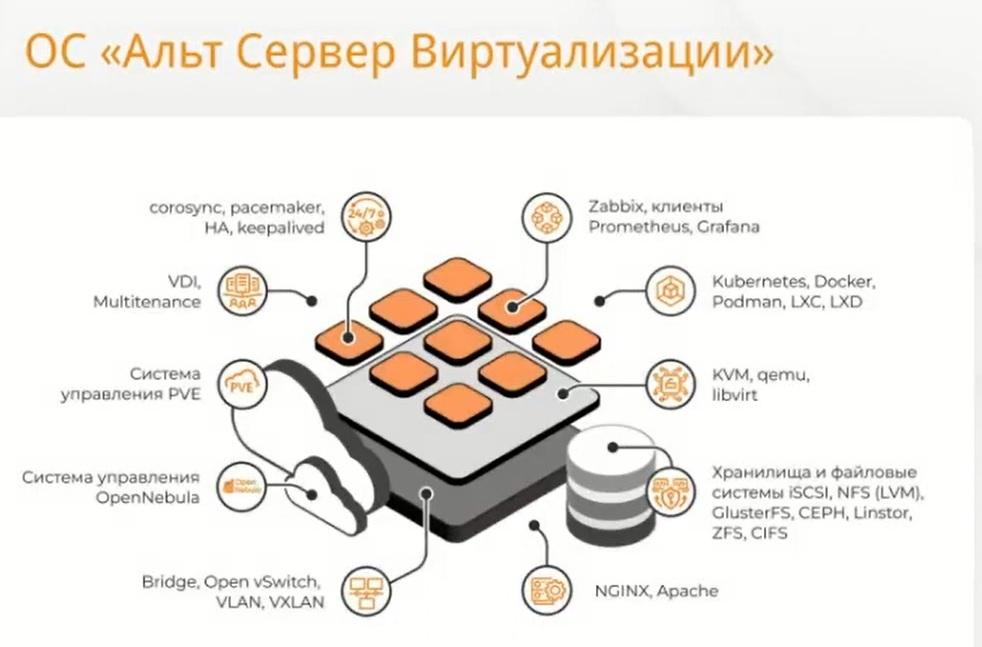
This is a server OS with a Linux kernel. Composite distribution. The solution involves four scenarios for deploying a virtual infrastructure. All these components are included in the delivery. And you don’t need to pay extra for anything, everything is out of the box. And the user can choose which virtual architecture to deploy.
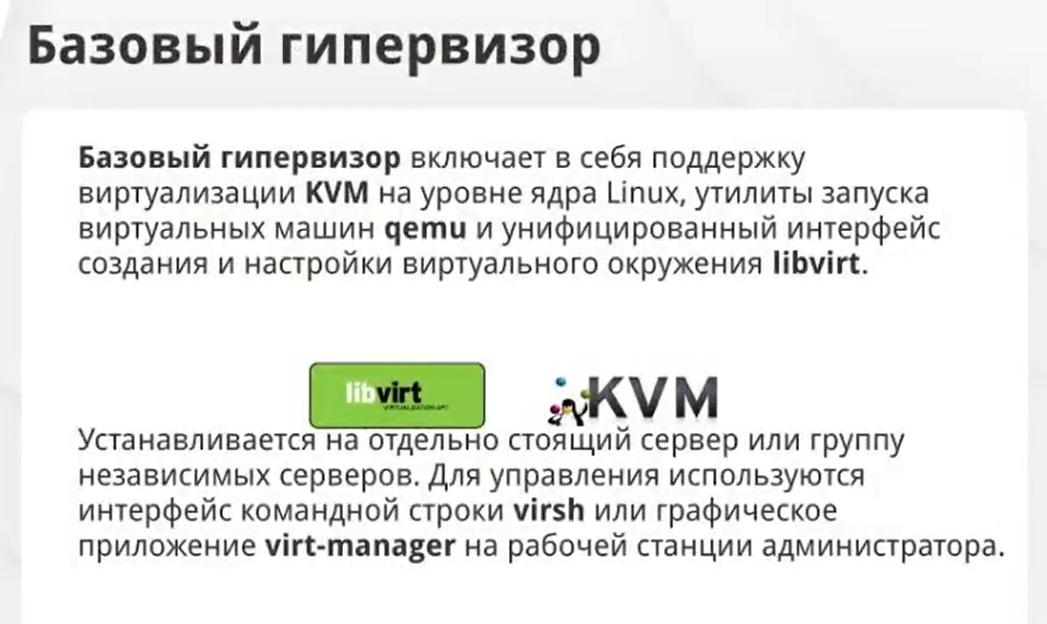
The first virtualization that can be deployed is basic virtualization. For a virtual circuit with a small number of virtual machines. This scenario is implemented on the basis of the KVM hypervisor, which you install on the server OS, and which allows you to run virtual machines within one installation and within one server. To work with the hypervisor, use the virt-manager interface or graphical application on the administrator's workstation. If you don't have a manager, feel free to execute with the virsh command.
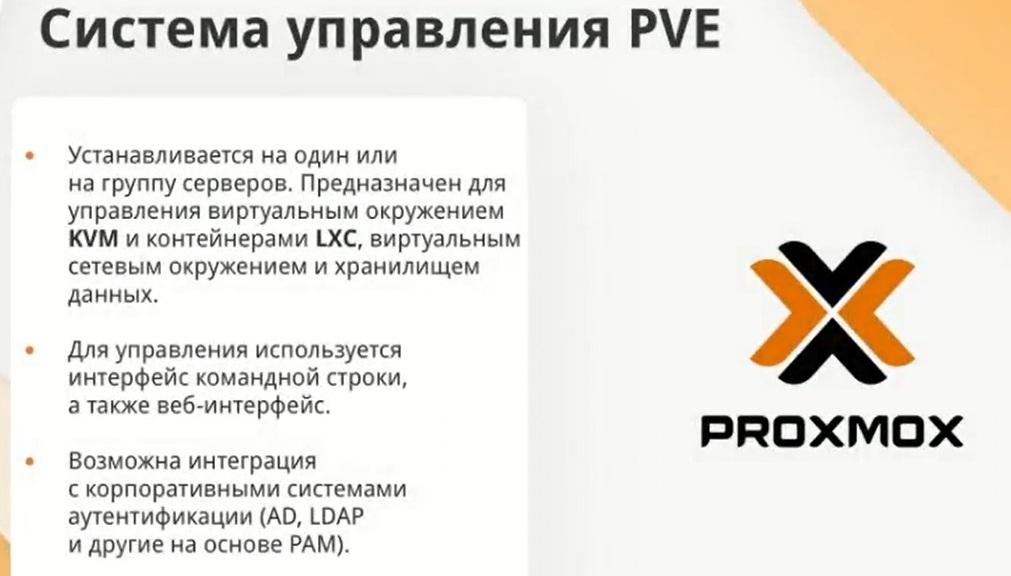
PVE Management System
The next scenario for deploying a virtual infrastructure is the PVE management system. This is already classic virtualization. We are talking about a group of servers: cluster, migration, failover. That is, this virtualization environment management system refers to hyperconverged and is designed to manage the virtual environment of KVM and LXC containers. And it is this subspecies that is highlighted in the certified line. We had the opportunity to purchase a server with the right to use the hypervisor. So this is exactly the virtualization that is sold in the certified line.
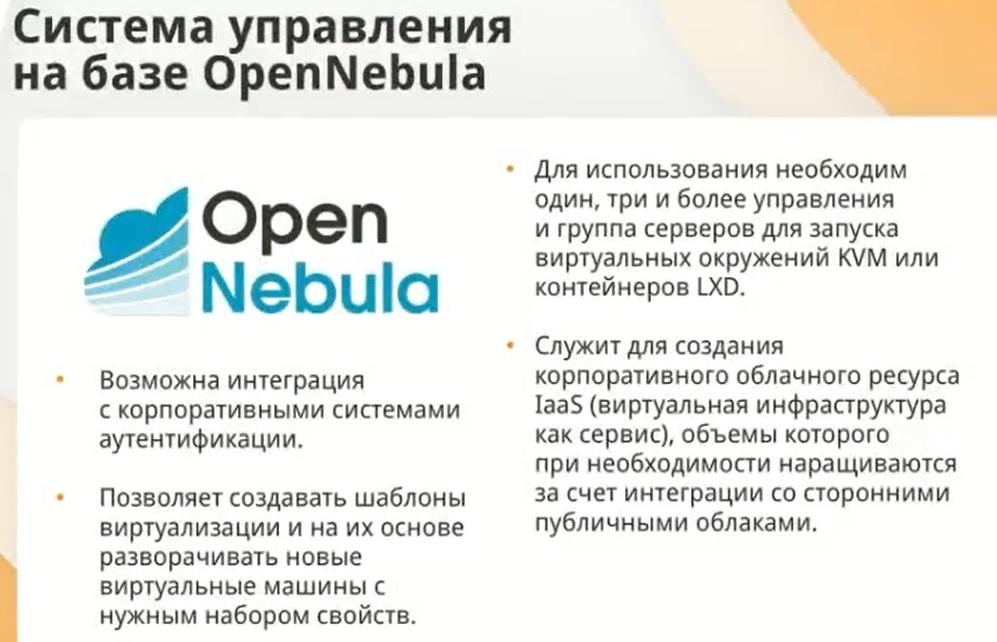
The third virtualization deployment scenario is a management system based on OpenNebula. Virtualization with a bias towards the cloud. Because, if you look at it architecturally, if KVM is actually virtualization - a regular hypervisor, then here there is a composite configuration. Here you need more servers to deploy this. And this management system for the virtualization environment and the virtual environment of KVM and LNX containers.
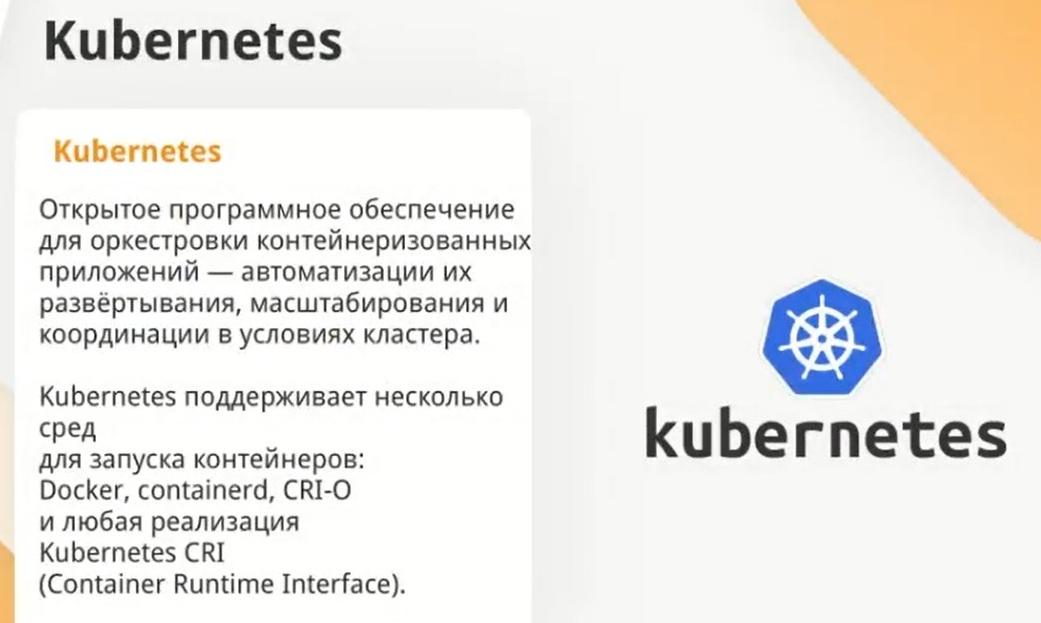
And the fourth virtual infrastructure deployment scenario is container virtualization. The distribution includes the necessary components for creating and managing containers, the Kubernetes orchestrator.
If we go back to the certified line, we will see that you can separately buy classic virtualization with the right to use the hypervisor and containerization with the right to use containerization. Why did we single out such subspecies in the certified line? Because we understand that if the customer, for example, only needs containers and container management, it makes no sense for them to overpay and buy an expensive position with full rights to use virtualization. Therefore we have done everything to make it primarily convenient for our end users and customers.
«Alt Education»
And the last OS is «Alt Education». This is a universal OS for all types of educational organizations. The product includes educational software packages, and not one, but several.
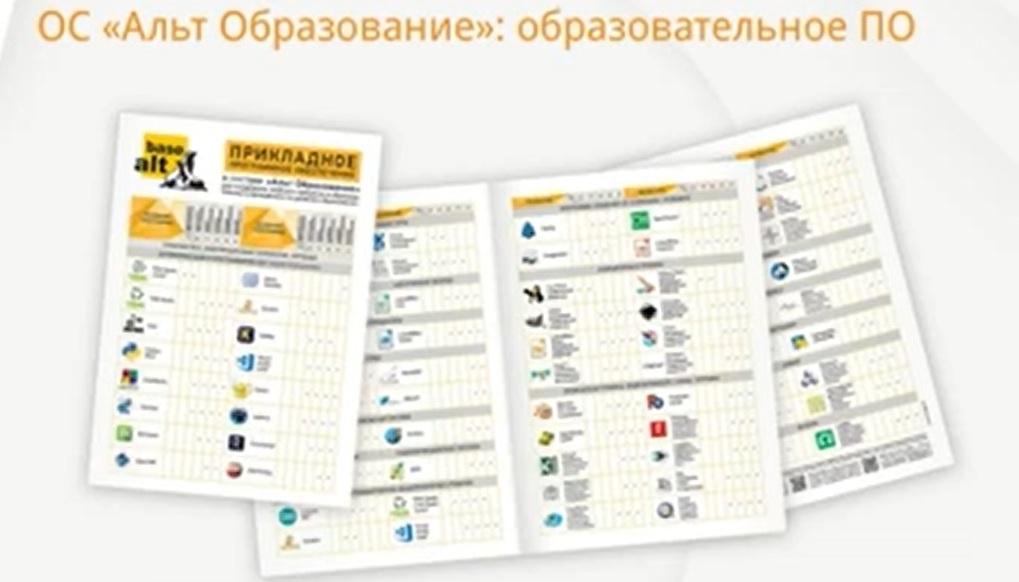
And when deploying the system on a computer, the user can choose the level of education. As a result, he will receive not only the OS itself, but also an installed and pre-configured set of programs. The software packages are unified. They include those programs that are most often used in the educational process. This approach allows you to remove unnecessary educational software if necessary, or on the contrary, install a set of programs, for example, for a teacher. There is also an application for working with interactive equipment, with panels, screens, keyboards, etc.
Licensing
Now about licensing. Our licenses are sold without VAT, and technical support is with VAT. We have a simple licensing method.
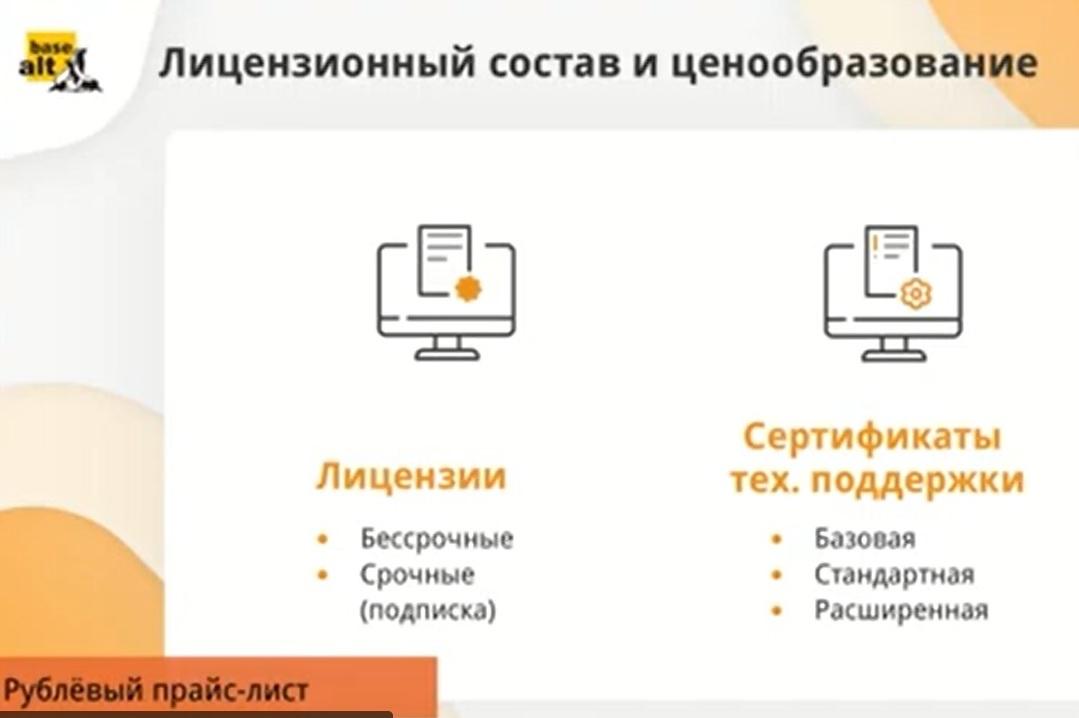
The license is not attached to the hardware. We do not take into account processor cores or the number of connected users. In fact, a license is purchased for each installation. That is, one physical PC is equivalent to one license. Licenses are perpetual and fixed-term, i.e. annual subscriptions. As for technical support, it is basic, or it is called warranty. It is valid for the first year of use. Basic technical support is included in the cost by default for any of the licenses. Standard extended is purchased separately. Partners in their personal account have price lists separately for technical support and separately for the license. There you can see the cost of standard and extended technical support. There, in your personal account, you can find out what the difference is between standard and extended technical support. It is clear that the extended one has more telephone lines, the response is faster. Here you need to understand that if the customer has a complex infrastructure, he has a large project, then he simply will not be able to handle it physically with basic technical support. Therefore, be sure to offer the highest level of technical support.
As for transitions, transitions to minor versions of licenses are free for us. That is, as soon as an update is released, this usually applies to the uncertified line, then you just need to download it from the site and update it. As for transitions to major versions, i.e. from the 10th to the 11th platform or from the 9th to the 10th, we have released an updated certified line. Partners in the price lists have a separate tab called upgrades. And here it is important to take into account that if you purchased a license from October 1, 2022, then the update will be free for you. You just write to us who needs to update the certified line, and we will update it. The transition will be free. As for those customers who purchased our certified line before October 1, 2022, the transition will cost 50% of the cost indicated in the «upgrade» tab in your personal account.
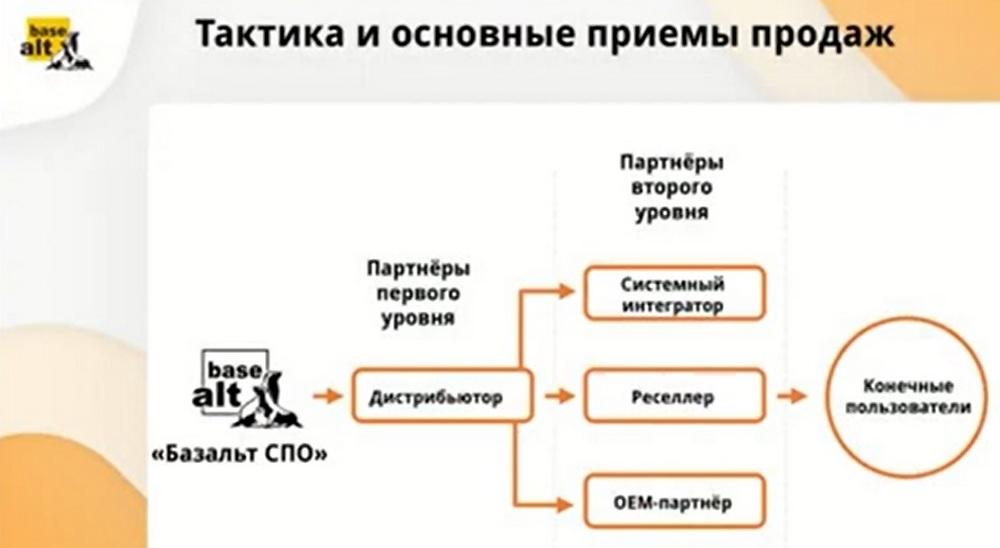
Now about interaction with the partner ecosystem. We do not work with 2nd level partners directly. We work with them only through distributors. Our main distributor is OCS. And the distributor already interacts with second-level partners who have various statuses and interact directly with end users and with customers. Second-level partners in our partner program have various statuses. The minimum status is «Reseller». We also have system integrators, and there is also OEM partnership separately. This year, cloud provider has been singled out into a separate status. There are technological service partners.
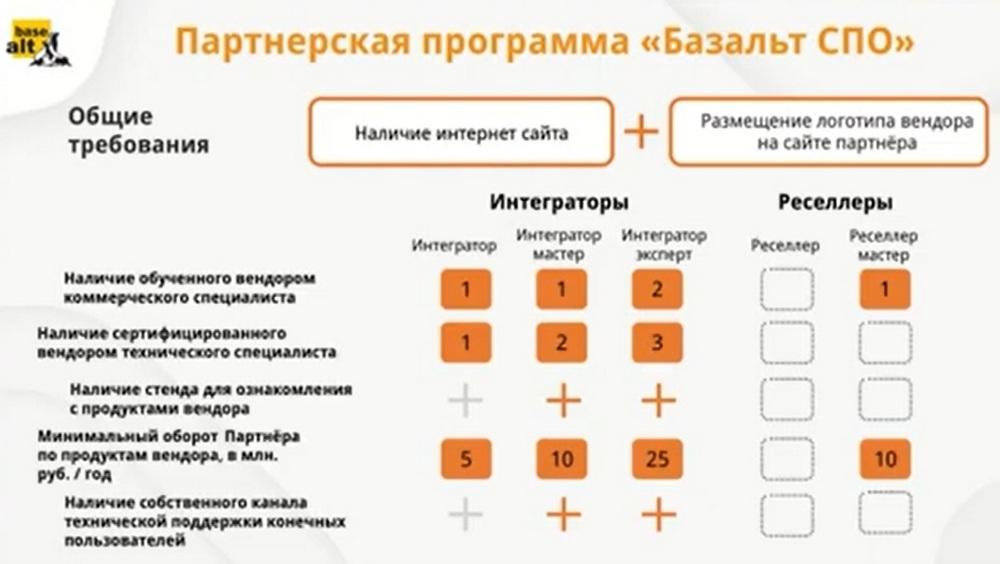
When you join our partner program, you get the minimum Reseller status, which has no requirements as such. But in the future, when increasing the status, requirements are already imposed on the partner. In order to become an «Integrator», to whom customers turn to more often, then there is a mandatory requirement - the availability of trained certified technical specialists. This is important because if they serve large projects, large infrastructure solutions, then it is simply impossible to do without trained technical specialists. Therefore, if we train commercial specialists for free, then we do not train technical specialists, but special educational centers. All this information is available on our website in the «Training» section.
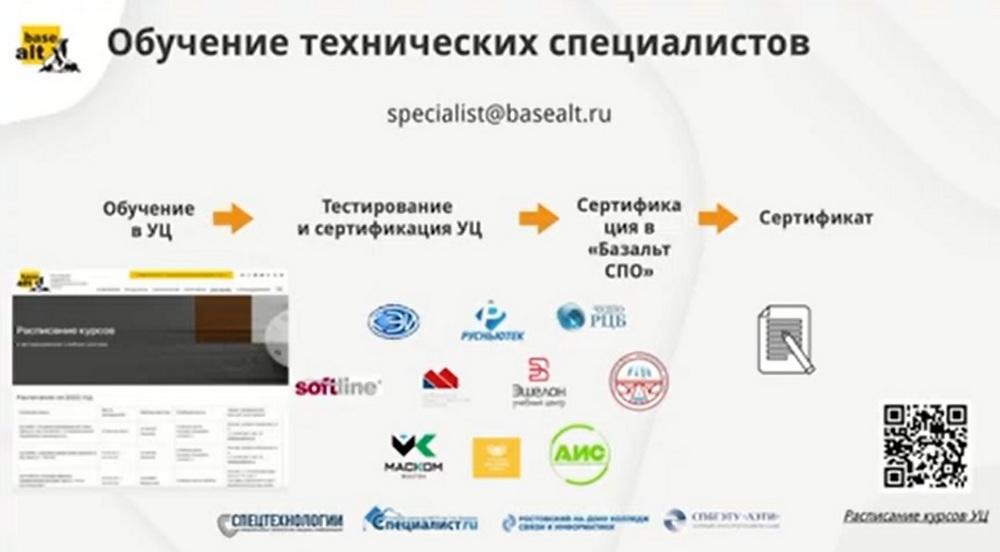
We have a large list of educational centers. You can choose any. Each training center has its own training format. There is distance learning, there is full-time learning. Each has its own cost. And, after training, you can come to us and confirm your certification. The minimum courses that we recommend taking are administration of Alt operating systems part 1 and 2. These are general courses that provide the minimum basic knowledge necessary for working with our operating systems.
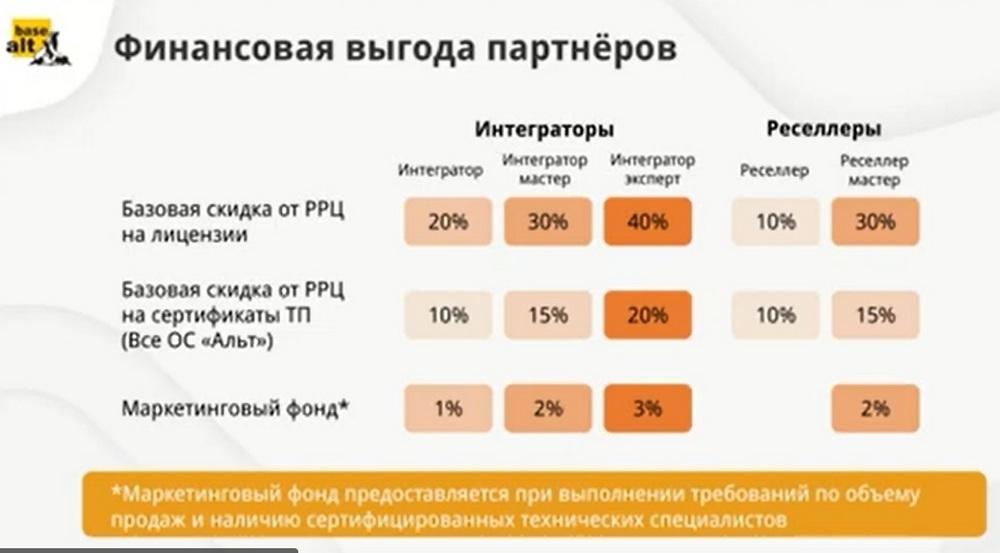
And each status has its own advantages in the form of discounts on licenses, certificates, etc. A mandatory requirement for a technological service partner is signing an agreement or contract on cooperation and the provision of services.
Since April 2023, we have two promotions for customers and partners. For customers from all new territories, separate discounts on our products apply - 40%, on technical support - 30%. The promotions continue to be valid. And in the personal account of our partners there are separate price lists for these promotions. As for partners, then there is also a discount for them. It will be valid until the end of the year. When implementing our OS into their infrastructure at their workplaces, partners receive by default 40% on licenses and 30% on technical support for such a purchase.