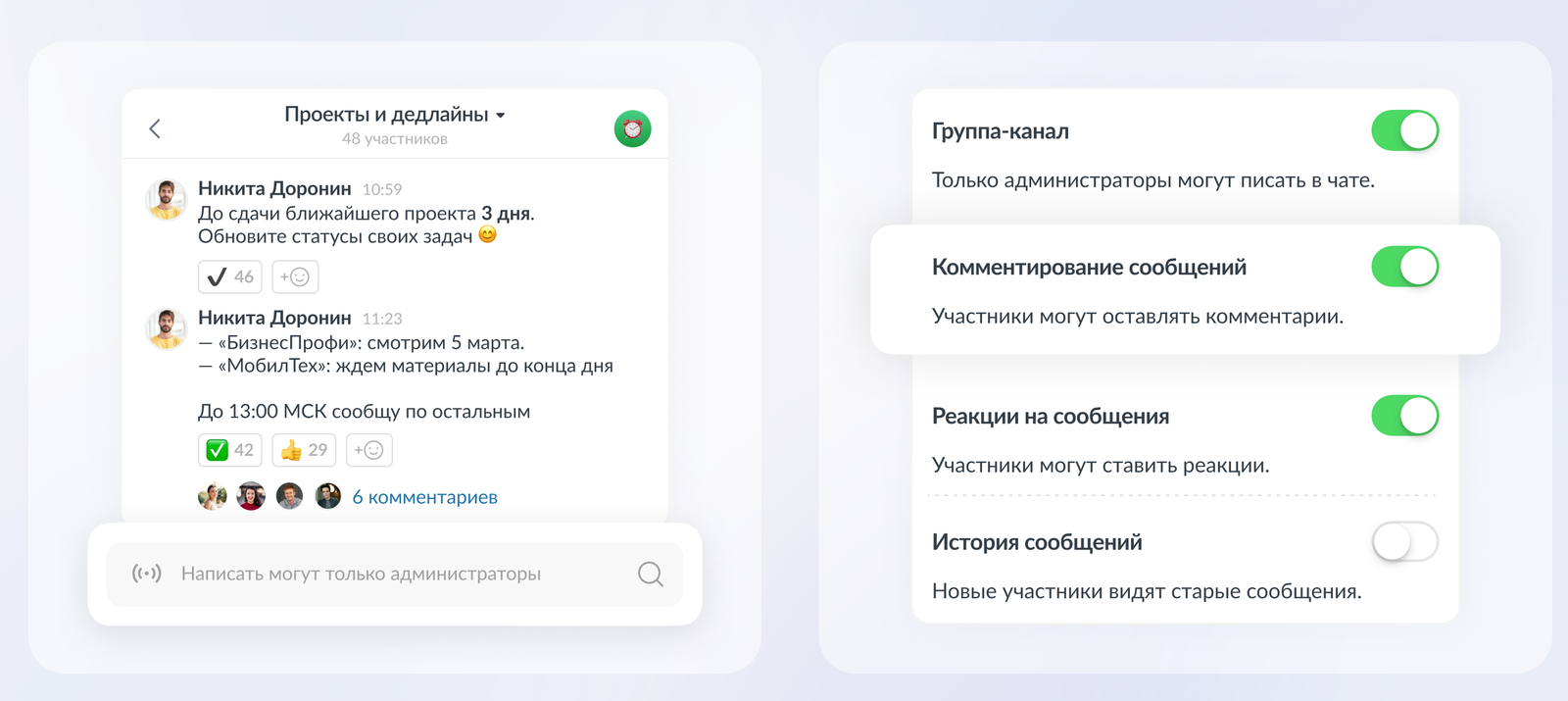
Any group chat can now be turned into a channel. The new feature is available to the administrator in the chat settings. Switching also works in the opposite direction - any channel can be converted into a group chat format.
Channels work on the principle familiar to users: the channel administrator can publish posts, and participants can leave reactions and comments under them. You can create a channel in the usual way by clicking on the plus button in the main menu.
Источник изображения: Compass
In addition, in the settings, you can disable the ability to react and leave comments under posts. Evgeny Perov, Product Director at Compass corporate messenger, said:
Business needs not only a common channel where important information will be read by all company employees. Channels are often needed by individual teams as well - in them, managers share news that is important for their departments without the risk that information will be lost in the flow of discussions. We have created channels, and to save managers time, we have added a unique feature. Now you don't need to manually add participants or wait for them to join via the link. Just open the settings of an existing group chat and turn it into a channel with one click.