In the compact office computer segment, solutions without excessive ambitions but with a clear level of performance are particularly in demand today. Mini-PCs are increasingly seen not as a compromise, but as a rational alternative to classic system units — primarily where space saving, neat integration into the workplace, and acoustic comfort are important. The iRU Tactio 515 model is built precisely on this logic.
The Tactio line includes configurations of various levels — from basic versions on Core i3 processors, designed for simple tasks such as working with documents, mail, and browsers, to more powerful options. If the load is minimal and the budget is strictly limited, the junior models look quite logical. However, in a real office environment, even typical scenarios are rarely easy: multiple applications simultaneously, spreadsheets, corporate services, and background processes quickly increase the demands on the system, which means a reserve of computing power is needed.
That is why in this review we are considering the iRU Tactio 515 configuration with an Intel Core i5-12450H processor. This is a mobile chip with a thermal package of 45 W, which provides a high level of single-threaded performance and behaves much more confidently in multitasking scenarios compared to more budget-friendly solutions. Combined with 16 GB of DDR5 RAM and an NVMe drive, this platform is geared towards intensive daily activities — without pretending to be a powerful workstation, but also without a constant shortage of computing resources.
At the same time, the iRU Tactio 515 is not positioned as a universal solution for any task. The integrated graphics used here are designed for standard office scenarios — displaying images on multiple monitors, playing video, and working with the interface — without relying on regular loads in the form of complex graphics or heavy video editing. The main emphasis is on compactness, neat appearance, and acoustic comfort, which is especially important in modern open-plan offices and home workplaces.
As part of the review, we will take a detailed look at the iRU Tactio 515 configuration, evaluate its behavior in real-world scenarios, check the system's operation under prolonged load, and try to understand how successfully this model combines performance, compactness, noise level, and cost.
Configuration
Processor: Intel Core i5-12450H (Alder Lake-H): 8 cores / 12 threads; 2.5 GHz frequency (up to 4.4 GHz in Turbo mode); thermal package (TDP) 45 W.
Socket: BGA1744 (processor soldered).
RAM: 16 GB DDR5-4800 (SO-DIMM).Supports expansion up to 64 GB, two SO-DIMM slots.
Video subsystem: Integrated Intel UHD Graphics.48 execution units (EU). Uses system memory.
Storage: SSD NVMe M.2 2280 with a capacity of 512 GB (PCIe).Support for installing additional drives:
- 1 × M.2 2280 PCIe 4.0 ×4
- 1 × M.2 2280 PCIe 3.0 ×4 / SATA
Network interfaces:
- Wired network: 2 × Gigabit Ethernet (RJ-45)
- Wireless communication: Wi-Fi 6 (802.11 a/b/g/n/ac/ax); Bluetooth 5.2
Audio: 3.5 mm combo audio jack (headphones / headset).
Interfaces and ports:
- 4 × USB Type-A (USB 3.2 Gen2)
- 3 × USB Type-C
- 1 × HDMI v1.4
- 1 × DisplayPort
- 2 × RJ-45 (Gigabit Ethernet)
- 1 × 3.5 mm combo audio jack (headphones / microphone)
Case and power: Compact metal mini-PC case, external 100 W power supply.
VESA mount: 75×75 mm and 100×100 mm.
Dimensions: 120×37×120 mm.
Weight: ≈ 460 g.
Operating system: Windows 11 Pro.
Estimated cost: ≈ 40,000 rubles at the time of publication of the review.

This iRU Tactio 515 configuration is designed for everyday office tasks and use in limited workspace conditions. The system is based on an Intel Core i5-12450H processor with eight cores and twelve threads — by mini-PC standards, this is a fairly powerful solution that allows you to confidently work with documents, browsers, corporate services, video communication, and application software. In multitasking scenarios, this processor provides a stable system response without noticeable delays.
The graphics subsystem is represented by the integrated Intel UHD Graphics core. Its capabilities are designed for standard office scenarios: interface operation, displaying images on multiple monitors, and playing multimedia content. For tasks related to complex graphics or video editing, the performance of the integrated solution will be a limiting factor, which is quite expected for this class of device.
The amount of RAM in the configuration under consideration is 16 GB DDR5, which is sufficient for a typical office load. If necessary, it can be increased to 64 GB, which allows you to adapt the mini-PC to more demanding scenarios without replacing the platform. An NVMe drive with a capacity of 512 GB is used as storage. It provides enough space to store documents, fast loading of the operating system and programs. At the same time, the design of the device allows the installation of additional drives to expand disk space.
The iRU Tactio 515 interface set is designed to connect office peripherals and multiple displays, while the choice of USB ports is noticeably wider than average for a mini-PC. The compact size of the case allows you to place the device on a table, behind a monitor, or on a wall, which is convenient in limited workspace. In general, the iRU Tactio 515 configuration meets the tasks of the office segment, where the main emphasis is on compactness, ease of placement, and a sufficient level of computing performance for everyday work.
Packaging and equipment
Like other devices in the series, the iRU Tactio 515 comes in a white box made of thick cardboard with a hinged lid, which bears the model name and an image of the device. Inside, the mini-PC itself and the components are securely fixed with cardboard inserts, which provides protection during transportation.

The package includes the mini-PC itself, an external 100W power supply with a cable, an HDMI cable, a VESA mount, and accompanying documentation. The set is standard for devices of this class and allows you to start using it immediately, including the option of placing it behind a monitor or on a wall.

The HDMI-HDMI cable is of a confidently average quality and has a length of 1 meter. This is more than enough to place the mini-PC behind the monitor — one of the most typical installation options for devices of this form factor. This method is not the only one, but it solves the problem of saving space on the desktop well.

The 100W power supply has dimensions of 84×72×33 mm and is designed with a direct connection to the socket. Power is supplied to the mini-PC via a USB Type-C cable, the connector for which is located on the front panel of the case.

The cable with two USB Type-C connectors, used to connect the power supply, is made quite well and has a length of 2 meters — this is enough to reach even a socket located under the desk.

Appearance and ergonomics
The iRU Tactio 515 is made in an extremely compact metal case with dimensions of 120×37×120 mm. The design is restrained and neat: the matte gray surface, rounded corners and the absence of unnecessary decorative elements emphasize the utilitarian nature of the device. The metal case not only looks nice and provides the necessary structural rigidity, but can also potentially contribute to more efficient heat dissipation.

The brand logo is placed on the top panel, and a neat metal chamfer with a lighter finish is made around the perimeter, visually separating the top panel from the side walls and giving the case a finished look.

The top panel has a matte surface that is pleasant to the touch, resistant to dirt and easily cleaned if necessary.

The side walls of the case are almost completely perforated, which ensures free inflow and outflow of air for the cooling system. One of the side panels (on the right when viewed from the front) also has a Kensington lock slot, which allows you to fix the device in the workplace.
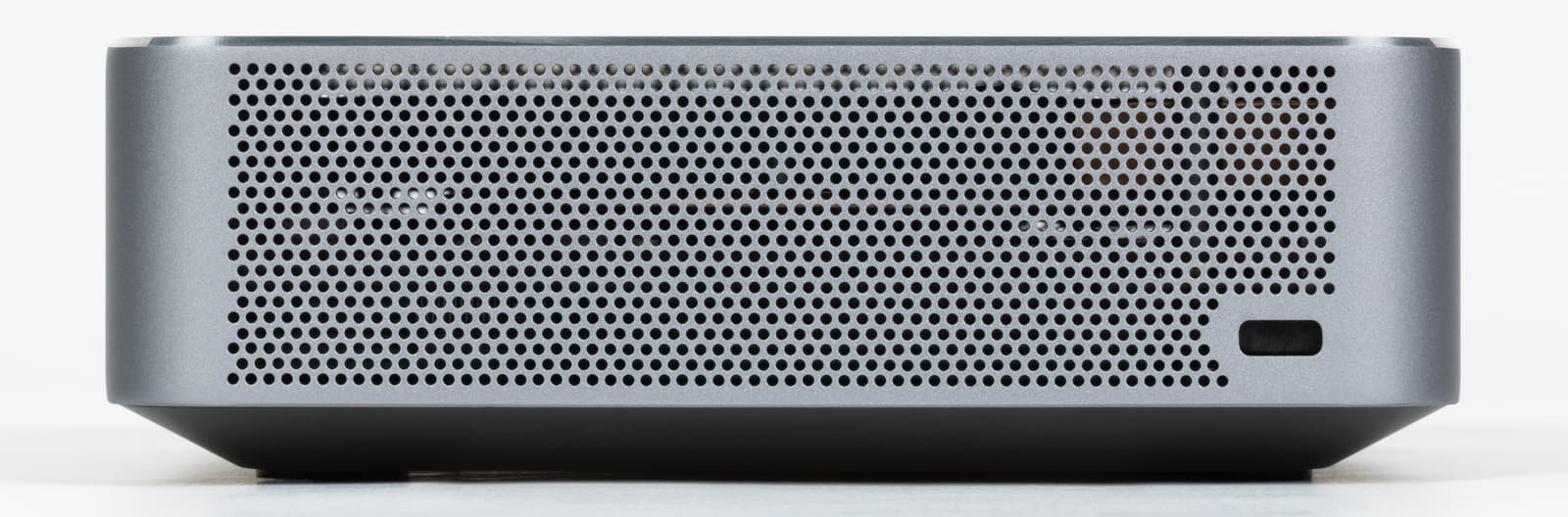
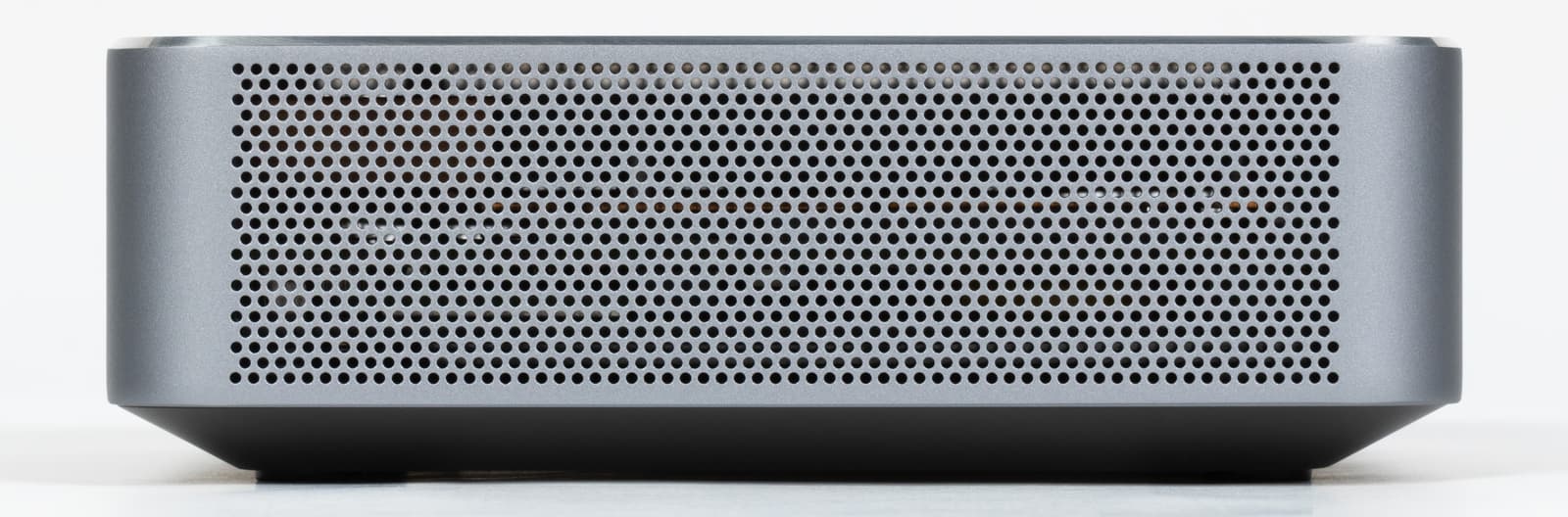
The front panel has a power button, a combined audio jack for connecting a headset, two USB 3.2 Gen2 Type-A ports and one USB 3.2 Gen2 Type-C with a bandwidth of up to 10 Gbps. The power button is pressed with noticeable effort, while it has a short stroke and without a pronounced click, which helps to avoid accidental presses, but requires some getting used to.

The rear panel has four USB 3.2 Gen1 Type-A ports, two RJ-45 network connectors for wired connection with Gigabit Ethernet support, as well as DisplayPort and HDMI video outputs. There is also a USB Type-C connector used to connect the power adapter.

The rear panel also has longitudinal ventilation slots. They complement the perforation system on the side walls and the bottom of the case, providing free heat dissipation for various device placement options.

Four small rubber feet are installed on the bottom of the case, which fix the mini-PC on the table and slightly raise it above the surface. This is important because there are ventilation holes in the central part of the bottom.

The included mount for installing the mini-PC behind the monitor or on the wall is implemented as a separate metal strip. It is fixed to the bottom panel of the case with screws and only after that it can be installed on the VESA bracket. Given the compact dimensions and light weight of the device, there are no increased strength requirements here — the solution used provides a sufficiently reliable and stable fixation.

Internal device
The bottom panel of the mini-PC is attached with screws and is easily removed. The design without latches and unnecessary retaining elements simplifies disassembly and makes upgrading or maintenance more convenient, without the risk of damaging something in the process.

The internal space is organized neatly and without excessive density. The RAM and storage devices are openly located and do not overlap each other. Access to the slots does not require removing additional screens or deep disassembly of the case, which is especially in demand in the small business environment, where upgrades and replacement of storage devices are often performed on-site — without the involvement of service centers.

The tested configuration uses a MasonSemi RC3200 solid-state drive in the M.2 2280 form factor with a capacity of 512 GB, operating via the PCIe 3.0 x4 interface. This is a typical NVMe solution without a DRAM cache, focused on everyday workloads: operating system operation, browser, corporate software, and document storage. In terms of performance, this drive corresponds to the middle class and fits well into the tasks of an office mini-PC. It is not intended for scenarios with constant intensive recording of large amounts of data, but within the framework of everyday office operation it performs confidently and does not lead to an excessive increase in the cost of the product.

In the CrystalDiskMark 9.0.1 test, the drive demonstrates a sequential read speed of about 3250 MB/s and a write speed of about 2300 MB/s, which corresponds to the capabilities of the PCIe 3.0 x4 interface. Random access indicators are also in the expected range for NVMe solutions without a DRAM cache and ensure correct system operation. In general, the results obtained fit into the calculated performance level for this class of drives and the platform as a whole, without anomalies and noticeable drawdowns, providing the necessary and sufficient speed margin for the tasks that the mini-PC is focused on.

Two SO-DIMM slots are provided for RAM, located one above the other.

One 16 GB RAM module from SCY (Shenzhen Shichuangyi Electronics Co., Ltd.) is installed — a Chinese manufacturer that has been operating since 2008 and specializes in the production of DRAM modules, SSDs and embedded memory, including in the form of OEM supplies for system integrators. The memory operates in single-channel mode, which is inferior to dual-channel in terms of bandwidth, but simplifies the upgrade: if necessary, the volume can be increased to 32 GB by simply adding a second module, without replacing the already installed memory — unlike configurations with two modules of smaller volume.

In the AIDA64 Cache & Memory Benchmark test, the RAM shows a bandwidth of ≈33.9 GB/s for reading, ≈33.0 GB/s for writing, and ≈31.8 GB/s for copying, with a latency of 88 ns. These values correspond to a single-channel configuration and are expected for the platform used. The processor cache subsystem works without deviations: L1 demonstrates extremely high bandwidth and minimal latency, L2 and L3 demonstrate noticeably lower, but stable indicators with a logical increase in delays.

The wireless module is installed in a separate M.2 slot, so it can be easily replaced if necessary. The standard configuration uses Intel AX101NGW — a modern Wi-Fi and Bluetooth module. Wi-Fi 6 support ensures stable operation in corporate wireless networks and during video communication, which is especially important for offices with a high density of connected devices and active use of online communications.

The system board is fixed with a plastic frame, which acts as a retaining element and at the same time provides additional support for the installed components, in particular the SSD. It is removed without much effort, opening access to further dismantling.

After removing it, it is clearly visible that the system has two M.2 slots: one with PCIe 4.0 ×4 support and the second — PCIe 3.0 ×4 with SATA compatibility, which allows you to easily supplement the configuration with another drive.

After removing the retaining elements, the system board can be completely removed from the case.

The system board does not involve in-depth component-level analysis — this is a typical OEM solution designed for a specific platform and form factor. At the same time, it looks neat, the wiring is dense, but without congestion, the connectors and fasteners are located logically, and the quality of installation does not raise questions.

On the side of the board facing the bottom, there is a cooling system made according to the classic scheme for compact PCs: a low-profile radial cooler with an optimized blade shape, copper heat pipes and a dense finned radiator are used.

The fan is oriented towards the slots on the bottom panel of the case, while the heat pipes and radiator are directed towards the rear wall with outlet openings.

After dismantling the cooling system, it is clearly visible that the contact with the processor is organized neatly: the layer of thermal paste is applied evenly in the required volume, the contact spot is of the correct shape, without distortions and excess. Heat from the processor is removed through a copper base and heat pipes, which evenly distribute it to the radiator block. The tubes have a standard shape and length for compact systems, without excessive bends, which reduces and simplifies heat removal to the exhaust zone.

However, it is worth noting that the cooling system here is designed primarily for quiet and stable operation in typical office scenarios, and not for long-term maintenance of maximum frequencies under stress load. The design with one heat pipe and a compact radiator is focused on typical scenarios for mini-PCs and is not designed for long-term operation in stressful modes. There are no questions about the quality of execution — everything is assembled neatly and logically, but the efficiency margin here is limited, which affects prolonged operation under high load.

The board features an Intel Core i5-12450H processor, soldered directly in a BGA package — a fairly standard solution for a mini-PC. This is a mobile chip from the Alder Lake family with a hybrid architecture, originally designed for use in compact systems with limited cooling and power consumption capabilities.

The processor power subsystem is implemented as a compact multi-phase unit with discrete chokes and power elements, designed for stable operation of the mobile chip in conditions of limited space and heat dissipation. This side of the board also concentrates many auxiliary microcircuits and circuitry responsible for the operation of interfaces, peripherals, and internal controllers of the system.

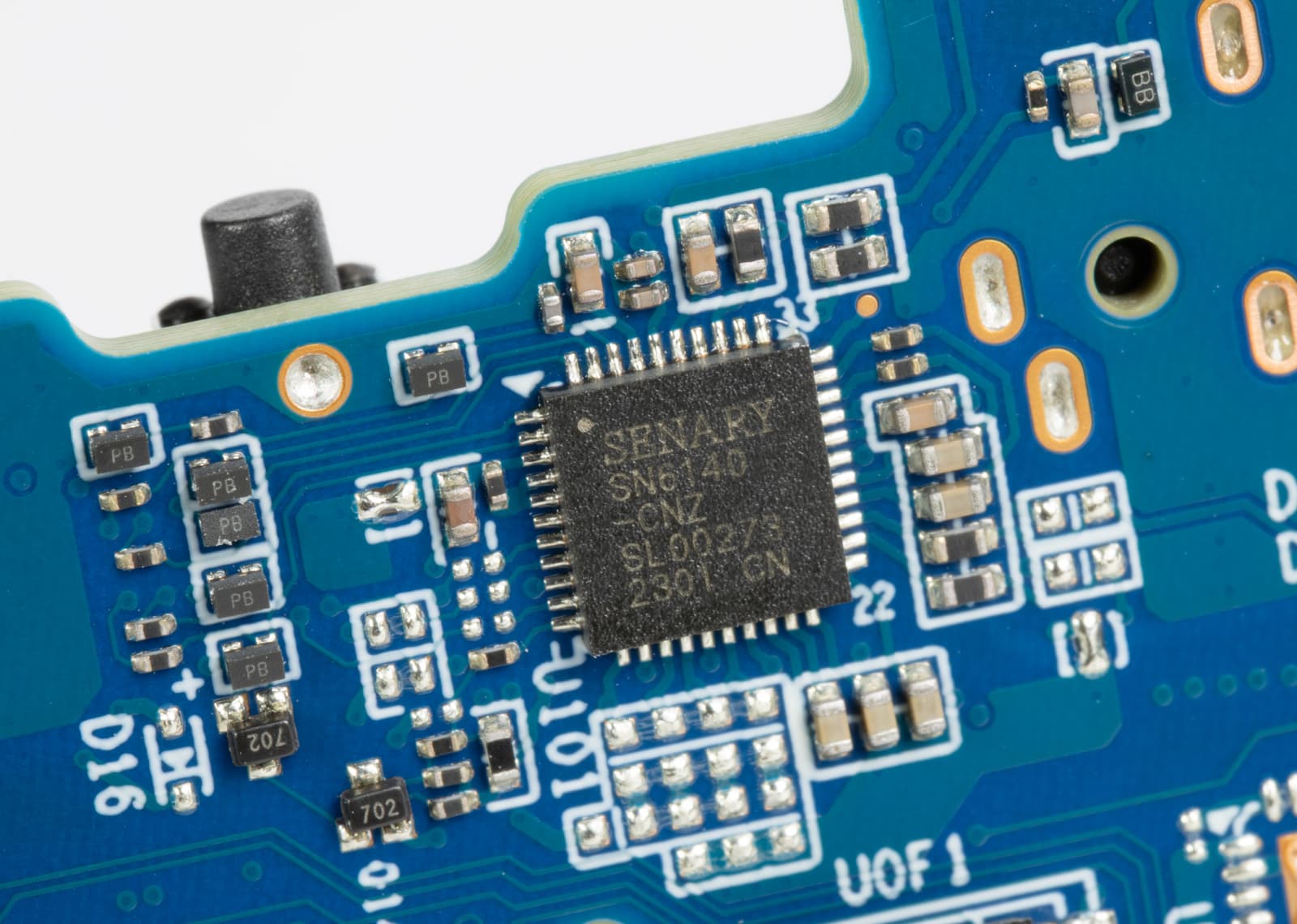
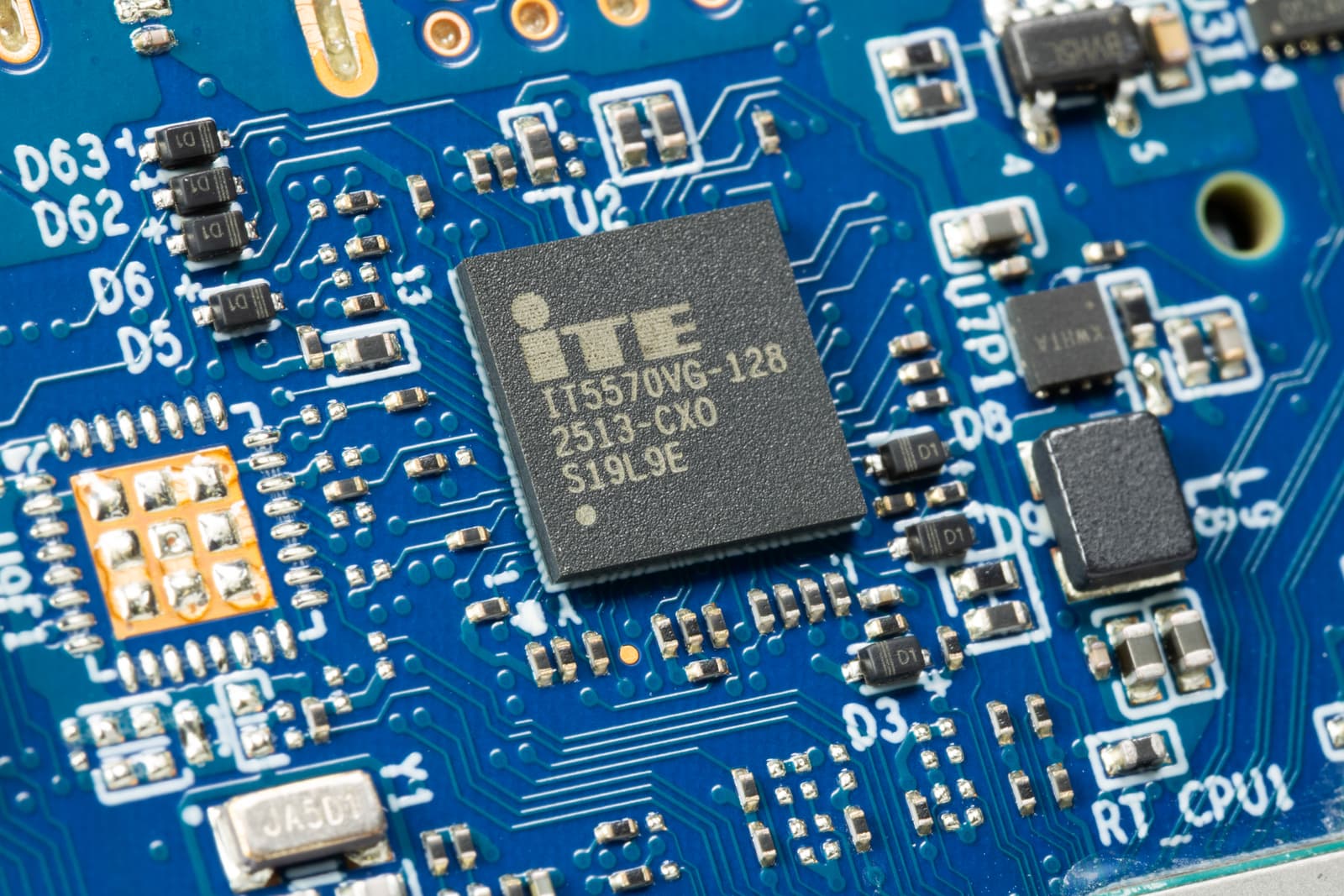
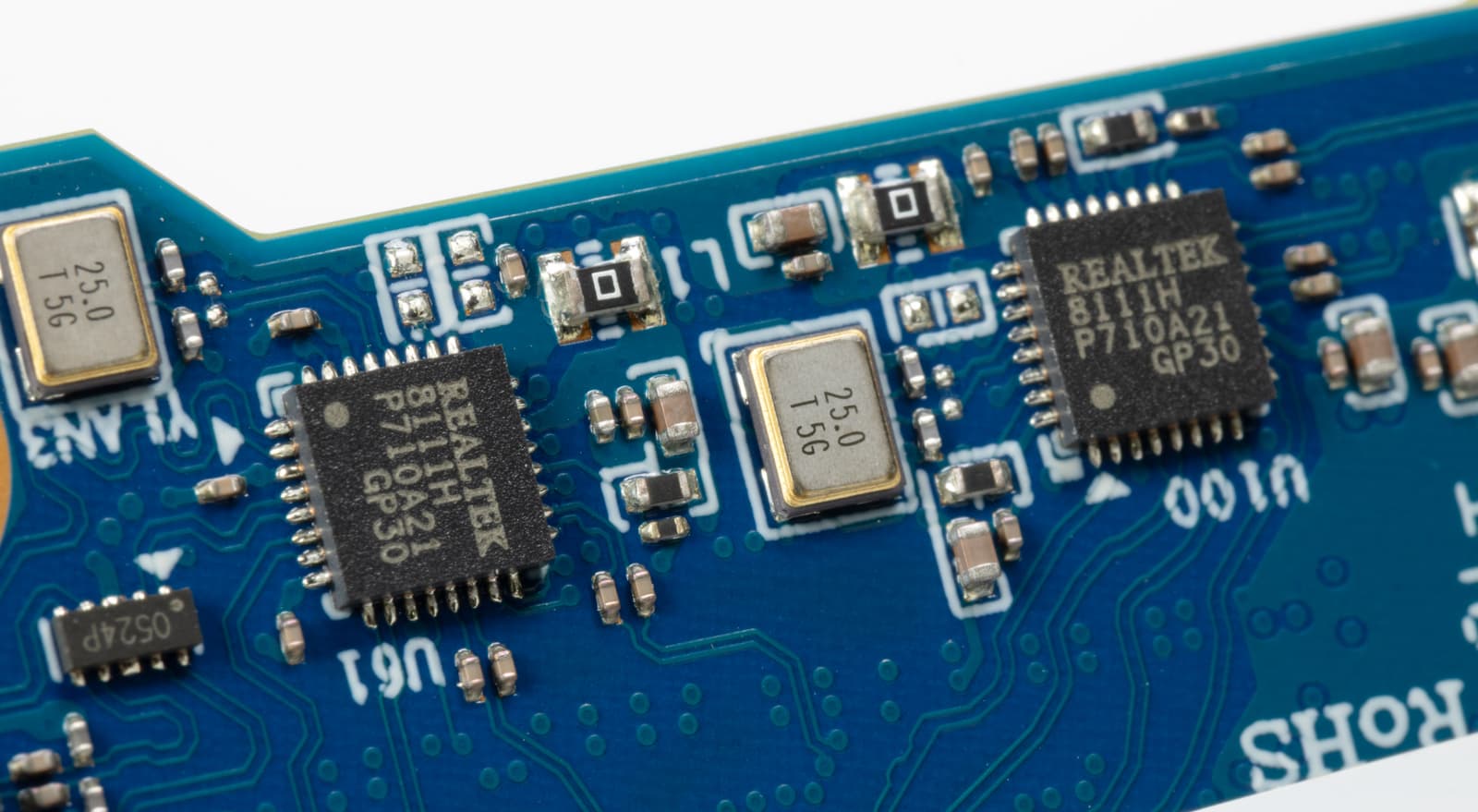
In particular, Monolithic Power Systems (MPS25xx series) power controllers are used, which are responsible for generating and stabilizing voltages for various subsystems. The management of basic platform functions, including the startup sequence and interaction with hardware sensors, is assigned to the embedded controller ITE IT5570VG-128. The board also has an auxiliary controller Senary SN6V440, for which there is no public documentation: it can be considered as a service microcircuit involved in processing internal signals and interfaces.
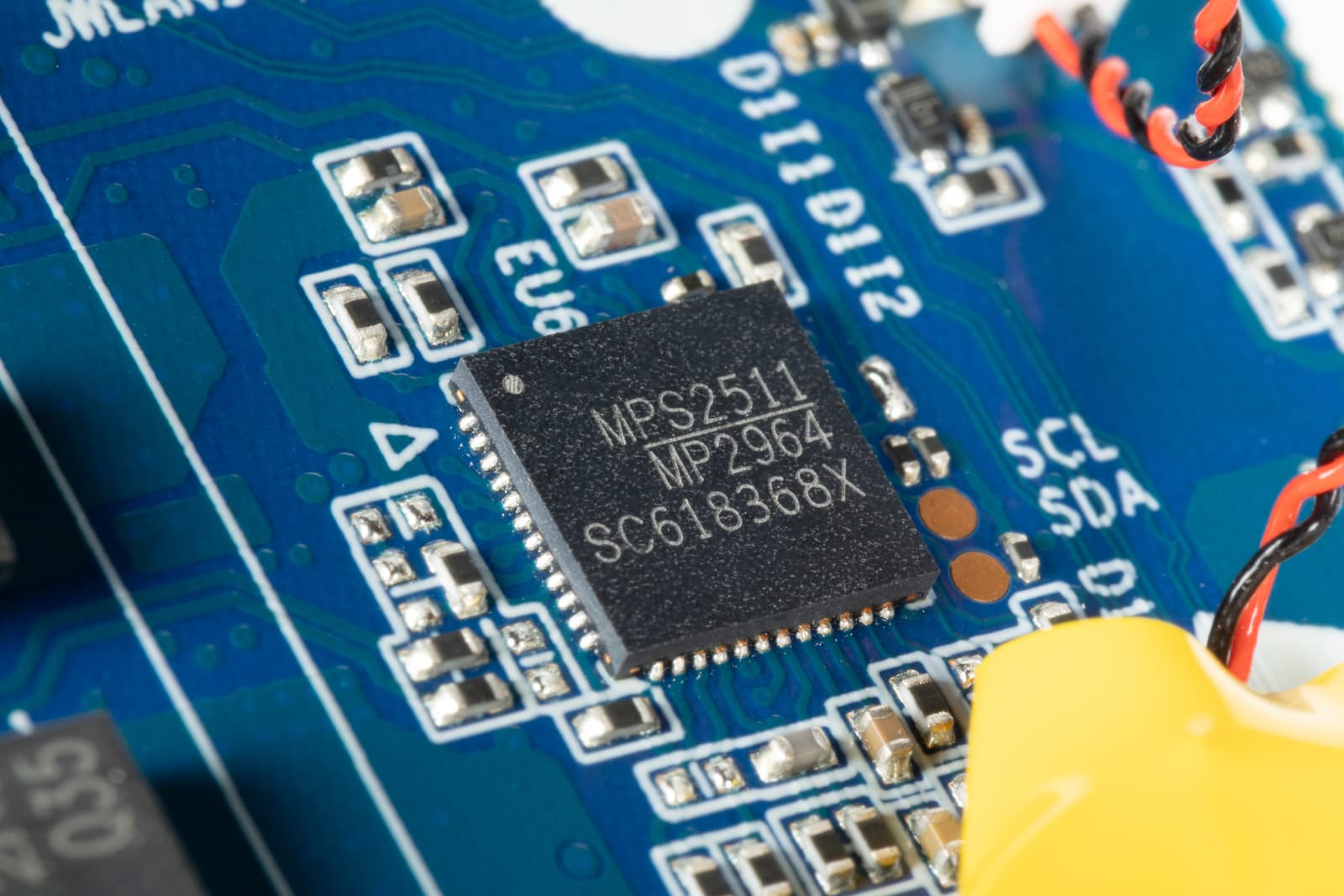
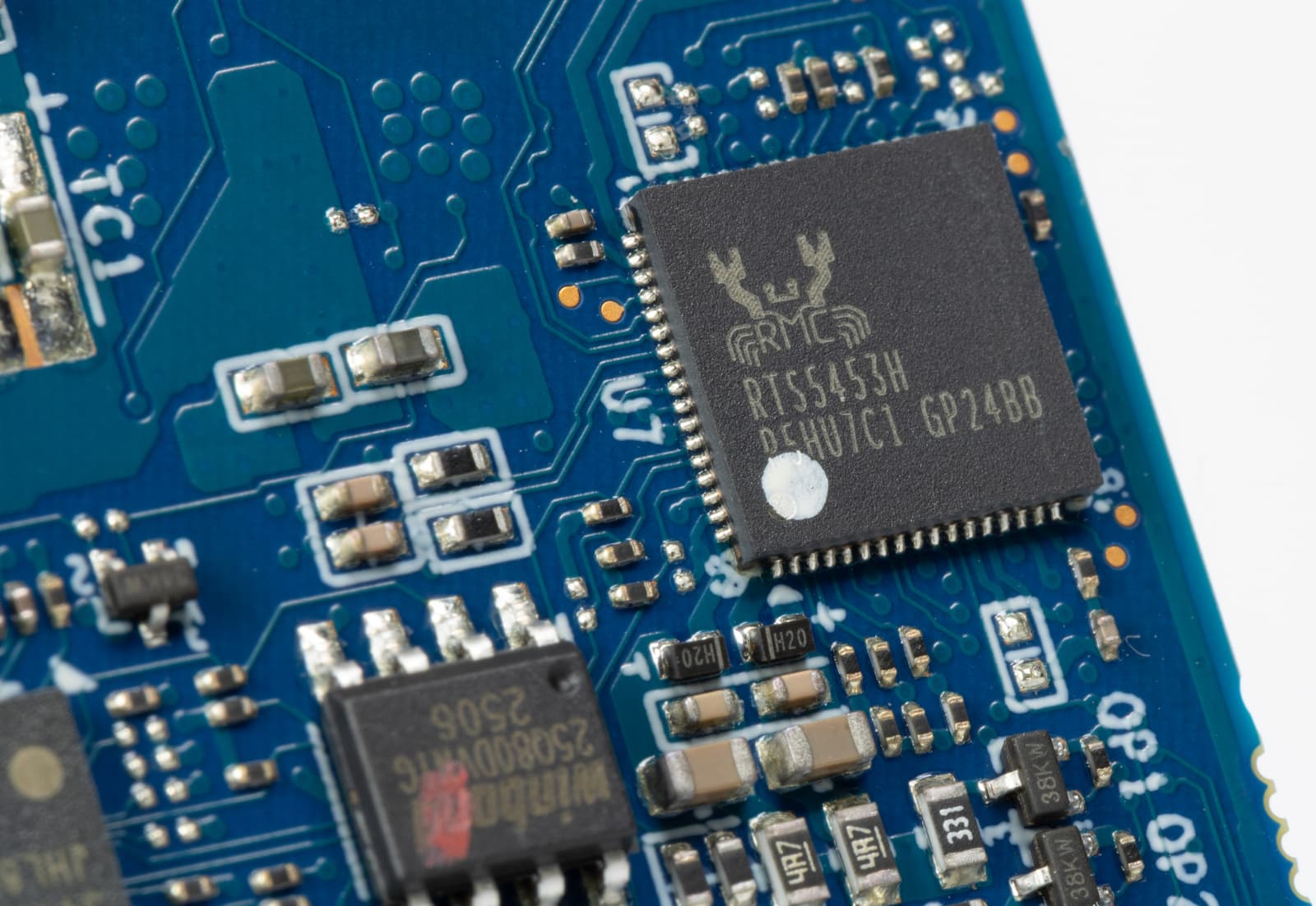
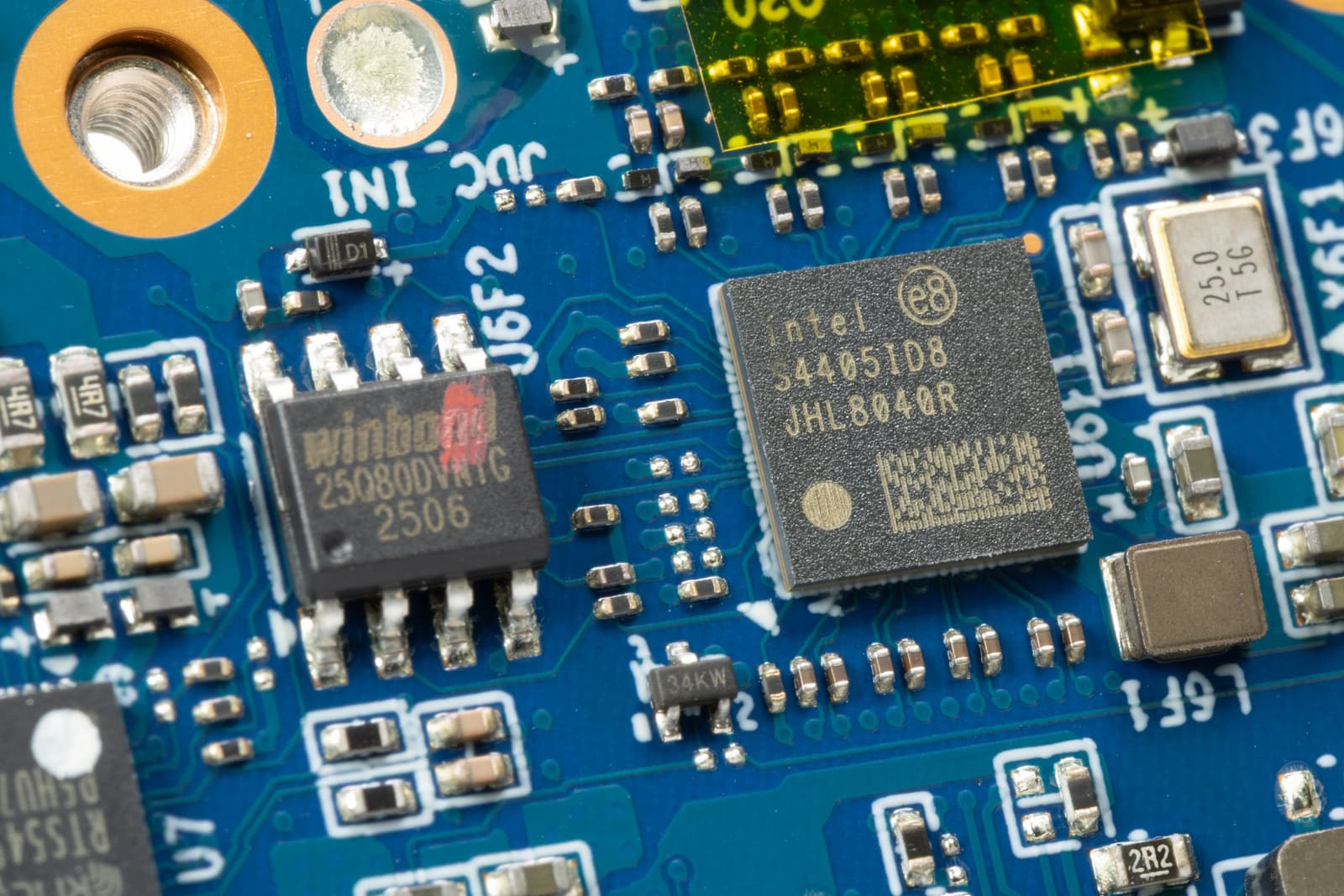
Realtek RTS5453H is a USB Type-C controller with USB Power Delivery support, which manages the operation of USB-C connectors, power negotiation, and Alternate Mode modes. Intel JHL8040R belongs to the Thunderbolt controller family and is used as a retimer/controller for the high-speed interface, ensuring stable operation of Thunderbolt / USB4 connections at high data transfer rates. The Winbond 25Q80 microchip is an SPI flash memory that stores the UEFI/BIOS firmware of the system. This group is complemented by microchips from ITE and Realtek, which perform service tasks — monitoring, managing individual interfaces, and auxiliary logic.
Performance testing
We traditionally begin evaluating system performance with the CrossMark test — a benchmark focused on practical usage scenarios. It simulates a mixed load, combining office operations, multimedia content work, and an assessment of the overall responsiveness of the system, rather than focusing on one type of task. For a compact PC for corporate and office use, this approach is most appropriate: the final results allow you to clearly understand how comfortable the system feels in everyday work.
In the integrated CrossMark v1.0.1.105 test, the system scores 1446 points. This is a moderate result, typical for office and corporate mini-PCs with a limited power package: it reflects a balanced, but not focused on peak performance, behavior under mixed load. Since CrossMark aggregates several application scenarios, the final score itself is secondary — the distribution of results across individual sections is more indicative.
The "Productivity" subsection evaluates work in a multitasking environment — office applications, browser, mail, parallel background operations. Here, 1415 points were obtained, which indicates smooth, predictable operation without pronounced failures, but also without a margin for heavy simultaneous load. This level of performance is sufficient for a standard office profile, but with a large number of tabs or resource-intensive web applications, the system will already be working closer to its limit.
In the "Creativity" section, the result is 1555 points. This is the highest score in this set of tests, and it suggests that the system feels relatively better in image and multimedia processing tasks than in purely office multitasking. Nevertheless, we are talking about basic scenarios — not about long-term rendering or complex effects, but about image correction, simple editing, and working with tools where the load is short-term.
The weakest point is "Responsiveness" — 1242 points. This subsection reflects the speed of launching applications, opening files, and the overall responsiveness of the system, and the decrease here is usually associated with the data storage subsystem and I/O delays. In practical work, this is expressed not in "lags" as such, but in a less sharp response compared to systems equipped with faster drives or aggressive power consumption settings. In general, CrossMark records behavior typical for a compact corporate PC: the system is focused on stable operation in applied tasks and short-term loads, without relying on high peak performance or the fastest interface response.

After evaluating the overall responsiveness of the system in CrossMark, it is logical to move on to measuring processor performance. Cinebench R23 is used for this — a test that consistently loads the CPU in single-threaded and multi-threaded modes and allows you to see how it behaves under prolonged computational load.

In Cinebench R23, the system shows 7182 points in multi-threaded mode and 1663 points in single-threaded mode. Single-threaded performance is at a normal level for mobile Core i5 and provides a quick response in the interface and application tasks.
The multi-threaded result is noticeably lower, which directly indicates a limited power and thermal package: with a long full load, the processor is not focused on maintaining high frequencies. In this case, Cinebench serves more as a confirmation of the office nature of the system than a demonstration of its computing capabilities.
After evaluating computing performance, it is important to understand how the system behaves under prolonged load. The AIDA64 System Stability Test is used for this — a utility that allows you to check the stability of the processor and evaluate the effectiveness of the cooling system under prolonged maximum load.
During the AIDA64 System Stability Test, the processor quickly reaches the temperature limit: the package temperature stably stays around 100 °C. At the same time, stable thermal throttling of about 20% is recorded, with short-term peaks up to 39%. The system remains operational, but maintaining the maximum load is achieved at the cost of reducing frequencies. Given the previously reviewed cooling system, this is expected: a compact radiator and the generally limited heat dissipation capacity of the design are designed for typical office loads and short peaks, and not for a long "stressful" mode.

The power consumption graph shows that under prolonged full load, the processor is kept at a level of about 30-32 W, without attempting to reach higher values. Against the background of a temperature of about 100 °C and recorded throttling, this indicates a strict limitation on the thermal budget: the system stabilizes not by increasing the speed or increasing heat dissipation, but by limiting power consumption and operating frequencies.

Against the background of a temperature close to the limit and recorded throttling, the operating frequencies behave accordingly. Under prolonged full load, the processor operates in the range of approximately 2.6-3.5 GHz, constantly changing the frequency in response to thermal limitations.

After evaluating thermal behavior, it is logical to move on to acoustic comfort — for a compact office PC, this parameter is no less important than temperature indicators. In this case, the cooling system is clearly configured with an eye on silence. Even under full load, the noise level remains below the measurement threshold of the means used: to distinguish the operation of the fan, you have to get close to the device and listen specifically. This approach is well consistent with the overall nature of the system — priority is given to quiet and unobtrusive operation, and not to aggressive frequency maintenance, which seems like a logical and justified solution for the office form factor.
It was previously noted that the integrated graphics in systems of the class under consideration plays an auxiliary role, but for completeness, its capabilities were tested in the specialized Unigine Superposition 1.1 test. This benchmark on the Unigine 2 engine loads the graphics subsystem with operations typical for three-dimensional visualization under DirectX and allows you to clearly assess its limits.
In 1080p Medium mode, the system scores 1717 points with an average frequency of about 13 fps. This result immediately indicates the limits of the applicability of Intel UHD integrated graphics in the iRU Tactio 515 — even with moderate settings, the load is excessive, and the smoothness of the image is insufficient for comfortable work in tasks related to three-dimensional graphics or visualization.

Switching to the 720p Low profile noticeably reduces the load and improves performance — the result increases to 4420 points, and the average frequency reaches approximately 33 fps. In this mode, only formal operability is possible in simple three-dimensional scenes, while the performance margin remains minimal, and any increase in settings or resolution quickly leads to a loss of smoothness.

In general, the results of the Superposition tests fit well into the overall positioning of the system. The graphics subsystem here is focused on displaying the interface, multimedia, and basic work with images, rather than performing resource-intensive tasks. Using this benchmark in this case rather emphasizes the limits of the platform's capabilities than expands the list of its practical scenarios.
As a final test, an applied scenario is used that is as close as possible to the real load — video transcoding. The source file in H.264 format (30 fps, bitrate about 96 Mbps) with a duration of 7 minutes 3 seconds was converted to Full HD H.265 (x265, Medium preset) using HandBrake. The system took 7 minutes 28 seconds to complete the task.
The result shows that video transcoding is possible for this mini-PC, but without any performance margin. The processing time is comparable to the duration of the source material, which indicates a high processor load throughout the test. This scenario is acceptable for episodic tasks — for example, a one-time conversion or preparation of a video for publication — however, regular work with video materials, especially with an increase in resolution or codec complexity, quickly goes beyond the comfortable mode.
In aggregate, the results show that the system performance level is sufficient for applied tasks of the small corporate segment. Everyday work with documents, browsing with a large number of tabs, mail, and other typical office tasks are performed without delays, and the preparation of presentation materials, simple video content, and conversion of meeting or webinar recordings — in a reasonable time and without failures. At the same time, the mini-PC remains stable and remains almost silent even under load, which makes it a convenient working tool for the office environment and scenarios where reasonable system cost and acoustic comfort come to the fore, and not maximum performance.
Summary
In general, the iRU Tactio 515 is perceived as a light and compact nettops, focused on a dense flow of office tasks and daily communication, where ease of placement, silence, and practicality come to the fore. The Intel Core i5-12450H-based platform provides a sufficient level of computing power for everyday tasks, simultaneous work with several applications, and typical corporate scenarios: the system stably copes with processing documents, web content in the browser, mail, and application software. More resource-intensive operations, including video transcoding, are possible, but are accompanied by a high processor load and are performed without a noticeable performance margin, which corresponds to the class and form factor of the device.
Under close to maximum load, the mini-PC operates within a rigid thermal budget, reducing operating frequencies, but maintaining stability. At the same time, the noise level remains minimal even in stressful modes, which makes the device convenient for continuous operation in the office environment and at home workplaces. The limitations of the platform are obvious: the integrated graphics are designed for the interface, multimedia, and basic work with images, but are not intended for complex visual tasks or prolonged high load. In its target niche, the iRU Tactio 515 looks like a rational solution — compact, quiet, and functionally sufficient for scenarios where comfort, neat integration into the workplace, and reasonable cost are important, and not maximum performance in tests.