At this event, the TP-Link team talked about the Mercusys brand and its advantages. They examined the equipment line and features of key models in detail. They also focused on new products with Wi-Fi 6 and Wi-Fi 6E support.
Today's event is led by Ivan Chulkov, product manager at Mercusys, who is responsible for the SOHO direction in the company. Today he will talk about new products and current Mercusys equipment. He started with the Halo mesh system.
This system allows you to create a single seamless network and cover a larger area compared to a single road. HALA models with VH6 are presented here. Globally, they differ from each other in connection speed. And only the most powerful HALA H90X model has a 2.5 Gbps port. In the H90X, H80X, and H70X models, all modules are the same. Each of them can be configured as the main router.
The next slide shows the H60X model.
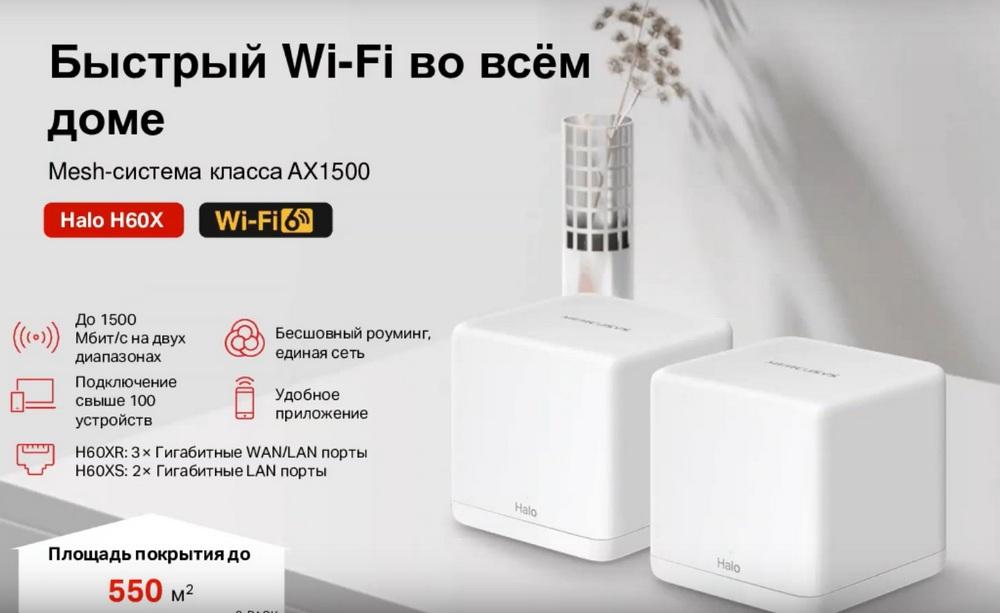
Moreover, the H60XR has 3 gigabit WAN/LAN ports, and the H60XS model has 2 gigabit LAN ports. Next, we have HALA models with Wi-Fi 5. Globally, they also differ in Wi-Fi connection speed and port speed. The H30 comes with 100 megabit ports, all the others with gigabit ports, with the exception of the H32G kit. It includes one H30G module, i.e. with megabit ports, and two H30 modules, i.e. 100 megabit ports. Otherwise, all HALA modules have the same functionality.
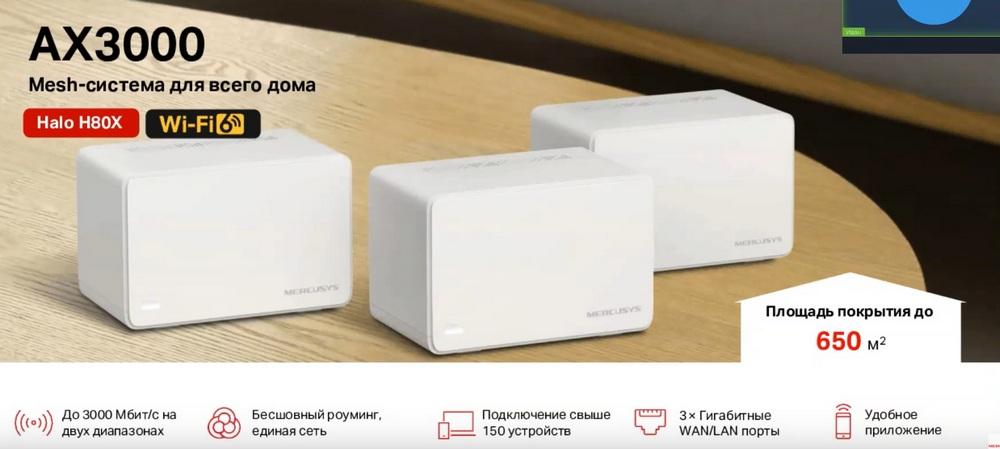
Let's talk a little more about HALA H80X. This model allows you to get up to 3000 Mbps at the output in Wi-Fi ranges. Seamless roaming and a single network will allow you to move around a closed house or a large apartment without fear of breaks. You can connect more than 150 devices, taking into account smart home devices. Gigabit ports will allow you to get the maximum speed from your provider and connect a TV, set-top box, computer, or any other network device via cable. And all this can be configured and managed through a convenient application on your smartphone.
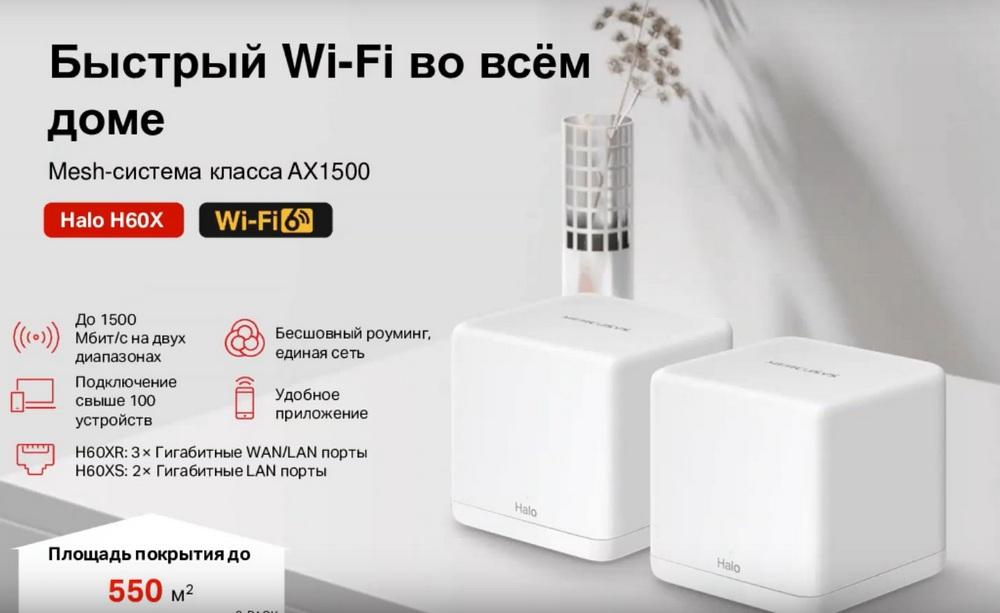
Next, the HALA H60X model is described in a little more detail. It already has a speed of up to 1500 Mbps. You can connect more than a hundred devices. The kit includes one router and two satellites. That is, you can only connect the router to the provider's cable. Satellites can only work as secondary modules. The characteristics of HALA models are presented here, but we will not dwell on them in detail, otherwise it will take a very long time. You will be able to study them after the event is over.
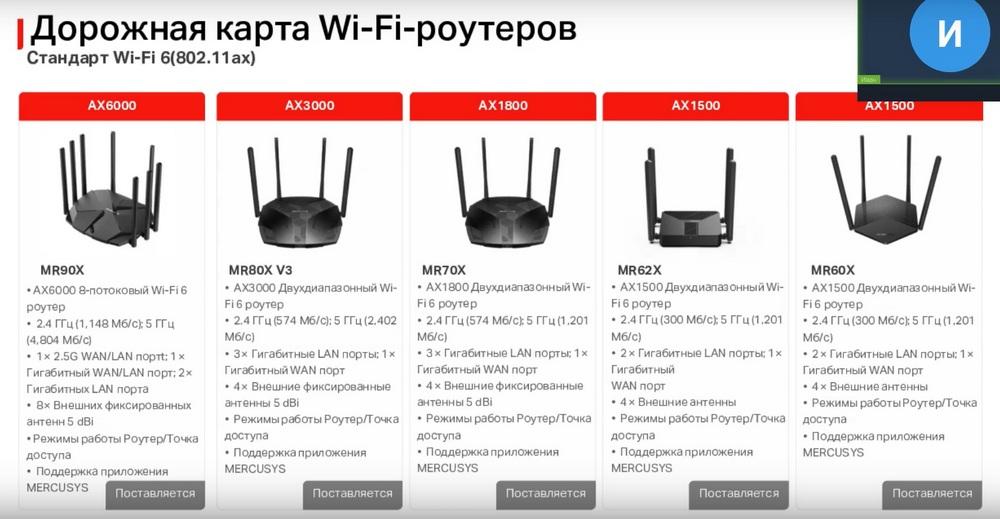
Next, we will talk about Wi-Fi routers. Here we have routers with Wi-Fi 6. The global difference is also in the speed of the Wi-Fi connection. And only the MR90X has a 2.5 gigabit per second port. The main functionality is almost the same. In some models, only the design differs.
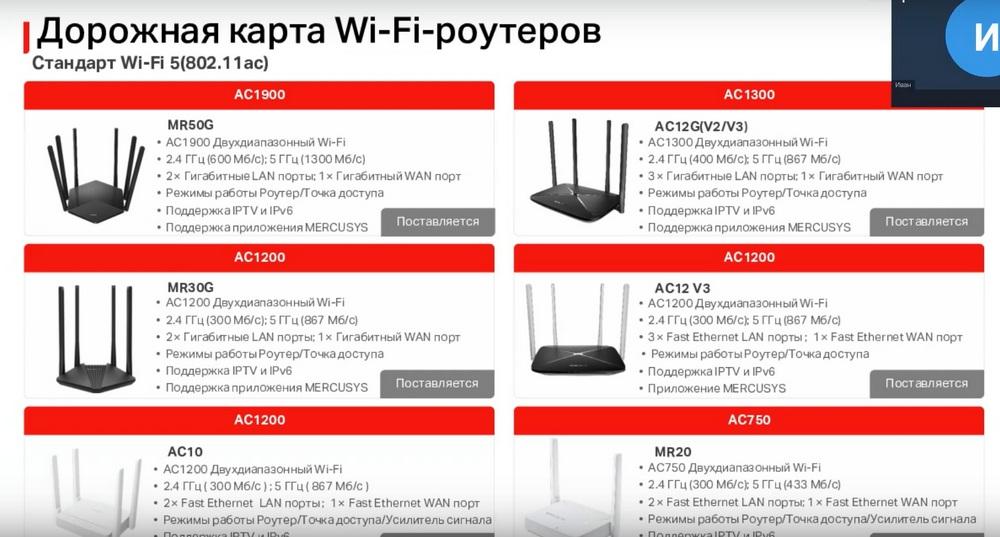
Next are routers with Wi-Fi 5. They also differ from each other in Wi-Fi connection speed. Here there are already differences in port speed and external design. The main functionality on the routers is the same.
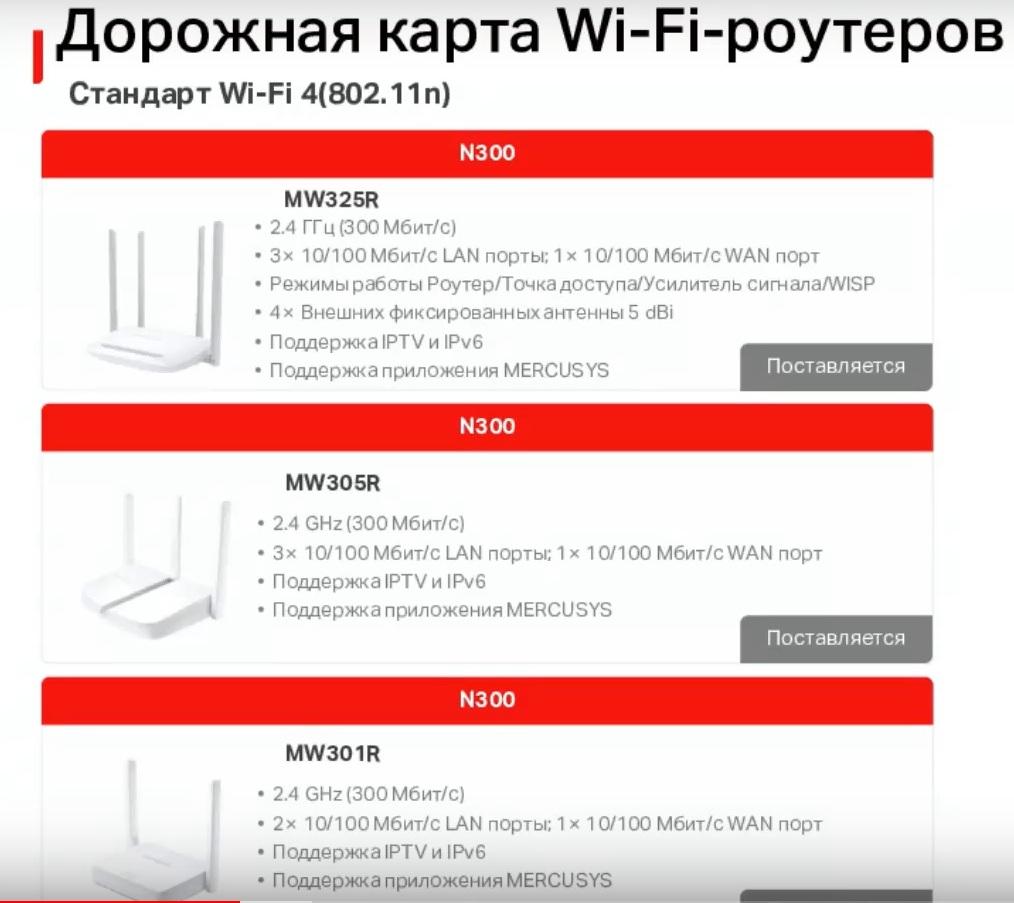
Next are the simplest routers, their Wi-Fi diverges only at a frequency of 2.4 GHz. They differ from each other only in appearance and number of ports.
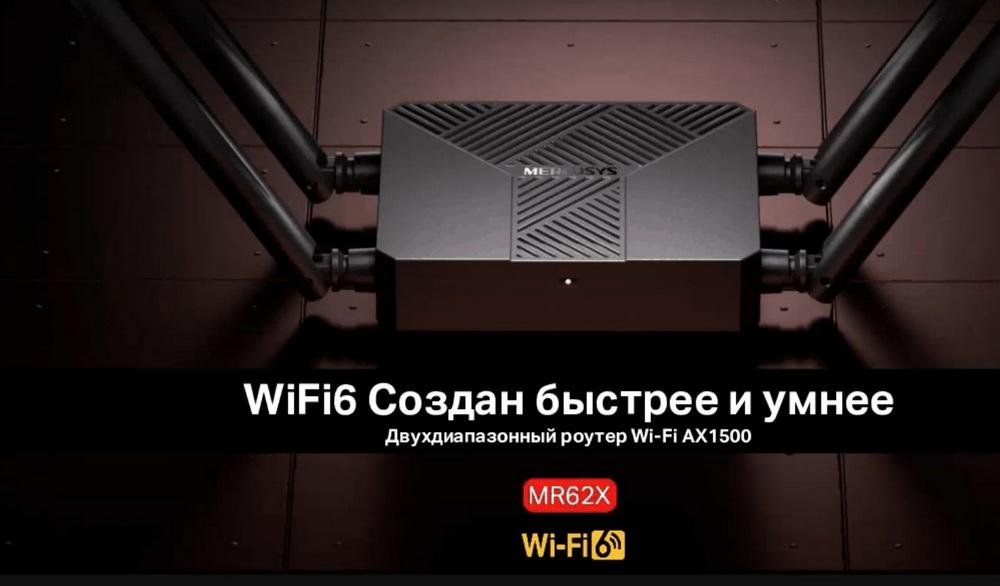
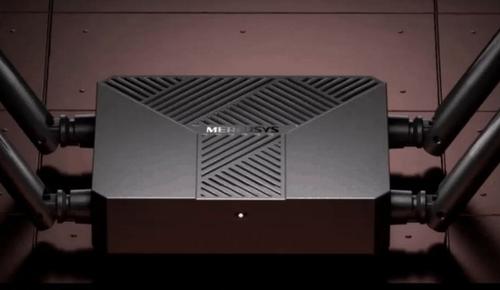
Next, the new MR62X model is described in more detail. This router will support the Wi-Fi AX1500 standard, that is, 1201 Mbps at 5 GHz and 300 Mbps at 2.4 GHz. AX in this model will only work at a frequency of 5 GHz.
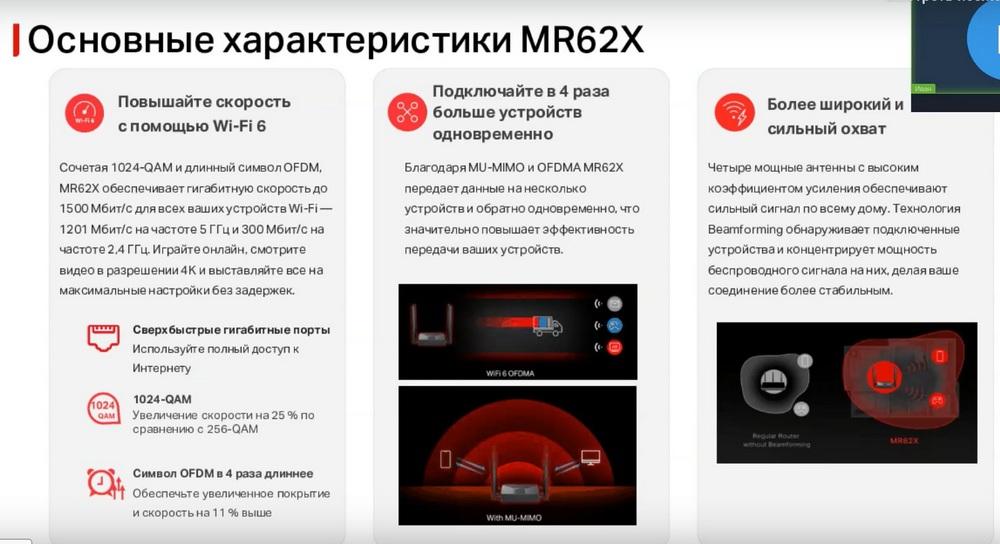
The speed in this model is increased using OFDM and 1024 QAM technologies. Thanks to MU-MIMO and OFDMA, the model transmits data to multiple devices and back simultaneously. Four powerful antennas with high gain provide a strong signal throughout the house. Beamforming technology detects connected devices and concentrates the power of the wireless signal on them, making your connection more stable.
As I said earlier, the speed on Wi-Fi 6 will be higher than on Wi-Fi 5, which will allow you to use any services without problems. You can also connect a large number of devices to the router, and they will all work fine. The router also supports DSS Color technology, which reduces interference from Wi-Fi from neighboring networks. There is also Target Wake Time, which will save power for your devices, such as smartphones, laptops, tablets, that is, what is powered by the battery. Encryption in APA-3 provides a secure connection to the Wi-Fi network. The router also supports IPTV, IPv6, and Smart Connect, which will allow you to make one network name for both frequencies on the router.
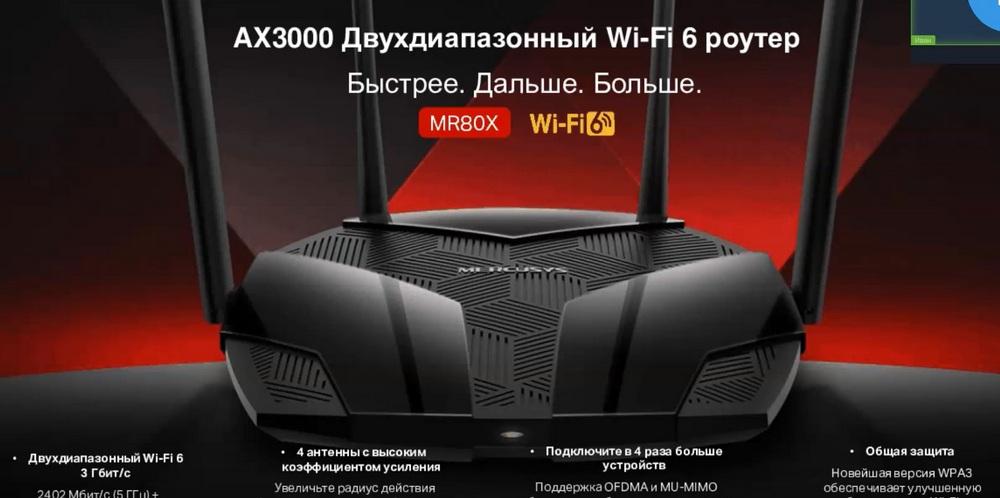
Here are the main advantages of the MR80X router, namely the AX3000 standard, where 2402 Mbps at 5 GHz and 574 Mbps at 2.4 GHz. Dot AX already works on both frequencies. Four high-gain antennas for greater area coverage. It is also possible to connect a large number of devices to the Wi-Fi network using WPA3 encryption for protection.
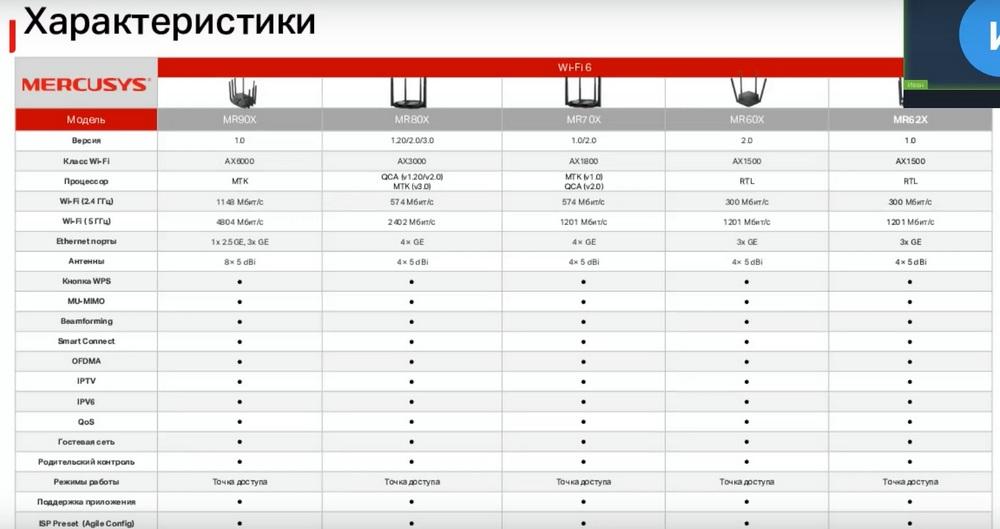
Next are tables of router characteristics.
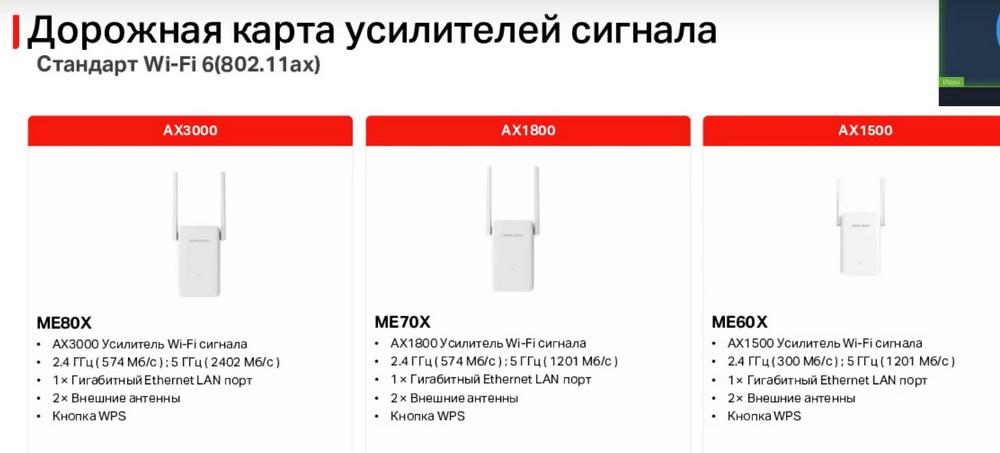
Next are signal amplifiers. These are devices that are used to extend the coverage area of a Wi-Fi network. All amplifiers for Wi-Fi 6 are presented here. One of them is under development, two are already available.
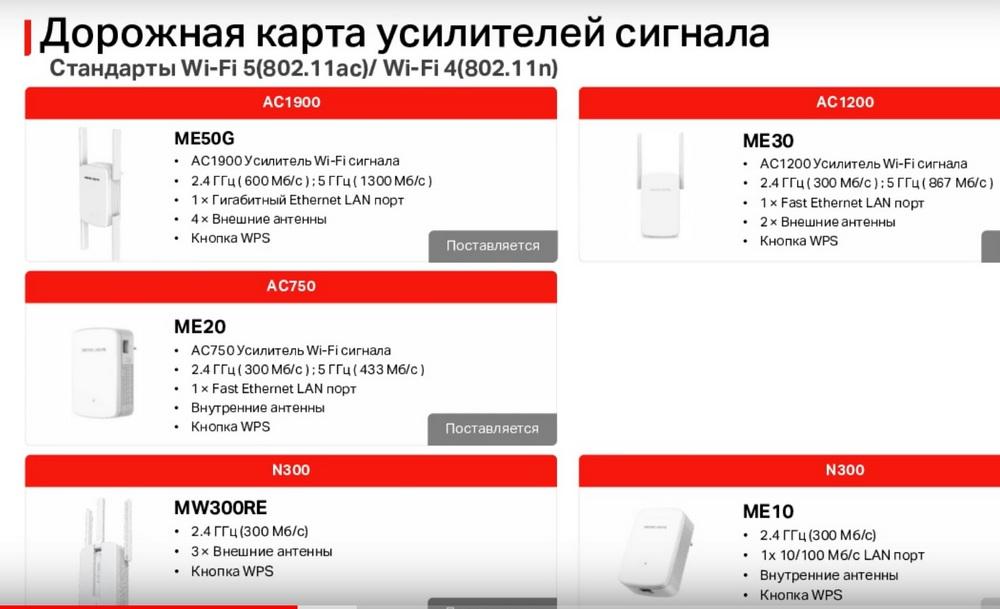
They differ from each other in Wi-Fi connection speed, the rest of the functions are the same. Here are amplifiers with Wi-Fi 5 and Wi-Fi 4. Again, the global difference is in the Wi-Fi connection speed. And here different port speeds are already added. And the simplest amplifier has no port at all.
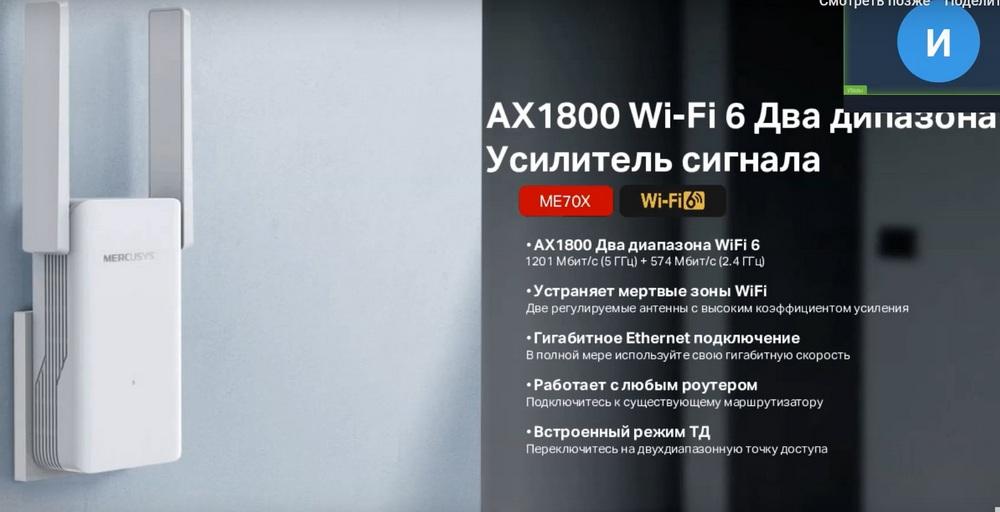
A little more about the ME70X model. It supports the AX1800 speed standard, that is, 1201 Mbps at 5 GHz and 574 Mbps at 2.4 GHz. Again, AX works on both frequencies here. It connects to the main router via Wi-Fi and also distributes a Wi-Fi network from itself. This achieves expansion of the coverage area of your home network. There is a gigabit port on the case, which allows you to connect various devices in the home network. Amplifiers have no restrictions on connecting to routers from different manufacturers. Also, in addition to the normal amplifier mode, these devices have an access point mode, in which the amplifier will connect to the router via cable and distribute Wi-Fi.
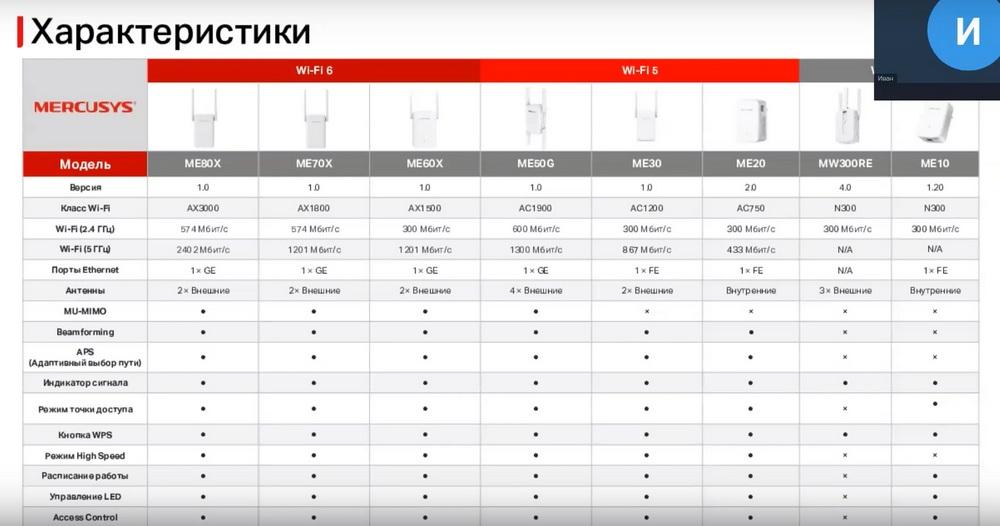
And again, for comparison, the characteristics.
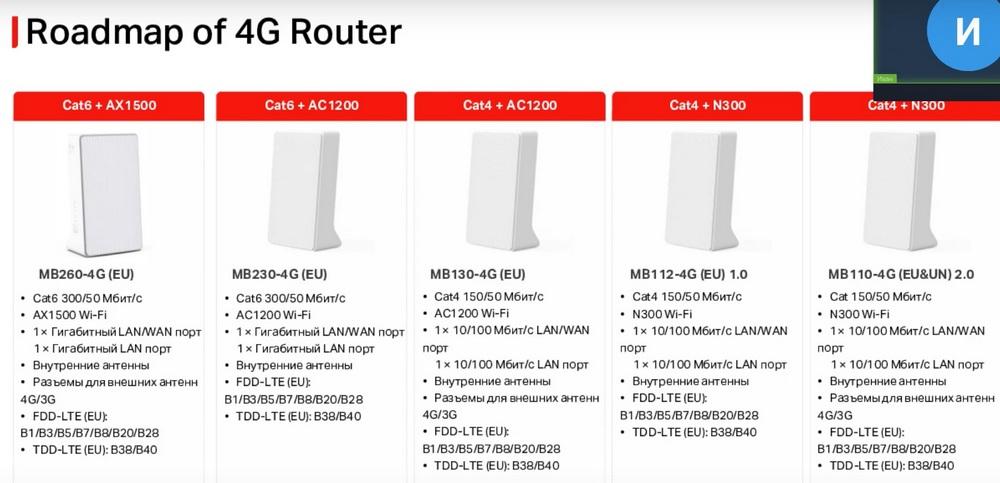
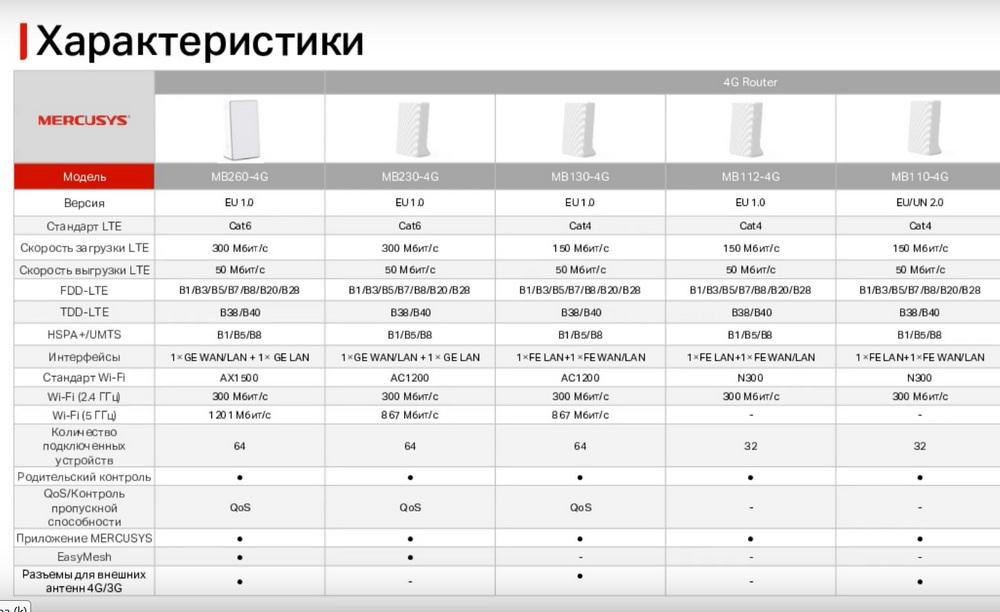
Next is a novelty for Mercusys. This is a 4G Router that receives Internet via a SIM card. Dual-band and single-band models are presented here. And all are still under development, except for one. The two models on the left support LTE category 6. That is, the Internet speed can be up to 300 megabits per second. The remaining models support LTE category 4. That is, the Internet speed can be up to 150 megabits per second. Also, the first model differs in the standard Wi-Fi, it will have AX, then two models come with the AC standard. The last two models on the right are made in the M standard, that is, only 2.4 GHz.
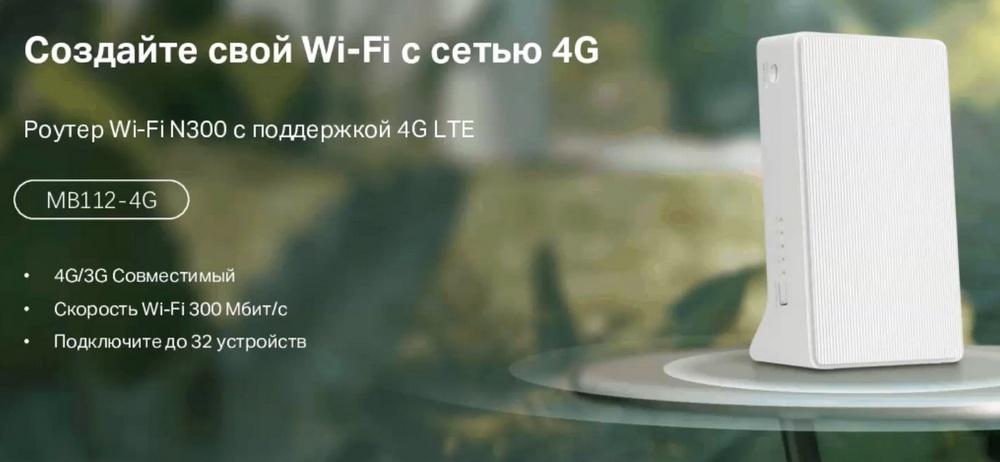
Now about the MB112 4G router, this model works in 3G and 4G networks, Wi-Fi speed standard N300 and allows you to connect up to 32 devices. It is enough to simply insert a SIM card into the router and the Internet will work automatically. If you, for example, want to purchase it in Russia and go abroad. The router will also be able to work with foreign operators. The only thing you need to do is to register the settings in the router itself. But in this case, everything will work. And this router is used for nano-SIM cards. Also, this router can be used anywhere for remote work, in temporary kiosks, in foreign houses, or in recreation centers.
Next, we have another novelty from Mercusys, this is a mobile Wi-Fi Router.
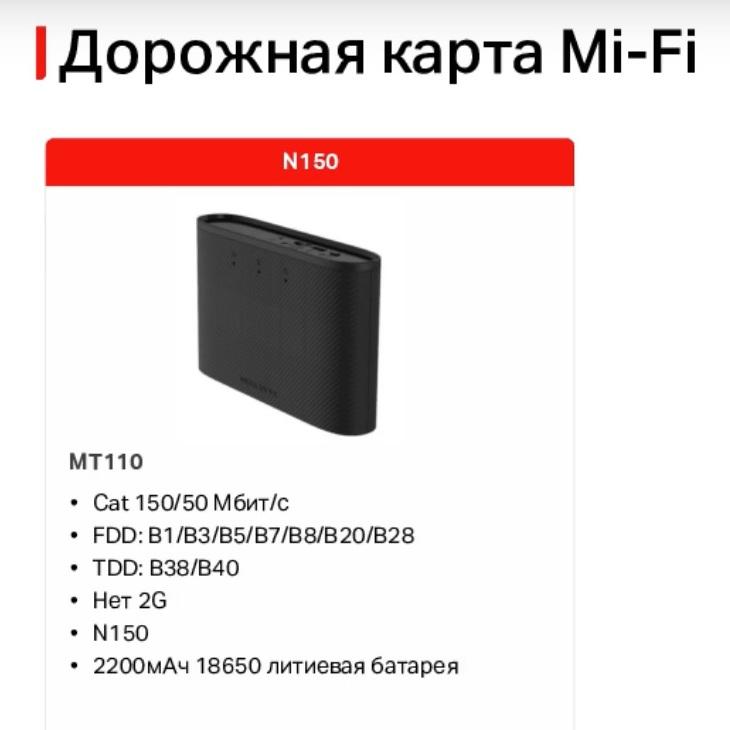
At the moment, there is only one model that should be on sale soon. This model will support LTE category 4, which will allow you to get Internet access at speeds up to 150 Mbps. It is enough to simply insert a SIM card from a large operator and the router will start working. The battery allows the router to work for up to 10 hours without interruption. The router can also be controlled via a smartphone application. Due to its small size, you can take the router anywhere and distribute Wi-Fi from it to get Internet access if necessary. For example, you went on a business trip, arrived at a hotel, there is bad Internet, took out your router, turned it on, the Internet appeared. You left, again, turned off the router, took it and went on.
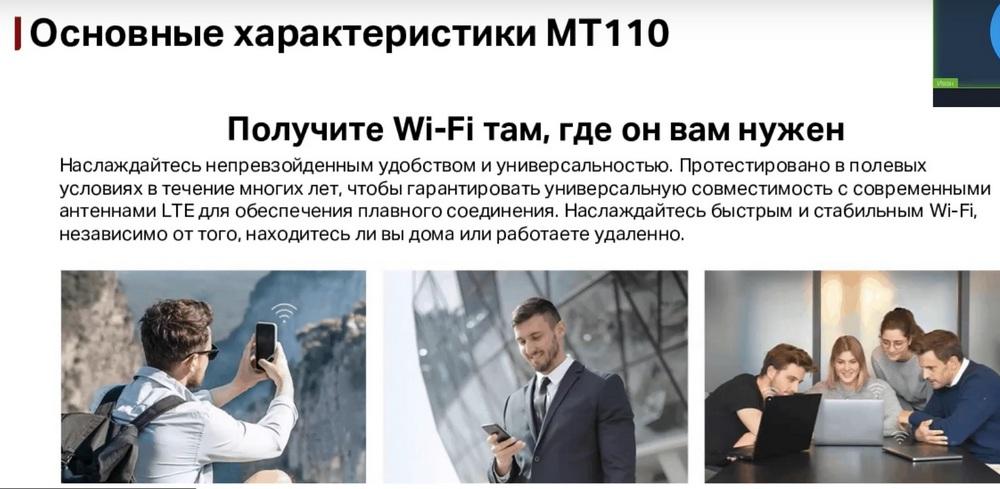
Also, the router supports up to 10 simultaneous connections, so you can connect not only your laptop, tablet, smartphone, but also the devices of your friends or acquaintances, if necessary.
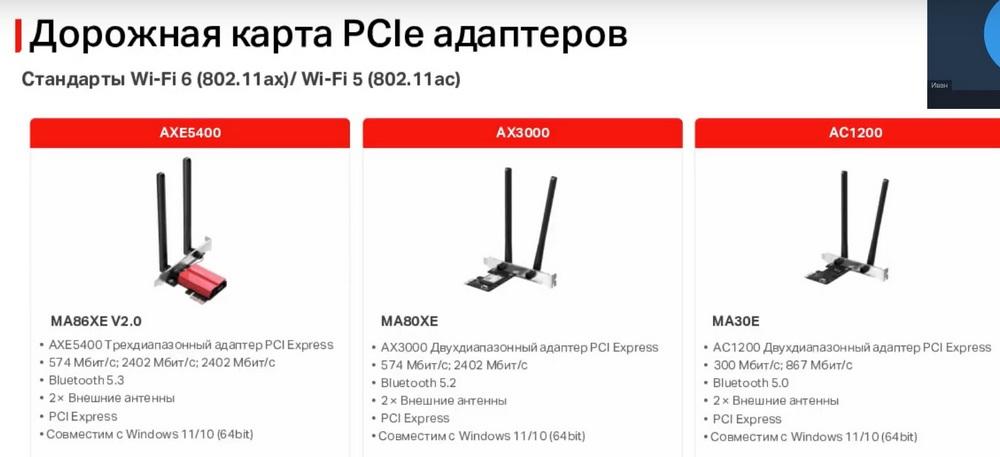
Next, we will talk about Wi-Fi adapters that allow your computer to connect to a Wi-Fi network. First, we have PCI adapters with Wi-Fi 6 and Wi-Fi 5. Two of these adapters are already on sale and one is under development.
They differ from each other in Wi-Fi connection speed and Wi-Fi standard. All these adapters are connected to the PCI Express slot on the computer's motherboard, and also have a built-in Bluetooth adapter of different versions.
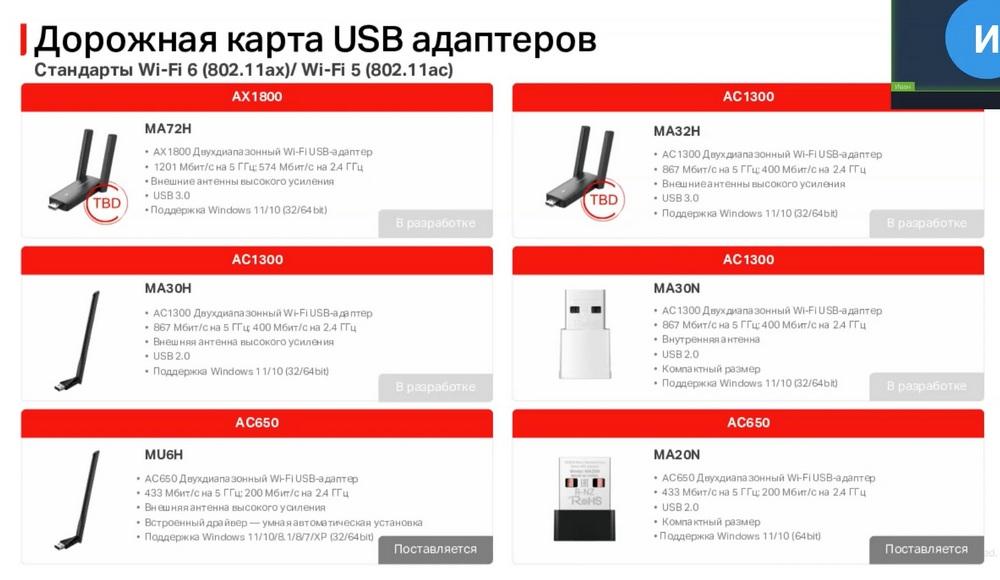
This slide shows USB adapters. So far, only two are available for sale, the rest are under development. They differ from each other in Wi-Fi connection speed, Wi-Fi standard and form factor. Four adapters have high-gain antennas. And the other two are mini-adapters. On the bottom right, we have two models MA30N and MA20N, these are mini-adapters, that is, the antenna is inside the case.
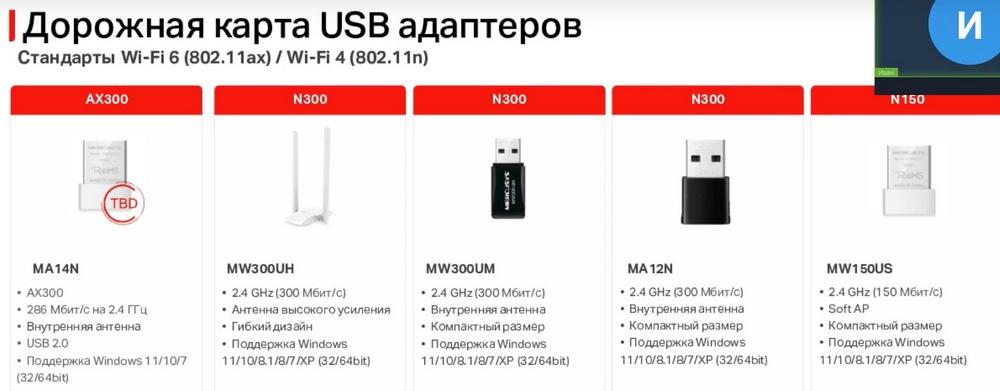
Here we have adapters only for 2.4 GHz. Three are already available for sale and two are under development. One will work on the AX standard, this is the leftmost one. The rest work on the N-standard. They differ in form factor and connection speed. We are also developing a Bluetooth USB adapter for computers, which will allow your PC without a built-in Bluetooth adapter to connect these Bluetooth devices and work with them, respectively.
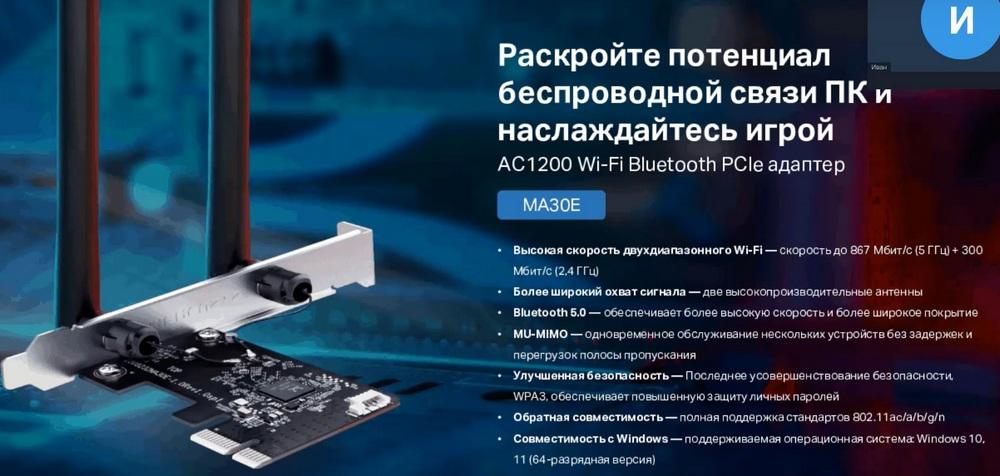
Let's talk a little more about the MA30E adapter. It will work on the AC1200 standard, where 867 Mbps will be at 5 GHz and 300 Mbps at 2.4 GHz. Two non-removable high-performance antennas. Bluetooth version five. Supports technologies such as MU.MIMO and WPA3 encryption. Also, this adapter will be compatible with previous versions of the Wi-Fi standard. The operating system is initially supported in Windows 10 and Windows 11. That is, you do not need to download a driver, you just connect the adapter and it finds a common language with the operating system itself.
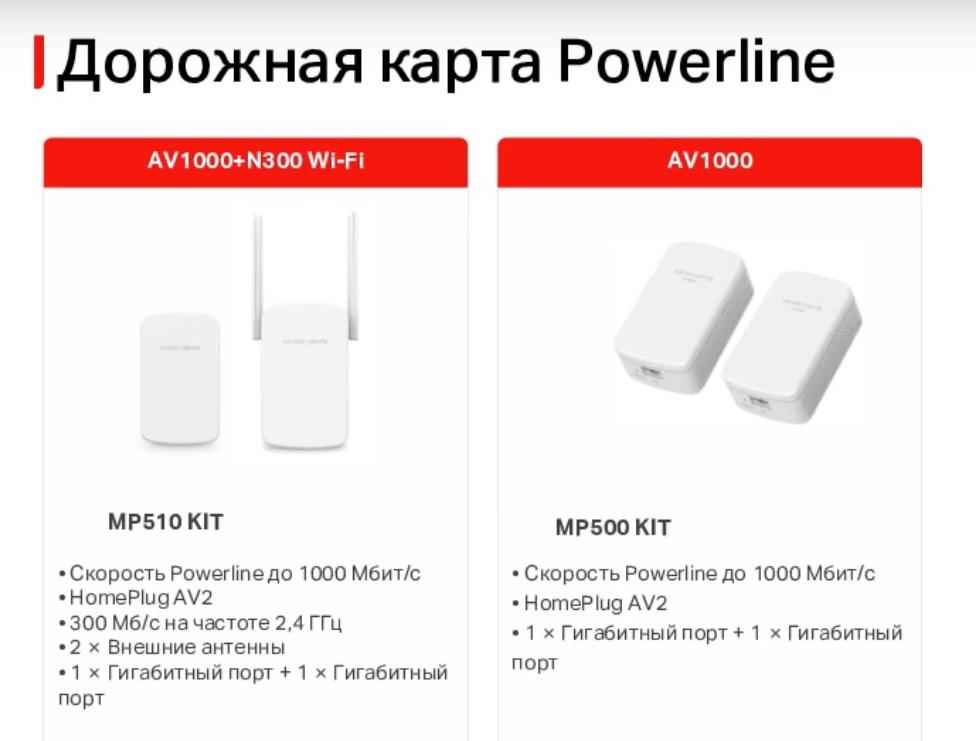
Next, we will talk about Powerline adapters, which transmit a signal through a 220 V line, that is, electrical outlets. We have only 2 models, and they are both available for sale. The models on the right have two simple wired adapters, and on the left, the second adapter comes with a Wi-Fi module, which will allow the adapter to distribute not only wired connections, but also Wi-Fi networks. Both models use gigabit ports.
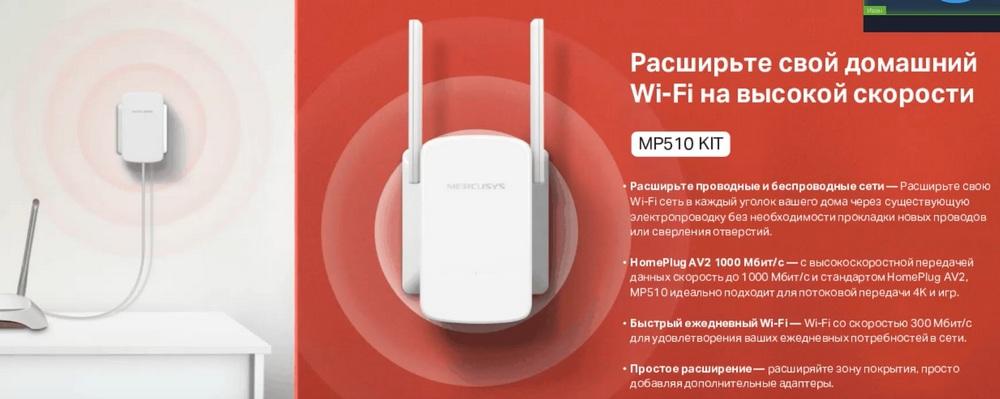
Now a little more about the adapter with a Wi-Fi module. It allows you to expand the Wi-Fi network of the router, like a signal amplifier. We use a 220 V line to communicate with the router, not through a Wi-Fi network, which allows you to connect adapters behind a capital wall, where the signal from the router can be very poor or completely absent. The HomePlug AV2 standard allows you to transmit information between adapters at speeds up to 1000 megabits per second. The Wi-Fi speed standard from the N300 adapter, that is, only 2.4 GHz. And setting up the adapter does not cause any problems. You just need to press two pairs of buttons so that it copies the name and password of the Wi-Fi network from your router.
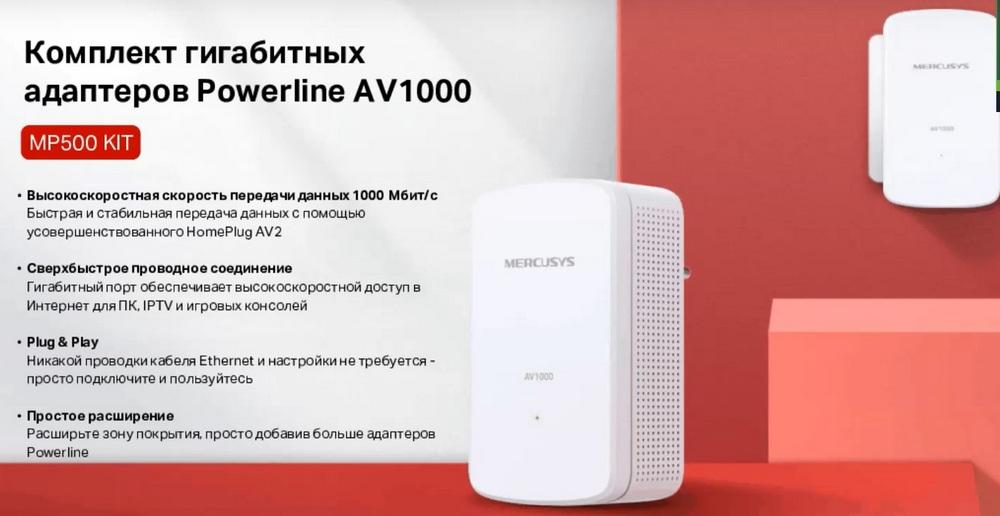
And here is a set of adapters without Wi-Fi, even easier to set up. You only need to press the PR button on two adapters, and they start working with each other.
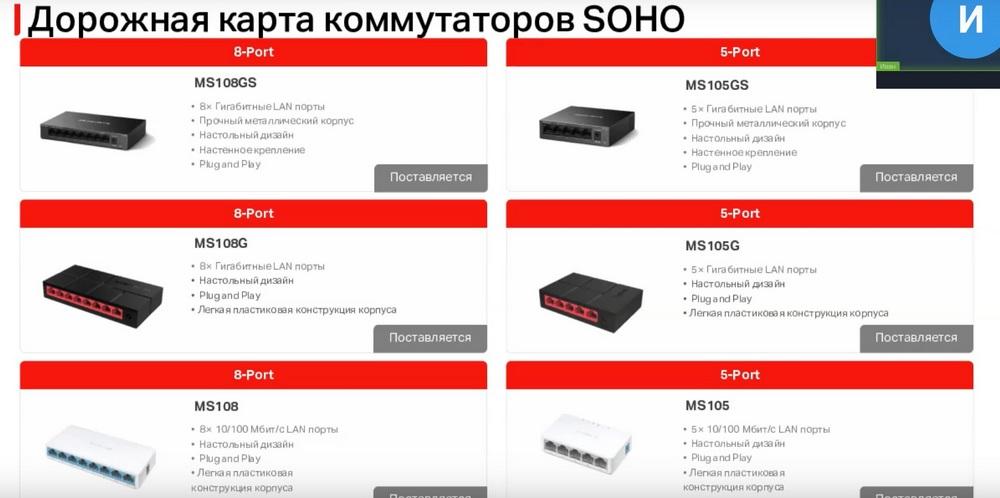
Next are SOHO unmanaged switches, used to increase the number of ports on the router. On the left we have 8-port switches, on the right - 5-port switches. The switches at the very bottom come with 100 megabit per second ports and a plastic case. In the middle there are gigabit ports, but still in a plastic case. And at the very top are gigabit ports in a metal case. Everything else is the same for them.
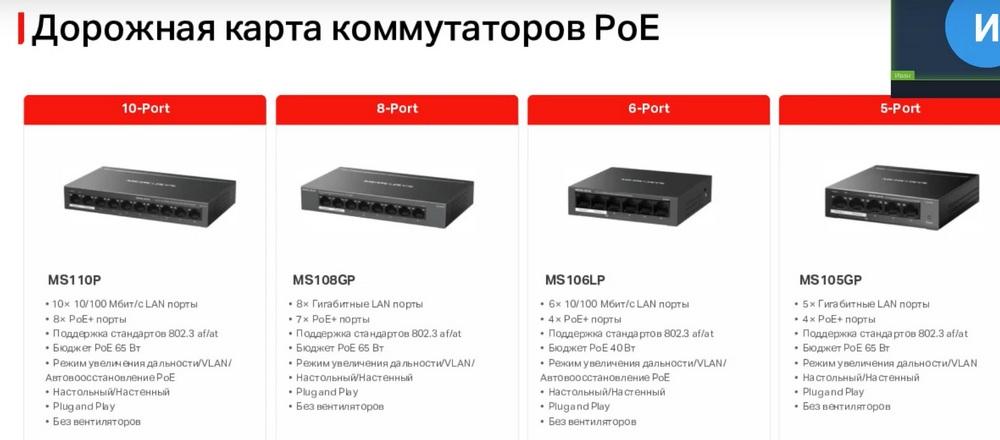
Next are PoE switches, which, in addition to information via cable, also transmit power to the connected device. All switches have a different number of ports. The MS110P and MS106LP switches have 100-megabit ports, the MS108GP and MS105GP models have 2-gigabit ports, only the MS106LP has a PoE budget of 40 watts, while all the others have 65 watts. The remaining features are the same for all switches.
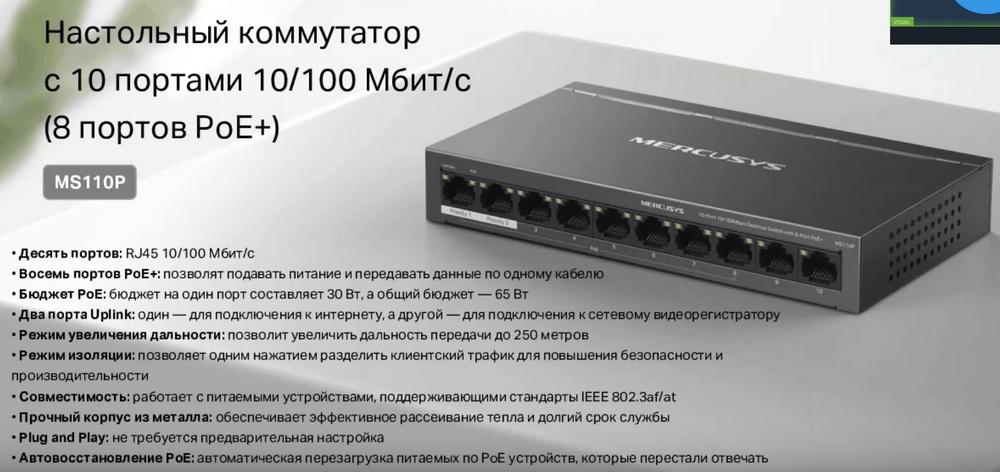
A little more detail about the MS-110P. This is a 10-port switch, of which 8 ports have PoE. The two remaining ports are UpLink. There is a long-range mode that allows you to transmit power and information up to 250 meters. It is possible to isolate one group of ports from another. There is also PoE auto-recovery. It is used to reboot equipment when it stops transmitting packets.
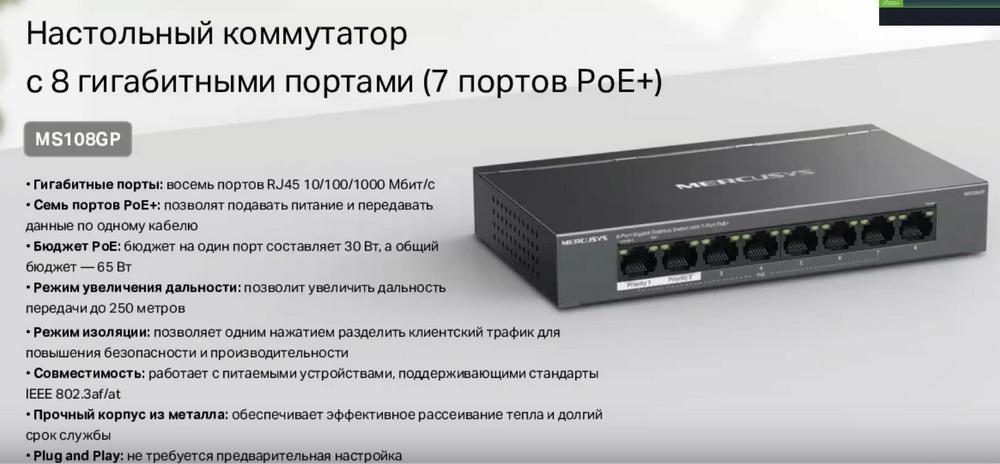
Here are described the capabilities of the MS108GP switch. It differs from the previous ones in that its ports are gigabit, not 100-megabit, with a total of 8 ports, 7 of which have PoE. The remaining features are absolutely identical.
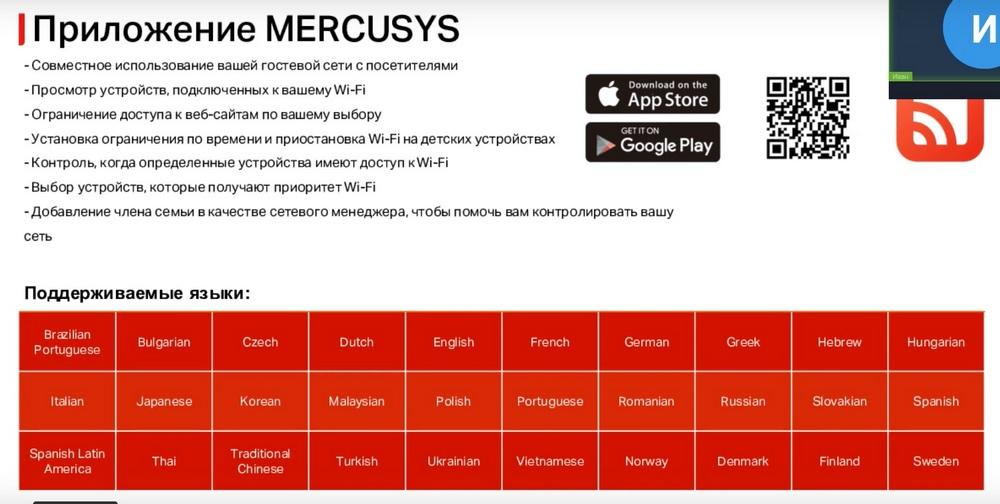
Next, we will discuss our services and functionality. Let's start with the Mercusys application, which allows you to configure and manage our equipment. The application allows you to perform the initial setup of the router and further manage it. But more detailed configuration of the router, unfortunately, is only available through the Web interface. There is also a list of equipment that supports this application.
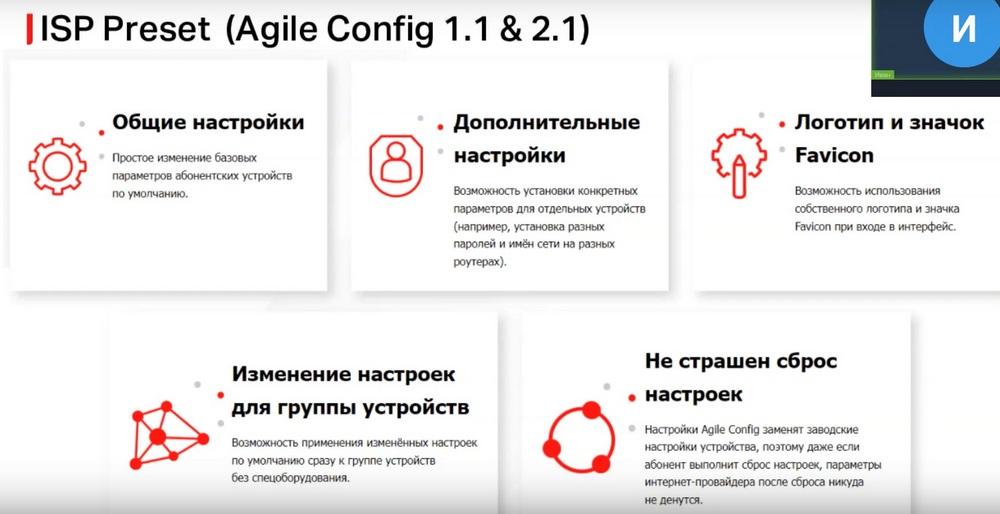
Next, we will talk about the ISP Preset service for providers. This service provides providers with the ability to set their default settings on the router. Agile Config includes changes to the general settings of the router, such as connecting to the Internet, additional settings, such as the name, password of the Wi-Fi network, and the password in the router settings. You can change the settings on a group at the same time, even if users press the Reset button, the settings will not be reset to the Mercusys settings, they will be reset to the settings of the provider itself.
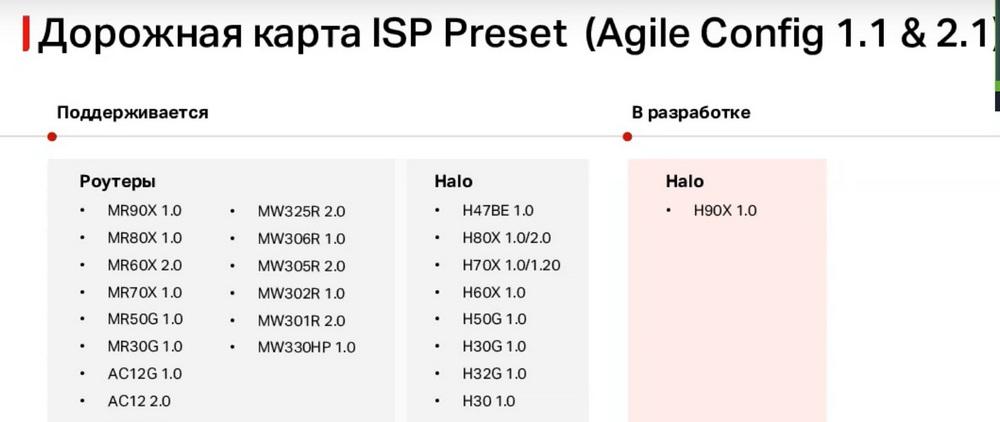
And this slide lists the equipment that supports this service, and what it will support in the future. The router also supports TR-069 technology, which is used for remote management of the router by the provider.
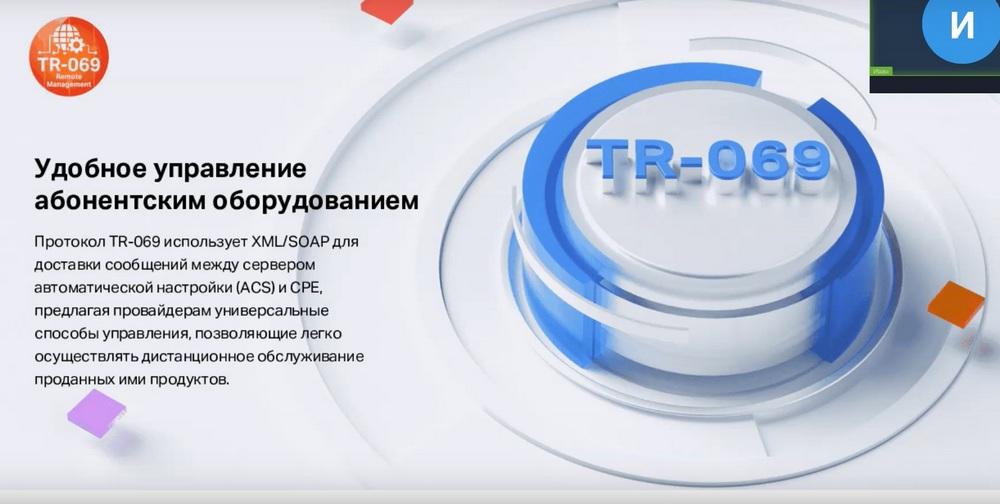
To use this technology, the provider must have an ACS server to which routers will connect and receive server settings. Or the provider's specialist can change the router settings through the server.
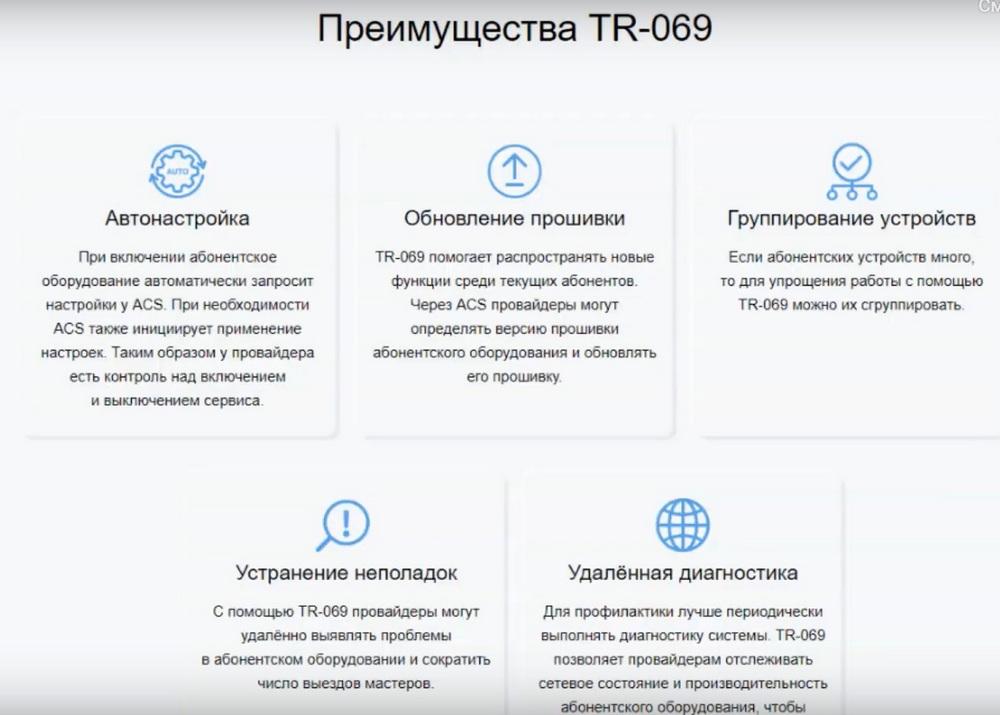
The advantages of TR-069 are auto-configuration, remote firmware update. You can group user routers to manage them simultaneously. You can also remotely diagnose and troubleshoot so that the user does not have to wait long for a technician to arrive.
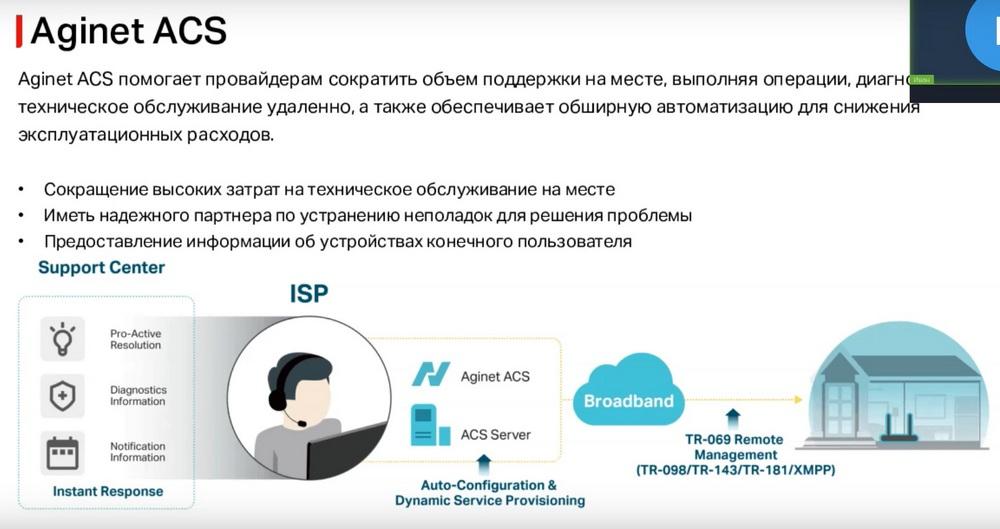
Now the slide shows our own server, namely Aginet ACS. We can provide a ready-made solution for deploying ACS, with which our equipment can work normally. This will reduce the cost of on-site technicians, allow you to have a reliable partner for troubleshooting and provide information about routers.