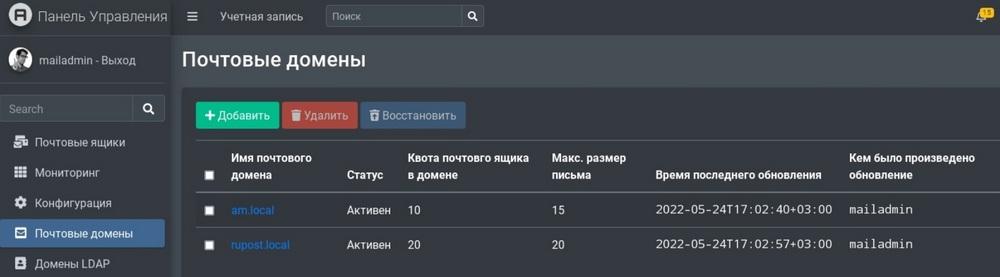
The developers have implemented many changes related to security, configuration management, operational stability, usability and other aspects of the RuPost 2.5 corporate mail server.
The company «RuPost» (part of «Astra Group») announces the release of RuPost 2.5 – a new version of the corporate mail server, compatible with Astra Linux Special Edition OS and designed for organizations of any size.
The developers have implemented many innovations and improved the existing functionality of the product. The mail server administration model has been improved: now the level of authority that administrators receive depends on the roles assigned to them. Each of them implies its own set of permitted actions from the minimum necessary to the full. For example, a super administrator can perform any operations, including managing mailboxes and licenses.
Roles can be assigned during product installation, as well as created and edited independently through the mail server control panel. This reduces the proportion of errors or the likelihood of malicious actions by privileged users (administrators). For the same purpose, the mechanisms for collecting and exporting logs in all components of the system were improved.
Tools have been added to the control panel itself with which you can set the rules for processing letters. It became possible to prohibit receiving messages containing attachments with certain extensions in order to minimize the number of phishing attacks.
In RuPost 2.5, the mail server installation mechanism has been updated. Along with the standard deb-package, there is now an interactive run installer, which includes not only the deb-package, but also a new installation wizard, which speeds up both the installation of the product from scratch and the updating of its version. In addition, the set of infrastructure services that are checked during installation has been expanded.
RuPost 2.5 introduces support for the POP3 protocol in the secure POP3S version, which uses SSL or TLS encryption, making it impossible to intercept and read user emails. POP3S support can be enabled and disabled in the system settings.
On the "Mailboxes" page, you can now see how many emails are in the mailbox, their volume and what part of the available space they occupy. If the box is empty, the indication will be gray, and if it is more than 95% full, it will be red, and the administrator can easily assess how full a particular user account is.
The developers are positioning the RuPost corporate mail server as a full-fledged replacement for Microsoft Exchange and other foreign products. It includes a special tool for automated migration from Microsoft. In release 2.5, this tool was equipped with a web interface that allows you to visually configure, launch and control the process of migrating mailboxes, calendars and address books from Microsoft Exchange to RuPost. The updated functionality is able to significantly speed up and facilitate the import substitution of corporate mail systems – this task today has to be solved by many organizations.
«We have prepared many innovations based on the requests and wishes of our users. One of the key improvements was the introduction of a system of roles and rights for administrators, which makes it possible to make corporate mail management more flexible and predictable. New rules for filtering and processing emails will help reduce spam flow and increase information security. Functions for simplifying the import substitution process are no less important, this is relevant for many customers. Developers do not stand still and try to offer an effective, functional, reliable and secure tool for working with corporate mail that meets the high requirements of our clients and the requirements of legislation», – notes Mikhail Gellerman, General Director of RuPost.
«RuPost 2.5 – this is another step in the development of the Russian corporate mail server, the best alternative to Microsoft Exchange. Our team is developing the cluster capabilities of the product, taking into account those Exchange shortcomings that can only be resolved at the architectural level. Parallelizing the work of different RuPost cluster nodes with the same mailbox storage space provides a higher degree of availability than in Exchange, where only one server works with the mail database and you have to create many mail databases. The ability to use various industrial solutions for clustered information storage allows you to better adapt to the customer's infrastructure. The simplicity and flexibility of installing RuPost and new visual tools for migrating from Exchange qualitatively facilitate the process of switching to domestic software. The RuPost mail server, combined with cross-platform desktop mail clients RuPost Desktop and secure mobile workplaces WorksPad, gives our customers a truly complete and fully functional corporate-class mail solution», – comments Sergey Orlik, Director of Products and Technologies at RuPost.