We are testing a comprehensive solution for organizing the workplace of an office employee, offered by the Russian vendor of equipment and software for IT infrastructure and information security - Inferit, which is part of the Softline group.
Small and medium-sized businesses often face the task of organizing a workplace for an office employee. As a rule, it all starts with the purchase of a computer and related equipment. At the same time, small companies usually do not have their own IT service - at most, a system administrator on outsourcing, solving a limited range of tasks. Therefore, there is often simply no one to select components, assemble a PC, install an operating system and the necessary software. In such circumstances, it is much easier for a manager to purchase a ready-made solution from one supplier: pay on a single invoice, receive a set of equipment - and immediately get to work. This will definitely save time and effort, and if you can save money too, that would be great.
That's exactly what we're going to talk about today. It is offered by the Russian vendor of equipment and software for IT infrastructure and information security - Inferit, which is part of the Softline group. The brand's portfolio includes seven product lines, and we are interested in Inferit Technics - a manufacturer of computer and server equipment. The plant's facilities in Fryazino, near Moscow, allow it to produce up to 300,000 units of equipment and 60,000 electronic modules per year. It is possible to assemble a system according to a specific request, resulting in well-thought-out and optimized ready-made solutions.
Today we will take a PC with a pre-installed OS from "MCVSphere ARM" 9, a monitor and a set of peripherals - a keyboard and a mouse. Most of all, of course, we will pay attention to the system unit. But at the same time, let's see how much this comprehensive solution meets the needs of small and medium-sized businesses when creating a workplace for an office employee.
Tested Equipment Kit
For the review, we chose a set of equipment that confidently meets the needs of a small and medium-sized office, but at the same time remains within a reasonable budget.
- Inferit Desktop D4 B760 System Unit - 82,000 ₽.*
- Inferit Line 23.8-inch Monitor - 23,000 ₽.
- Inferit INF-KM101-WL Wireless Keyboard and Mouse Kit - 2600 ₽.
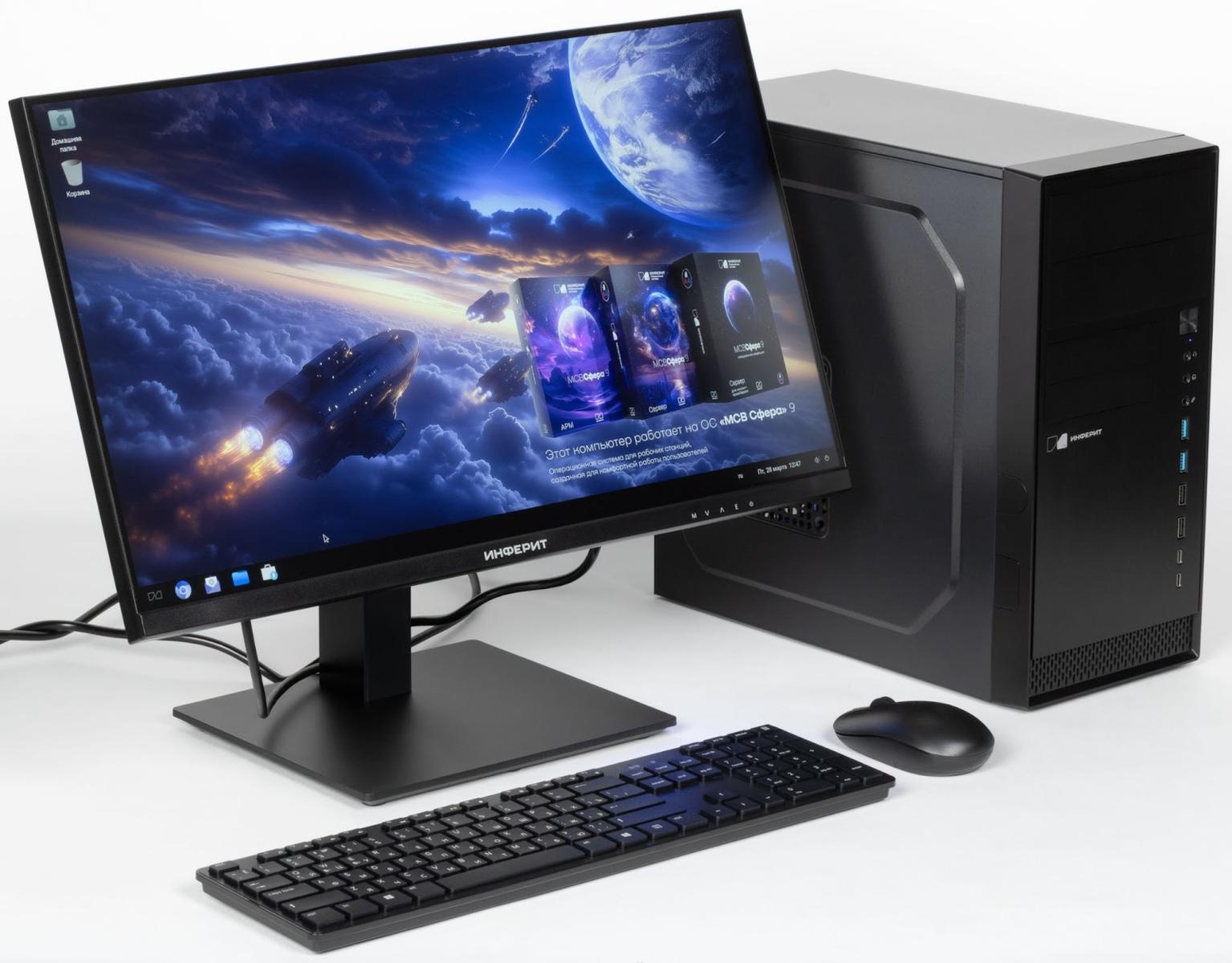
The cost of the workplace was 107,600 ₽ - at the moment this can be considered a good deal. Especially considering that the equipment arrives fully configured and ready to work, and is also under full warranty service from aRussian company, which you can always contact for help and advice. In addition, when selecting the configuration, we focused specifically on the comfortable and efficient work of an office employee, providing him with a PC with a good power reserve, a large monitor with a high-quality screen and convenient wireless peripherals. If the goal is to reduce costs to a minimum, the cost of the kit can be significantly reduced by choosing simpler components.
*A PC included in the register of the Ministry of Industry and Trade of the Russian Federation was used to prepare the review - a device created in compliance with the requirements for localization of production, including the production of key components on the territory of Russia. In particular, we are talking about the motherboard, memory, I/O modules and other elements that are critical for compliance with regulations. Inferit has the ability to supply such solutions, and we were interested in looking at them. The main consumers of "registered" PCs are government agencies and organizations that are required to use certified equipment of Russian production.
Commercial assemblies using components manufactured at foreign contract sites are more relevant for small and medium-sized businesses. The reason is the price: the "registered" Inferit Desktop D4 B760 will cost more - about 120,000 ₽. Therefore, as part of this review, we focused on the cost of the commercial version, which fully meets the requirements of most enterprises.
The system unit and monitor are supplied in boxes made of unpainted cardboard, which are marked with the manufacturer's logo and brief characteristics of the devices. The packaging of the keyboard and mouse is more impressive - it is easy to imagine it not only in the online catalog, but also on the store shelf. There were no questions about the quality of the packaging: all devices are securely held and protected from damage during transportation.
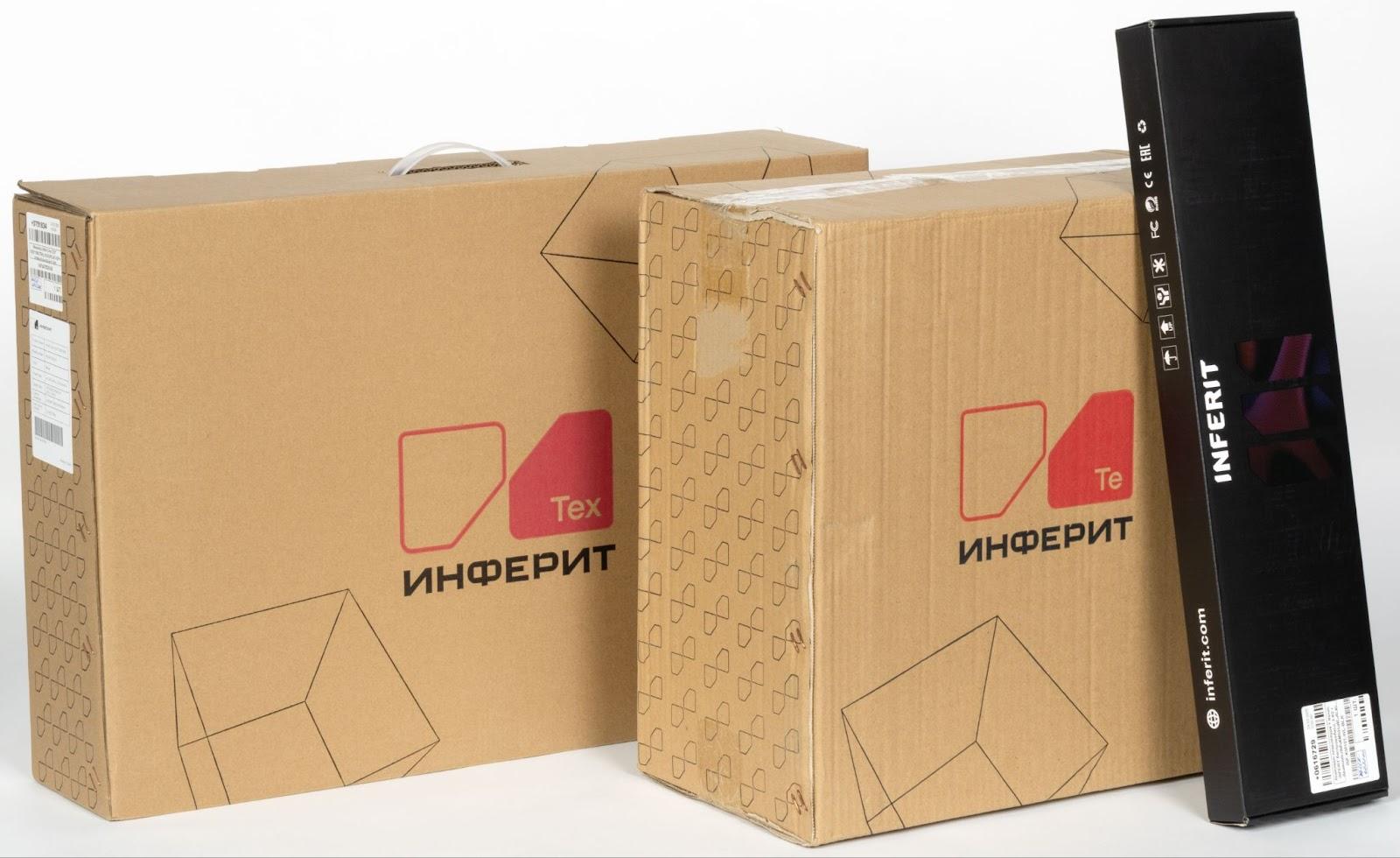
Inferit Desktop D4 B760 PC
Let's start a detailed review, of course, with the central element of our setup - the system unit. We chose not the top, but an extremely worthy configuration that easily copes with typical office tasks: working with texts, tables, a browser and other everyday applications.
- Intel Core i3 14100 Soc-1700 Processor (3.5GHz/Intel UHD Graphics 730).
- INFERIT Gamma 90 Cooler (150W).
- INFERIT DDR4-3200 32 (2×16) GB Memory.
- INFERIT B760M-B DDR4 mATX Motherboard (2×HDMI + 2×DP).
- Kingston KC3000 SKC3000S/512G SSD (512 GB, M.2 2280, PCI-E 4.0 x4, NVMe).
- be quiet! SYSTEM POWER 9 400W Power Supply (80+ BRONZE / 120mm fan / BN245).
- INFERIT DESKTOP v2 Case (mini-Tower).
- ID-COOLING AF-125-K Case Fan.
- ARCTIC F9 PWM PST Black Case Fan.
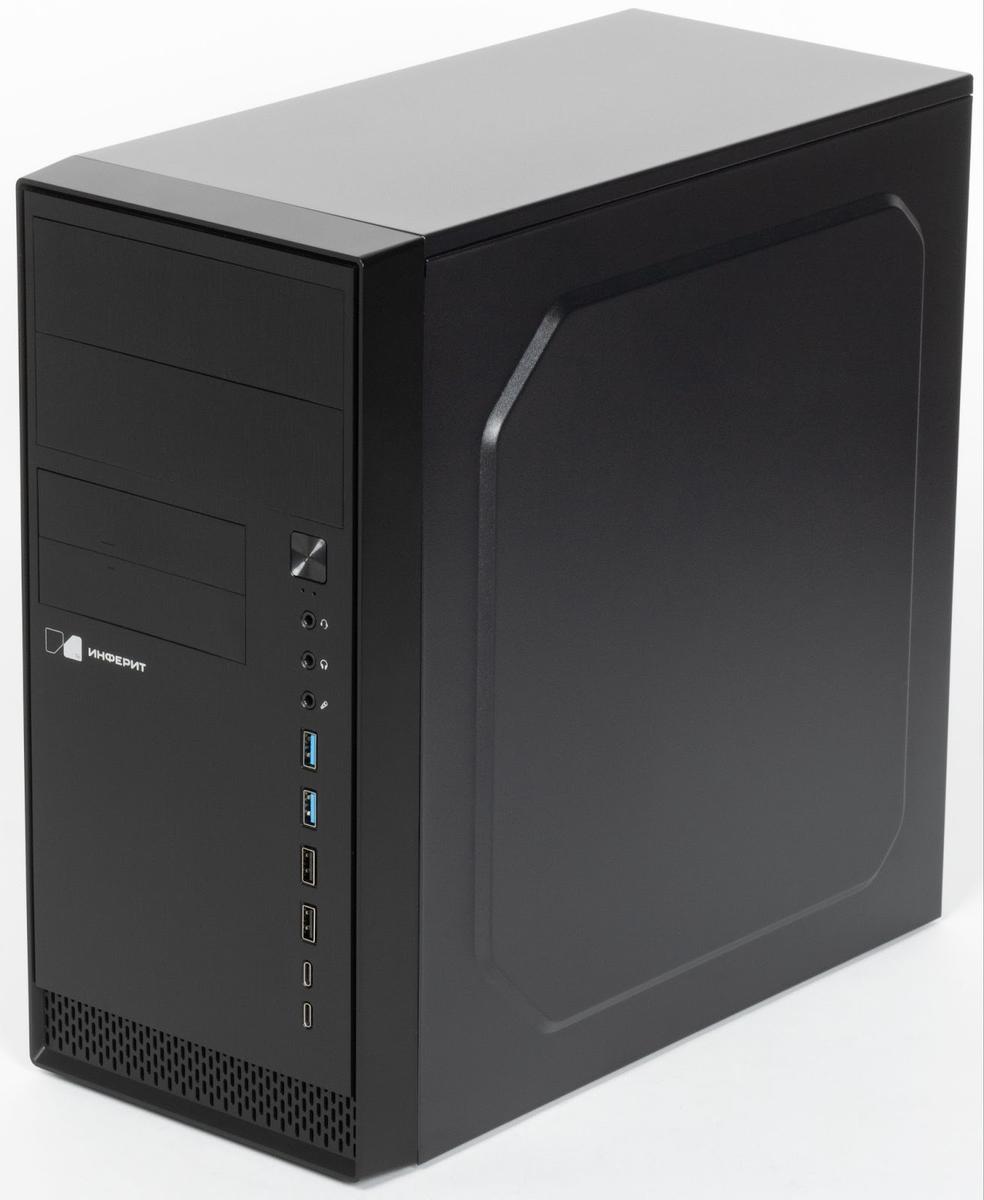
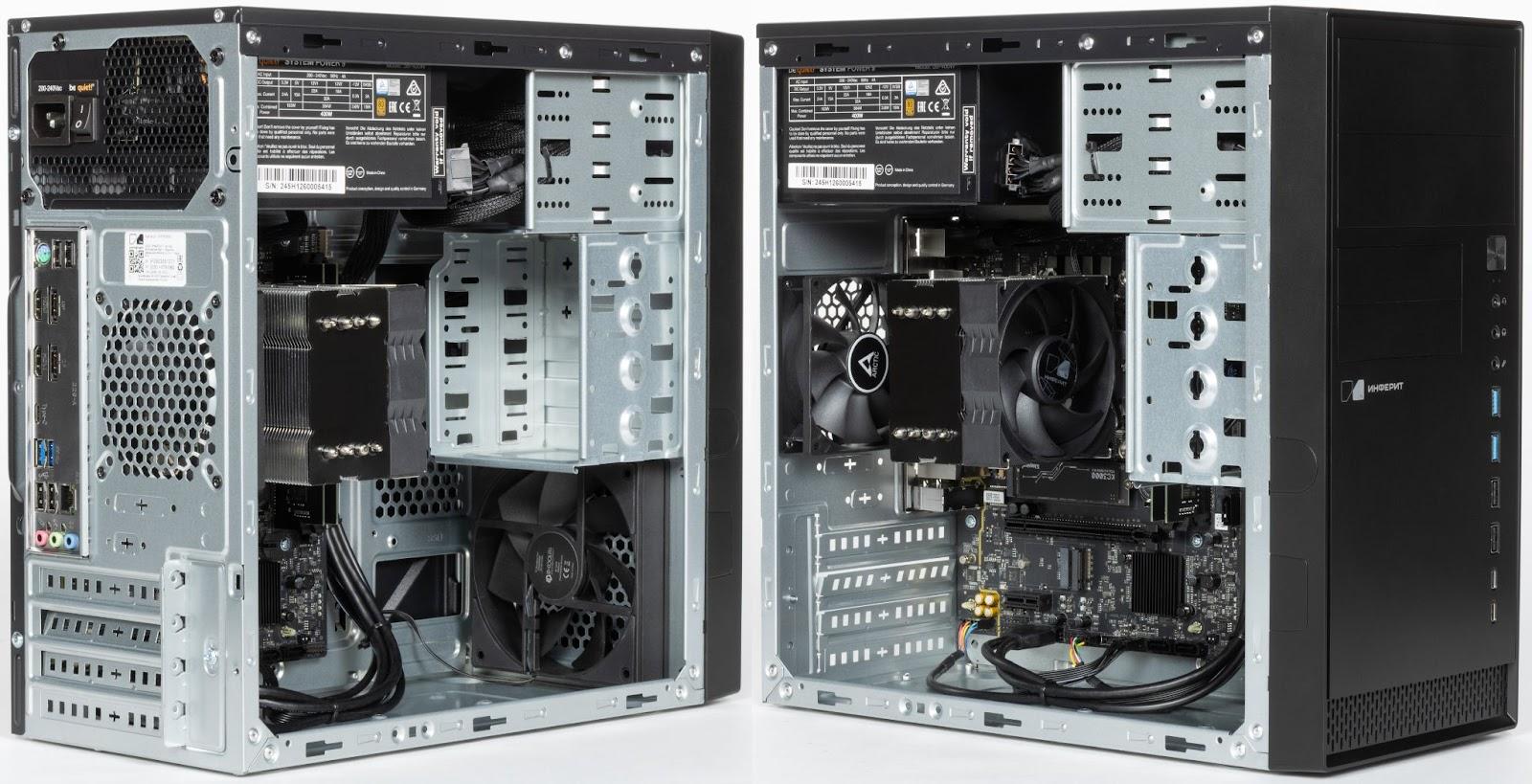
The PC case is made in a minimalist utilitarian style - everything is simple, strict and without unnecessary decorative elements, as it should be in the workplace. The only visual accent is the laconic manufacturer's logo on the front panel. The Mini Tower form factor implies compactness, which allows you to easily place the system unit on the table next to the monitor, where it belongs - we will see why a little lower.
Metal panels with a thickness of 0.45-0.5 mm are an industrial standard for a segment focused on mass deployment. The steel is strong enough not to bend during transportation, but at the same time does not weigh down the structure too much. This is a compromise between reliability, production costs and ease of use. There are no complaints about the build quality: everything is fitted neatly, without backlash and gaps.
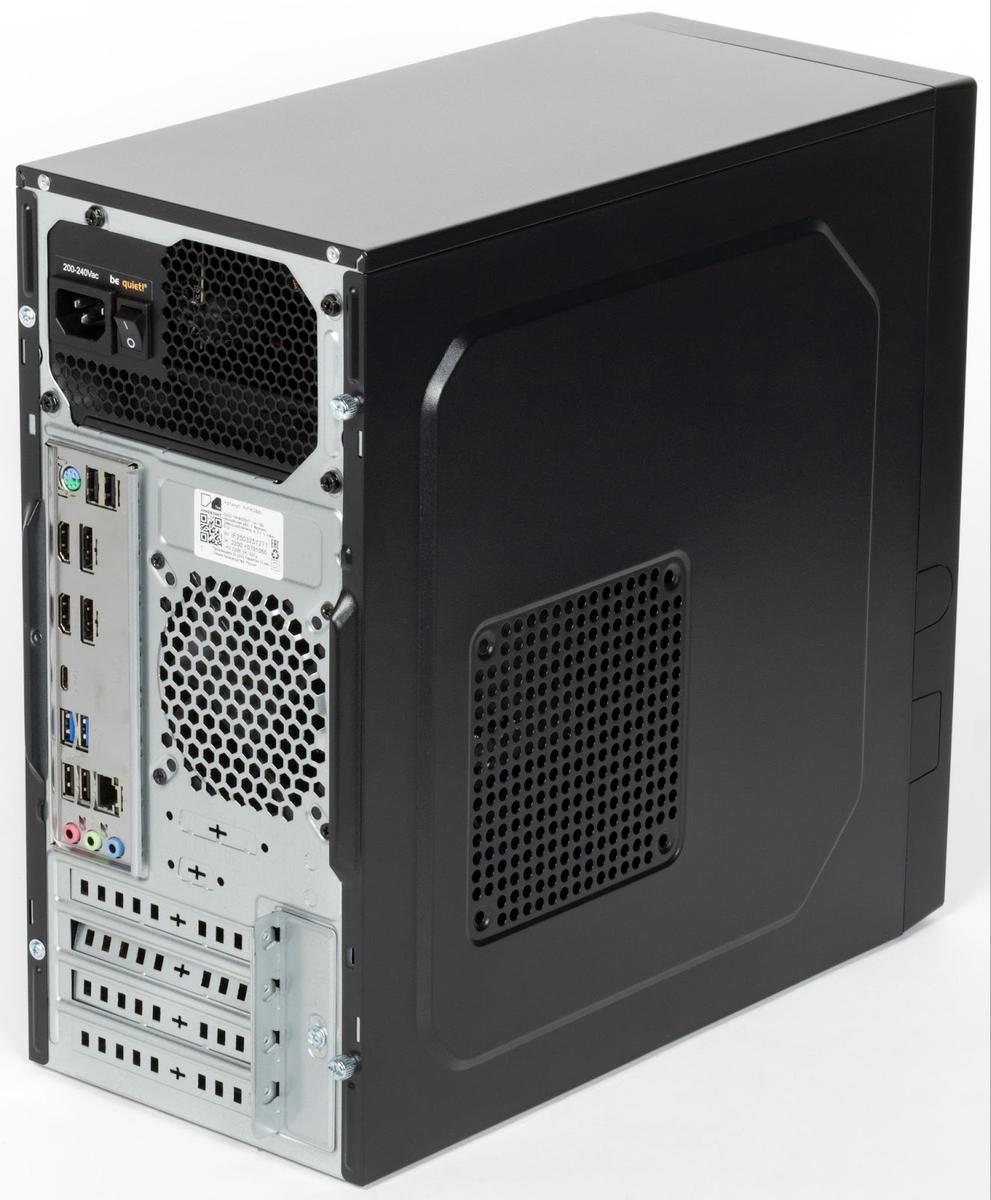
The rear of the case is designed in a typically utilitarian way: galvanized metal without decorative coating, strictly functional cutouts, open screw connections. The power supply unit is located in the upper part of the case - a classic solution that is now becoming less and less common. On one of the side walls there is perforation and holes for mounting an additional fan, which in this case is not used - the system is perfectly cooled by the existing two case and processor coolers.
ID-COOLING AF-125-K and ARCTIC F9 PWM PST Black are used as case fans, the air flow is organized according to the classic "front to back" scheme, this is more than enough in office load conditions. There are no dust filters, which is forgivable for a relatively budget case. But still, it would be much better with them: in the conditions of an office, and even more so - production, dust is a serious problem, and cleaning the internal space of the PC is often carried out extremely irregularly.
The noise level created by the two case fans and the processor cooler can be safely called low. At a distance of about 50 cm from the side panel with perforation, with low and medium load on the PC, it stays within 25 dB - this is approximately equivalent to a human whisper. At home, such noise may be perceived a little more acutely, especially in complete silence. But for an office space, it is absolutely comfortable and does not cause irritation.
The mounting locations for 2.5" and 3.5" drives attract attention. In modern realities, they are less and less in demand, but they can be useful, for example, for installing a CD drive or a card reader - devices, although niche, but not yet completely gone into history. The number of slots seems excessive, but given that there is enough free space inside the case, this does not give rise to criticism.
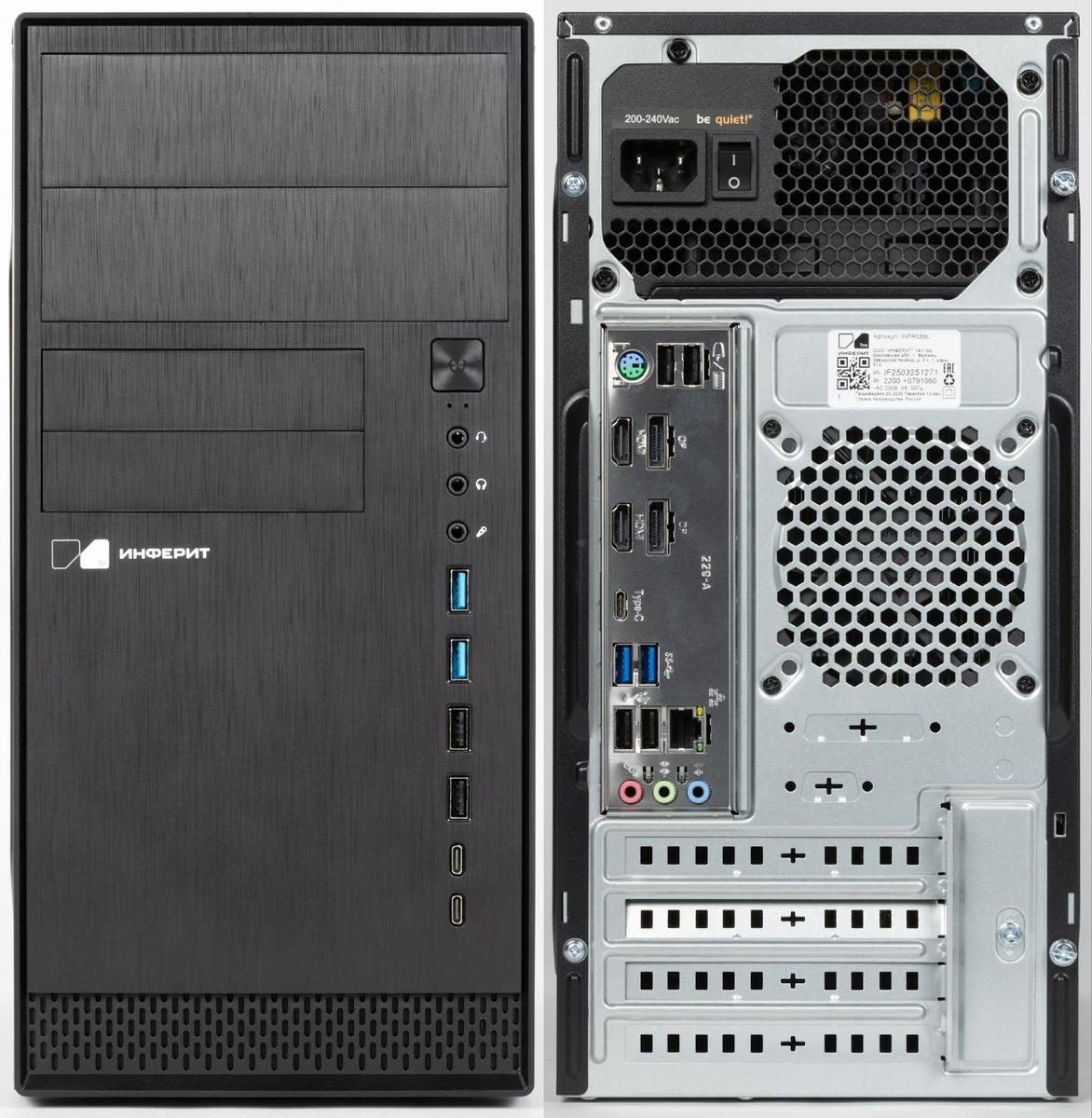
The front panel is plastic, but with a texture for brushed metal, thanks to which the case looks nicer and more solid. In the lower part there is a grille for air intake, behind which a fan is installed. Plugs for slots for 2.5" and 3.5" drives, which we mentioned above, are also located here. On the right side of the panel there is a power button and a vertical row of ports for connecting external devices.
There are definitely enough USB ports on the front panel for comfortable use of the PC in a variety of scenarios, there are 6 of them in total: 2×USB 3.0, 2×USB 2.0 and 2×USB Type-C. Audio outputs are also brought to the front panel: a universal connector for a headset or a pair - for headphones and a microphone separately. In an office environment where messengers and video communication are often used, this option will clearly be in demand. The location of the connectors on the front panel suggests that it is better to put the PC on the table next to the monitor - so they will be as accessible as possible. But if you put the system unit under the table, it will be inconvenient to use them.
A number of ports for connection, located on the INFERIT B760M-B motherboard, can be found on the rear panel. Again, USB and audio connectors, as well as the classic PS/2 for connecting old peripherals. But the most interesting thing is two HDMI and DisplayPort ports. The built-in Intel UHD 730 graphics confidently handles connecting two monitors, playing video in 4K and even basic video editing - for example, for videos on social networks or internal corporate content. There we also see an RJ-45 connector for wired connection to the network. Our configuration did not include a built-in Wi-Fi module, but if necessary, you can easily connect an external adapter via USB or install an internal card - expansion slots allow it.
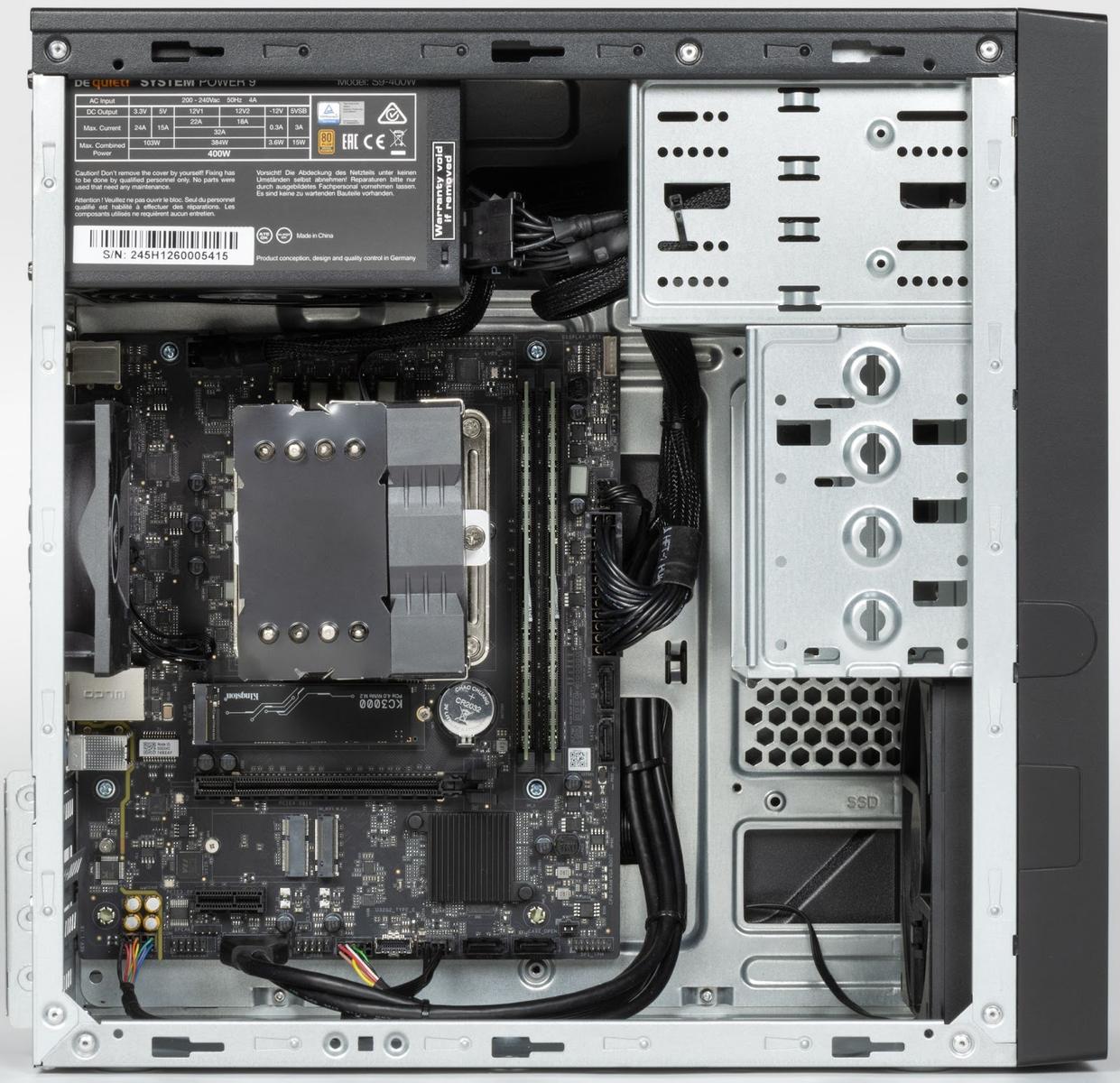
Inside the case is an example of neat and well-thought-out assembly. Cable management is performed at a good level: the wires are laid out competently, do not interfere with air circulation and do not create visual clutter. The INFERIT B760M-B motherboard took up all the space allotted to it, but at the same time there is enough free space inside. Nothing is blocked, access to slots and connectors is open - if necessary, the upgrade will not cause difficulties.
The system is equipped with an Intel Core i3-14100 - a quad-core processor on the Raptor Lake architecture, running in eight threads. Despite its modest positioning, it confidently copes with typical office load: working with documents and tables, a browser with dozens of tabs, video calls, image processing and even basic video editing will not cause difficulties.
For the office segment, the i3-14100 is a real sweet spot: it provides a quick system response, does not create bottlenecks and has enough performance reserve to remain relevant for several more years. Its cooling is provided by an INFERIT Gamma 90 tower cooler with a massive aluminum radiator, which perfectly copes with its task - with moderate load, the fan almost does not reach high speeds.
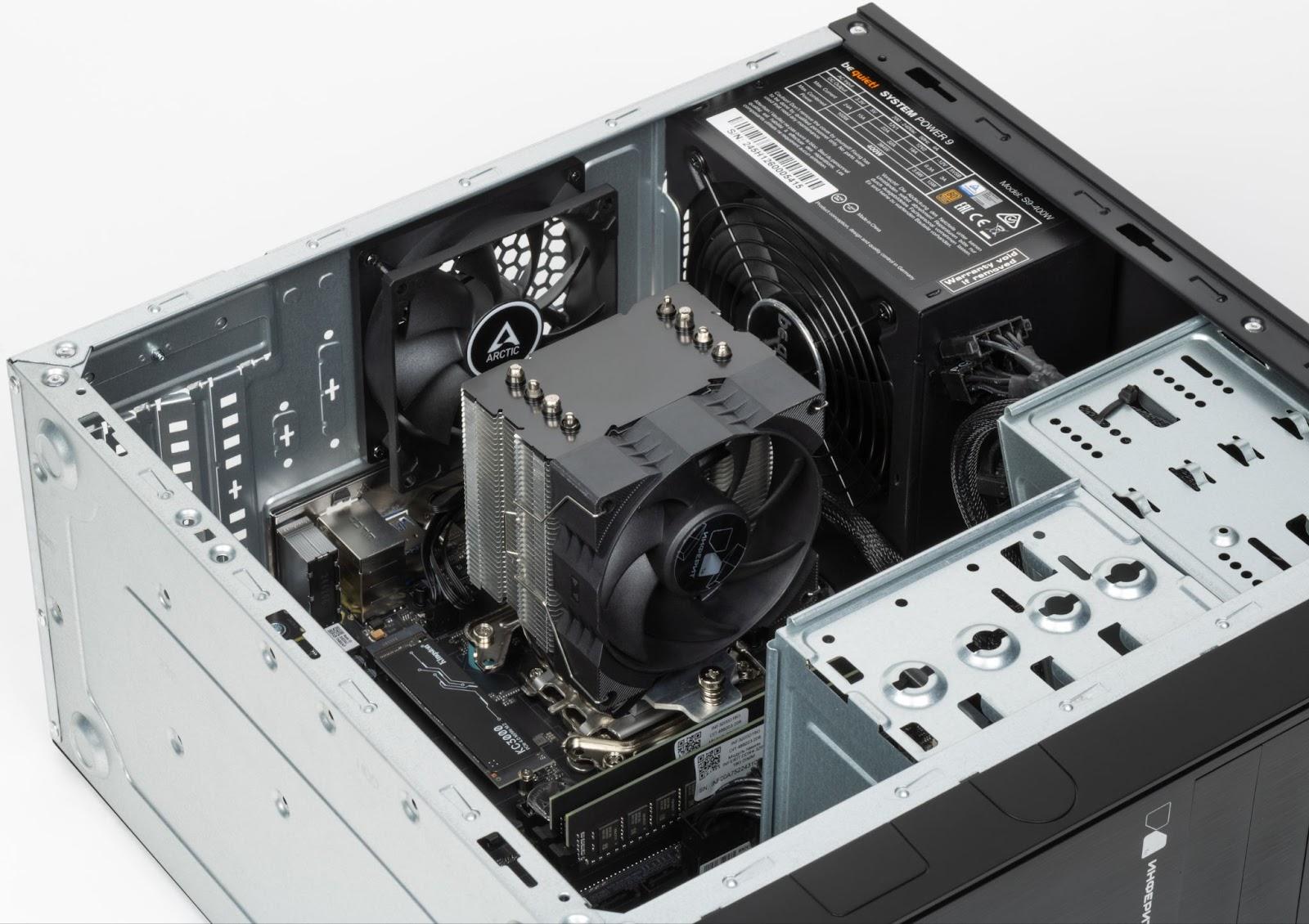
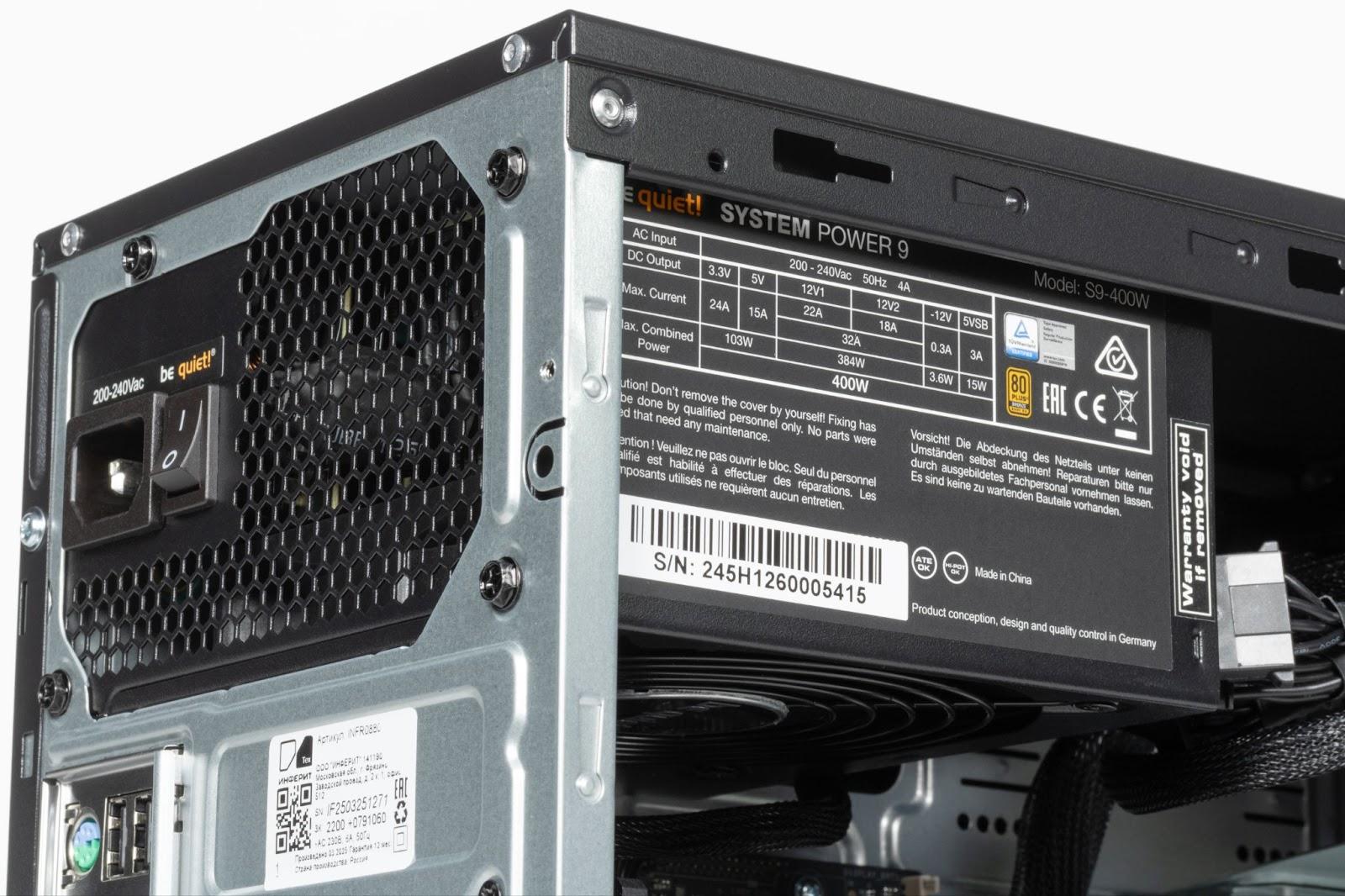
The power supply unit is be quiet! System Power 9 400W - a reliable and high-quality solution from a respected brand. Despite the fact that this is not the most powerful model in the line, 400 W is more than enough for a configuration without a discrete video card, even taking into account possible upgrades. The unit is certified according to the 80 PLUS Bronze standard, which guarantees decent energy efficiency and minimal heat loss. It is especially worth noting the low noise level: be quiet! fans are traditionally quiet even at increased load. And given that the total power consumption of the system is low, the PSU cooler will operate in a gentle mode, without making a noticeable contribution to the acoustic background.
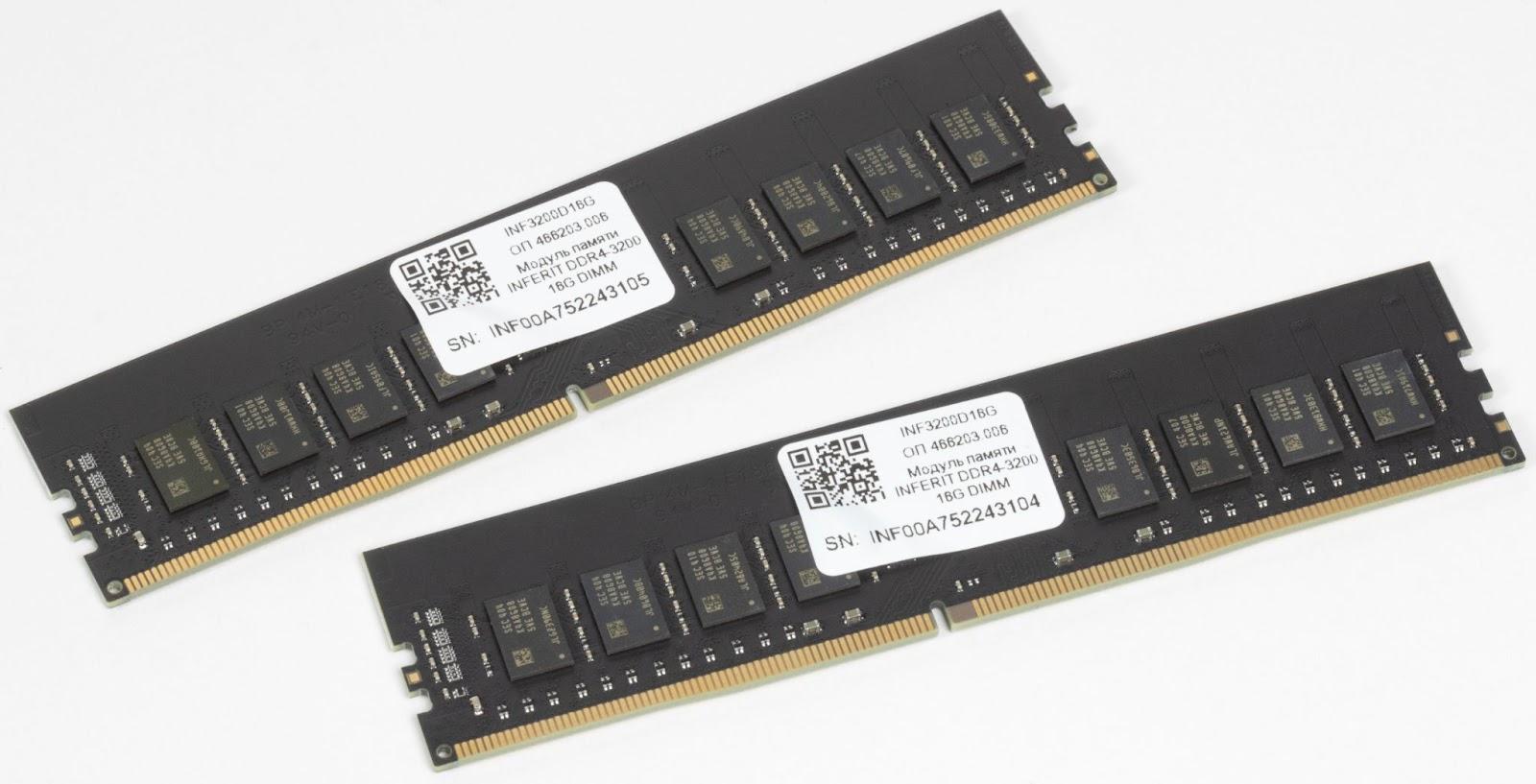
There is a large margin of memory in the system. Two INFERIT DDR4-3200 modules of 16 GB each - a total of 32 GB in dual-channel mode. This volume will provide comfort not only with standard office load, but also in more demanding scenarios: image processing, video editing, running virtual machines, and so on. If such functionality is not required, the volume can be reduced to 16 GB - this will be enough for most workplaces.
As for the choice of DDR4 instead of the more modern DDR5 - it is fully justified. With a noticeable difference in price, the performance increase in the office environment will be minimal, so DDR4 remains a reasonable and balanced solution. The modules are made on a black board without radiators, they are equipped with Samsung memory chips - high-quality chips from one of the leading DRAM manufacturers, often found on modules of such brands as Kingston, Crucial and Corsair.
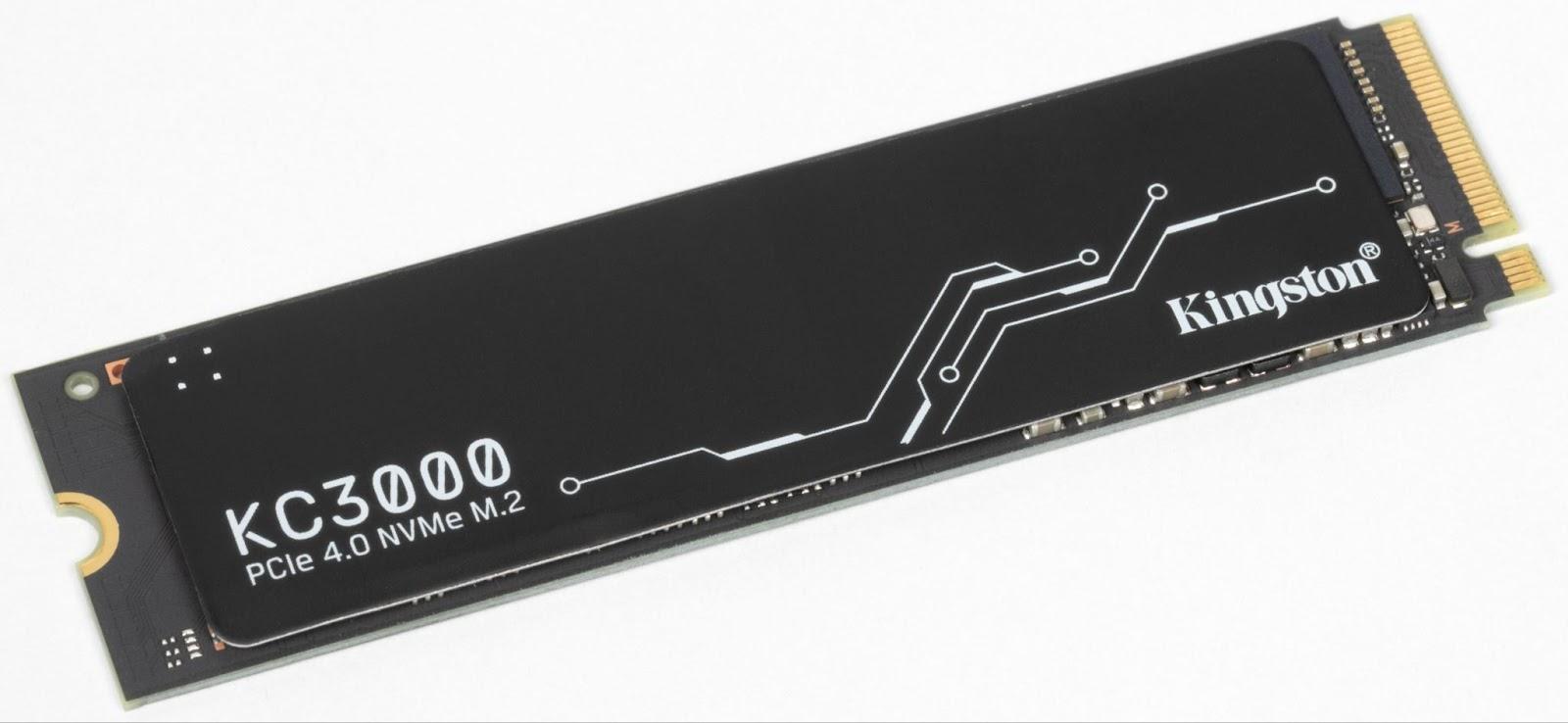
The system is equipped with a Kingston KC3000 solid-state drive - a model with a PCIe 4.0 NVMe interface, designed for high speed and stable operation for a long time. This is, without exaggeration, one of the most productive SSDs in its class. The reliability of the model is also top-notch: the KC3000 is built on the basis of the Phison E18 controller and TLC memory with a high rewrite resource. This solution can often be found even in gaming builds, so for an office PC it looks almost like a luxury - but justified if the focus is on long-term stability and speed.
The components are selected wisely: where possible - saved, where not possible - did not skimp. The result is a balanced working tool that stably copes with its task. At the same time, Inferit has a wide selection of configurations available - you can always adapt the assembly to the specific needs of the business. As part of the test, we were interested in three key aspects: the ability of engineers to competently select components, the quality of assembly and the possibility of using their own modules to meet the requirements of the register of the Ministry of Industry and Trade of the Russian Federation. The results for all three points are excellent - Inferit Technics has confirmed that it is able to create solutions that meet both the requirements of regulators and the practical needs of business.
Operating system "MCVSphere ARM" 9
Inferit computers already have the Russian operating system "MCVSphere ARM" 9 installed. It is developed on the Linux kernel and functionally replaces user foreign OS: Windows, macOS, Ubuntu and corporate OS of the Enterprise Linux class. The "ARM" edition is a version of the operating system for workstations and home use.
The strength of the system lies in the ability of its authors to adopt and adapt the best world solutions: the most advanced developments from a huge database of utilities are carefully integrated into the OS by Russian developers. As a result, a stable, secure, but at the same time open for integration operating system that is compatible with the most common IT infrastructure in Russia.
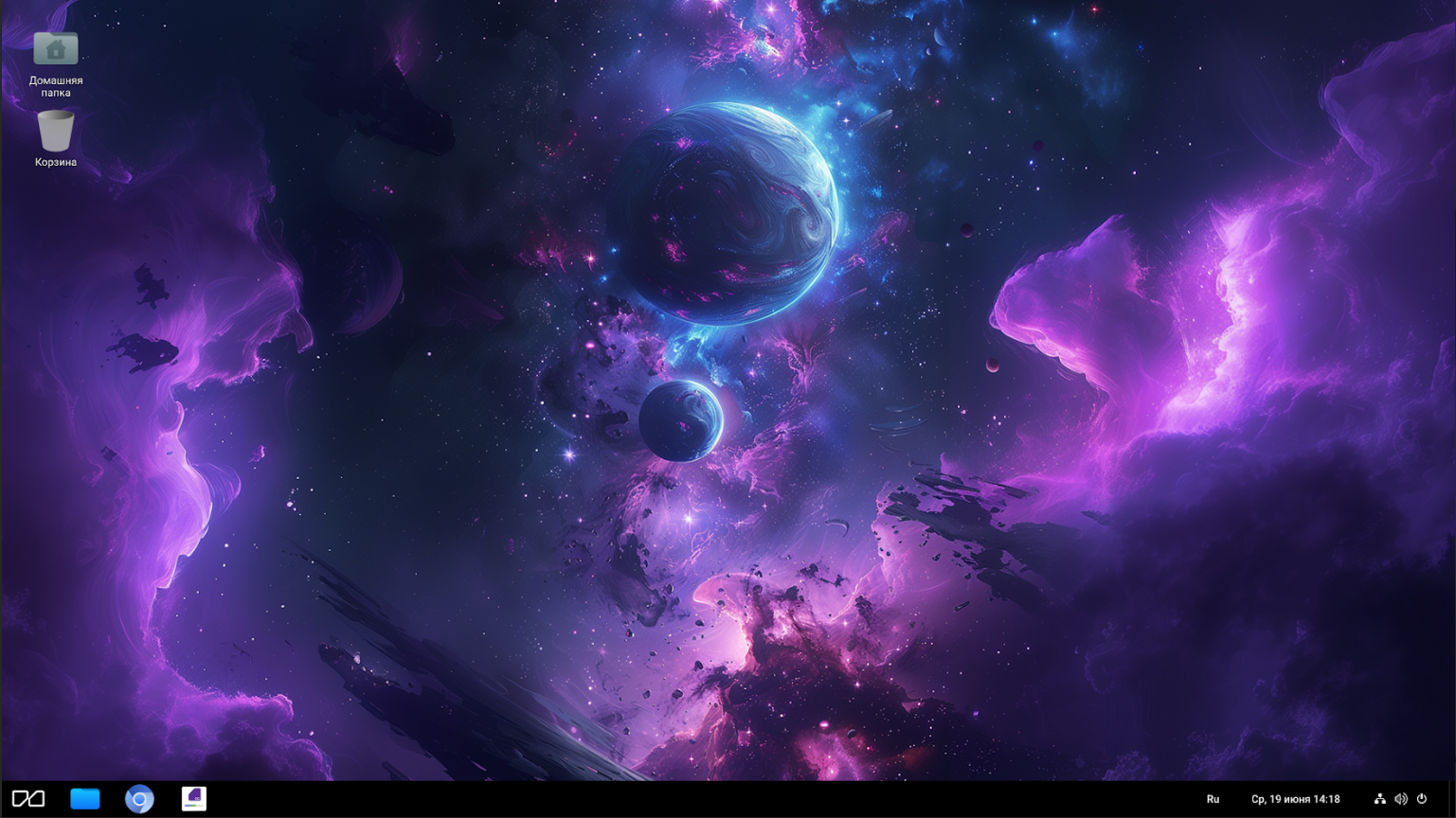
The product team pays special attention to compliance with high security standards adopted in government agencies, as well as the comfort of users when switching to domestic solutions. At the same time, "MCVSphere ARM" 9 receives technical support for 10 years from the date of release of the distribution in 2024. Inferit OS specialists provide full support at all stages - from system implementation to use by employees.
To perform basic office tasks, you do not need to install third-party software: everything you need is already "out of the box" - text and graphic editors, a browser, multimedia applications and other tools.
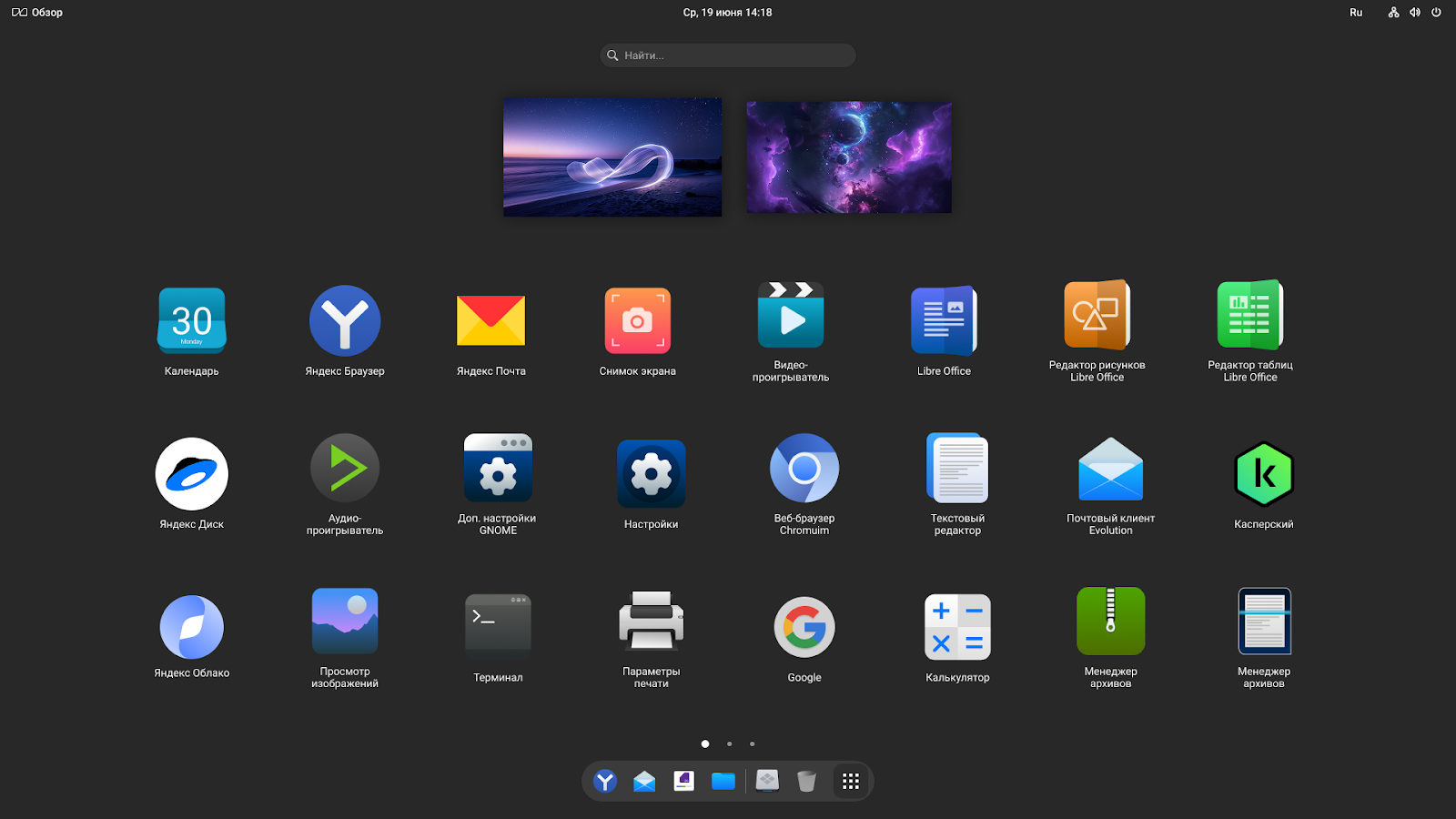
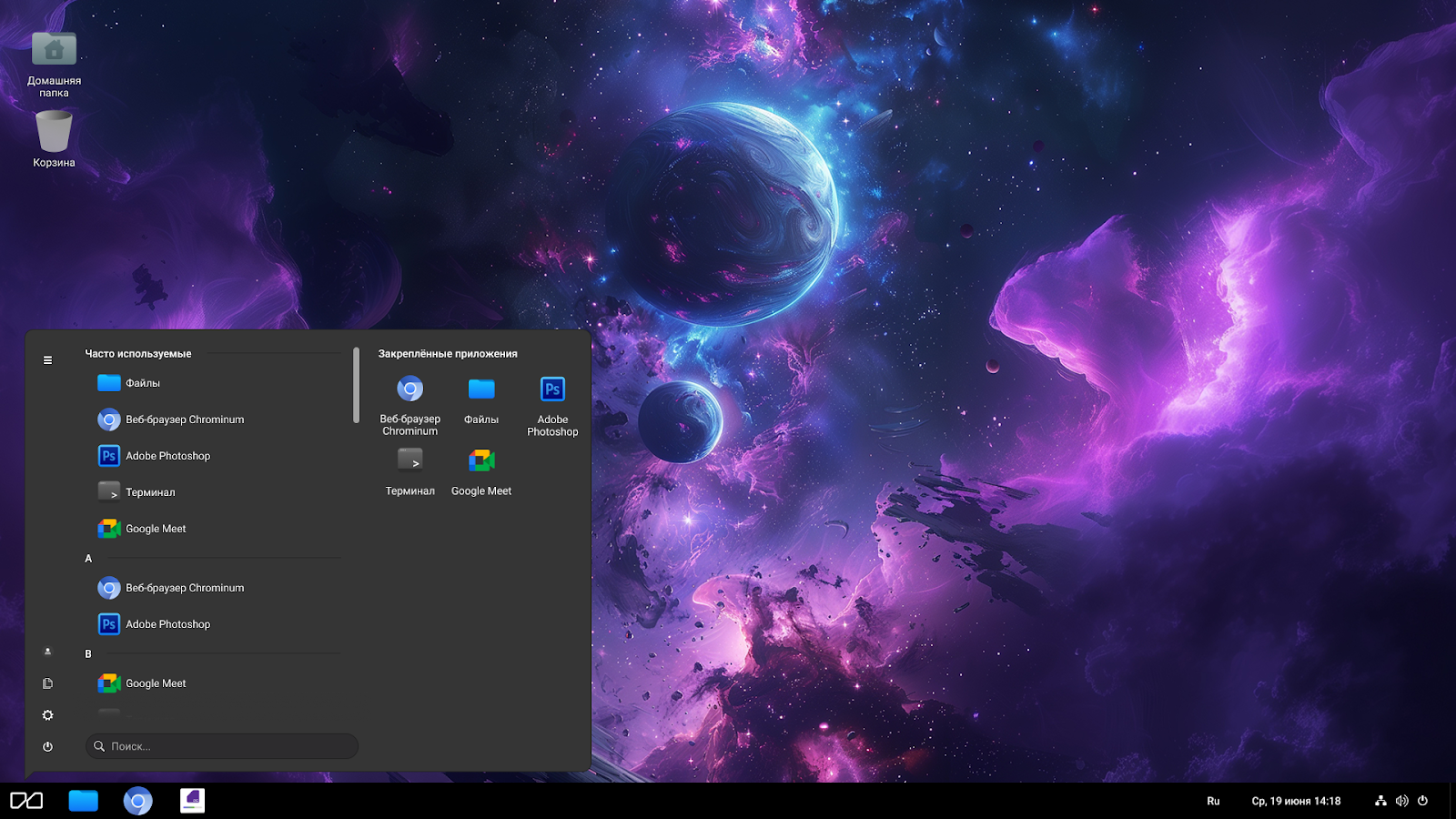
It is easy to get used to working on "MCVSphere" even for those who have never used Linux. In the OS settings, you can choose an interface in the style of Windows or macOS - a familiar appearance will help you quickly get comfortable and get to work without unnecessary stress.
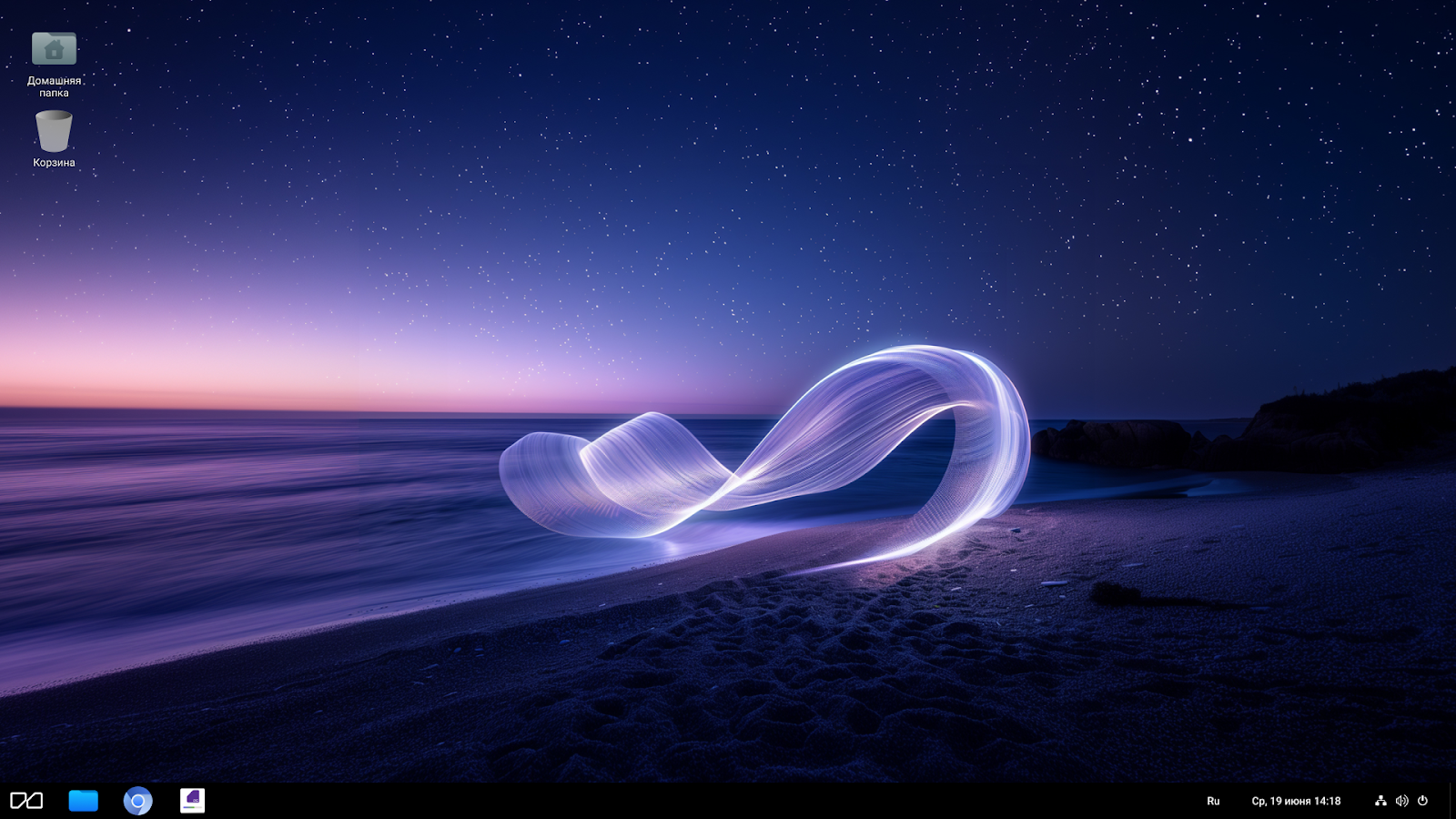
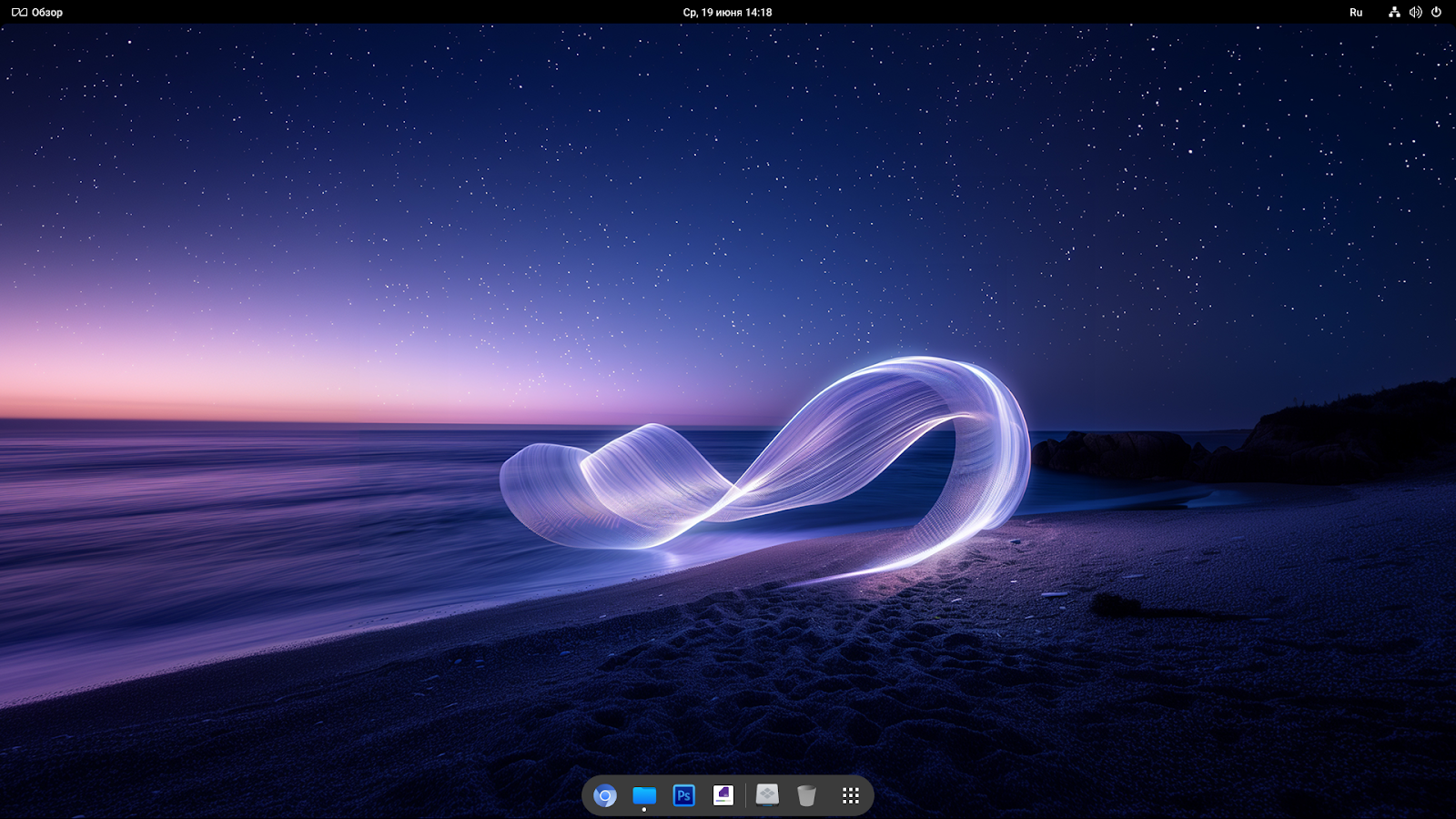
There is also its own analogue of the "Start" menu, and a dock with a top panel - everyone can choose what they like best.
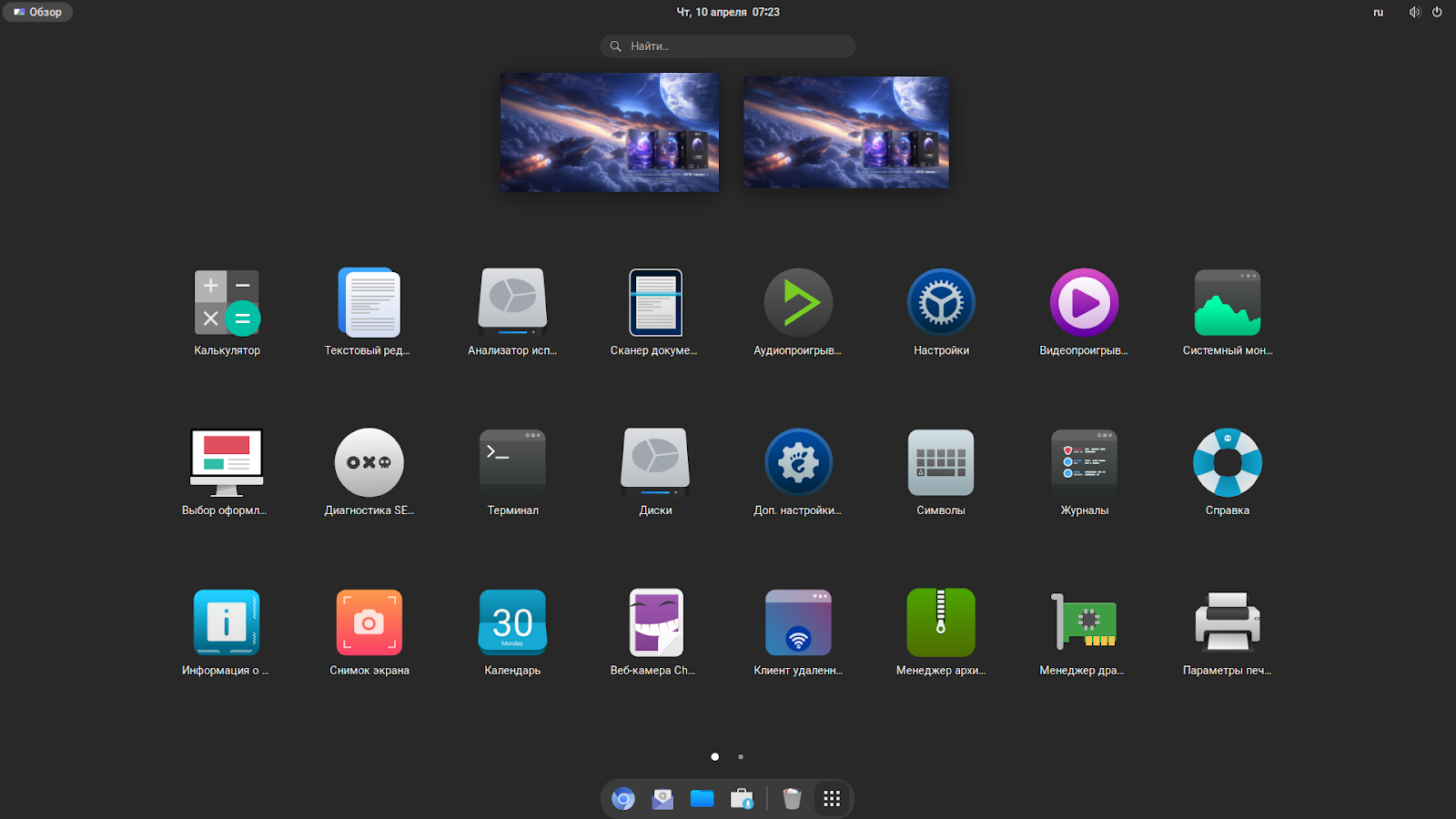
Of course, the capabilities of "MCVSphere" are not limited to just convenient interface settings, we will talk more about its architecture and tools in a separate review, if such material interests our readers.
Peripheral equipment
For a modern workplace, a diagonal of 24 inches is a necessary and sufficient minimum. A larger value, as a rule, is needed by specialized specialists: designers, video editors, analysts and those who need to see as much information as possible at the same time. That is why the INFERIT Line 23.8-inch is used in the kit - a practical solution that is optimally suited for an office scenario, but not overloaded with functions that will not be in demand.
The IPS-matrix with a resolution of 1920×1080 and a color depth of 8 bits provides a clear, stable image with wide viewing angles - 178° vertically and horizontally. The matte coating helps to eliminate glare in bright lighting, so the picture remains readable and comfortable for the eyes, regardless of the user's position. Whether it's documents, videos or simple graphics - the image remains saturated, stable and pleasant to perceive.
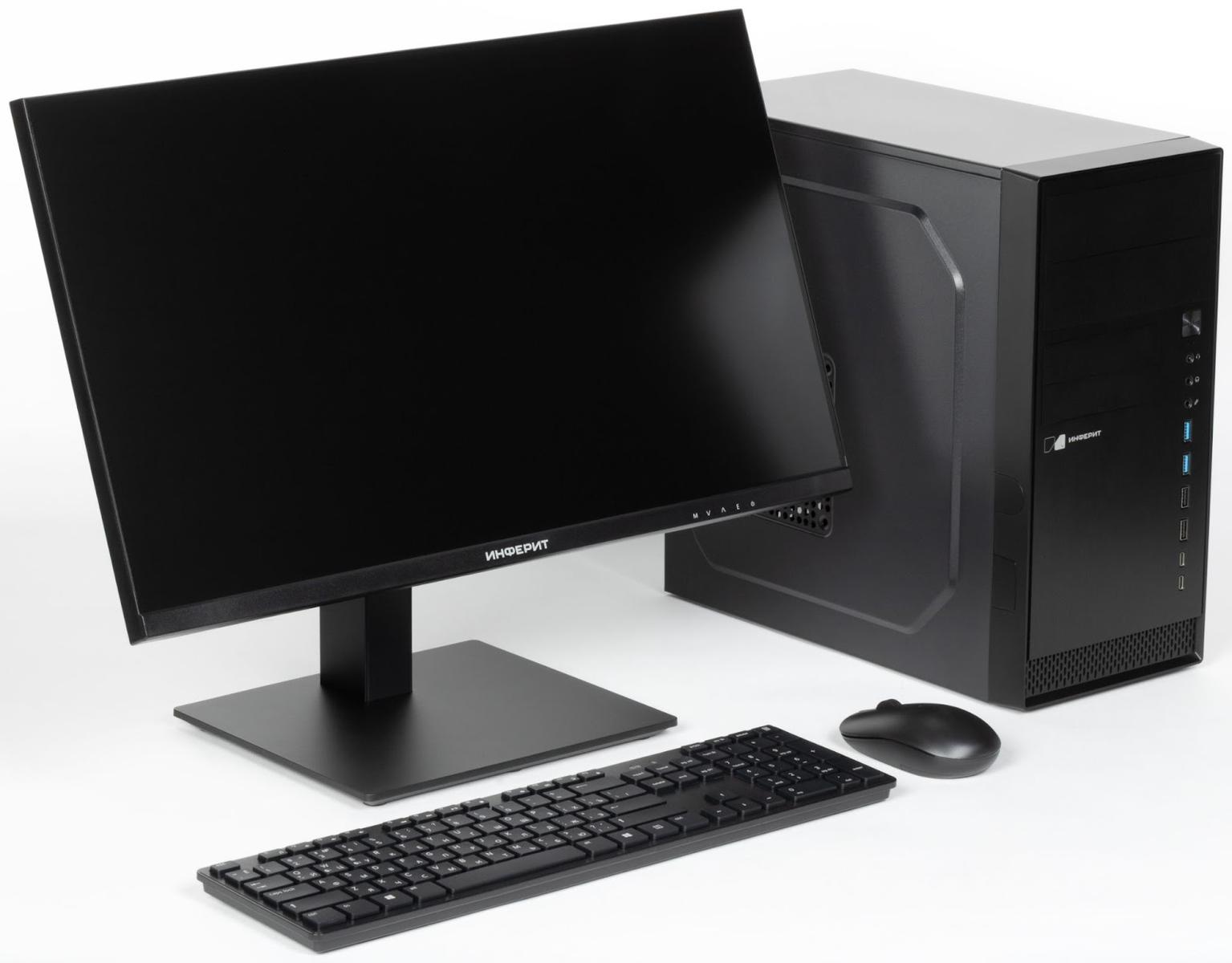
The monitor operates at a refresh rate of 75 Hz, which gives a smoother picture compared to the standard 60 Hz. For office use, this is more of a nice bonus, but when working with video or in the case of tasks where animation is important, the difference will be noticeable.
Ergonomics deserves special mention: the monitor is equipped with a stand with height adjustment up to 120 mm, supports portrait mode, tilt (from -5° to +20°) and rotation left/right by 15°. A VESA 75×75 mm mount is also available, which allows you to use wall brackets or external stands - useful in a limited space or when organizing multi-monitor configurations.
From the point of view of connection, everything is standard and without complaints: HDMI, DisplayPort 1.2, VGA, DVI-D, audio output - everything important is available. The kit includes all the necessary cables - the situation in which you have to buy one of them, sacrificing working time, is excluded. In the box we even found a screwdriver for assembling the stand - a trifle, but nice. In general, the INFERIT Line 23.8-inch is a solid working monitor, without frills, but with very nice bonuses such as an increased refresh rate, adjustable stand and a good set of interfaces.
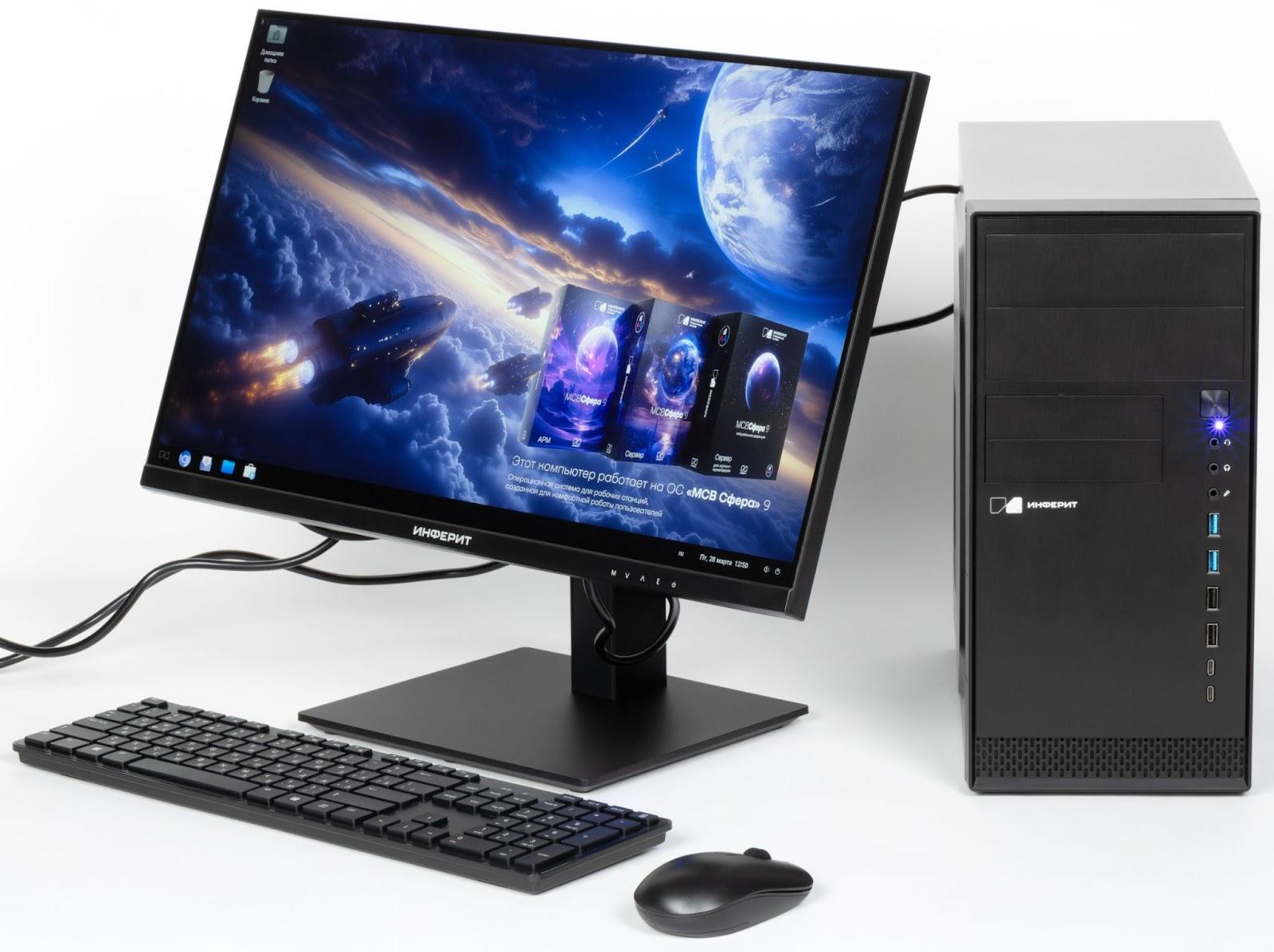
The INFERIT INF-KM101 wireless mouse and keyboard kit is a typical office duo aimed at basic everyday work. The devices connect using a compact USB dongle via a 2.4 GHz radio channel or via Bluetooth, the kit is universal and suitable for both PCs and laptops or monoblocks. Again, we note the well-thought-out configuration - in the box we found three AAA batteries for power, which you do not have to look for in the midst of the connection process, wasting extra effort and time on it.
The keyboard is low-profile, with flat island-type keys, reminiscent of a laptop keyboard in feel, but with a longer stroke and more tangible tactile feedback. The keys have a medium stroke, are pressed quietly, without a characteristic "click", which is especially important in open office spaces. For those who work a lot with calculations, there is a digital block. Well, multimedia keys for controlling volume and playback will be useful to everyone - it's easier to work with good music.
The mouse is compact, with an optical sensor at 1200 dpi. This is more than enough for office tasks: the aiming is accurate, the cursor does not "float". The ergonomic body fits comfortably in the hand and does not cause fatigue even with prolonged use, thanks to its symmetrical shape, it is suitable for both right-handers and left-handers. In general, the kit is made in a restrained, neutral design that does not attract unnecessary attention, but at the same time offers everything you need: convenience, stable wireless communication and versatility. This is a good choice for an office environment where simplicity, reliability and predictability in work are valued.
Summary
The kit of PC and peripheral devices from Inferit considered today is a good example of a practical and balanced approach to equipping an office workplace. It is competently focused on small and medium-sized businesses, where there is no own IT service, and priority is given to reliability, ease of use and stable operation without unnecessary difficulties.
All devices are covered by an official warranty in Russia, which ensures confidence in uninterrupted operation and minimizes maintenance costs. An extremely important point here is the ability to purchase a ready-made solution from a domestic manufacturer, which, if necessary, can offer equipment included in the register of the Ministry of Industry and Trade. Such equipment is suitable for use in government agencies and organizations with localization requirements.
It is equally important that the solution is comprehensive: instead of selecting a system unit, monitor, keyboard and mouse separately, everything can be purchased as a single kit - tested for compatibility, equipped with everything necessary and fully ready to work. This approach is especially convenient in the case of mass equipment of workplaces, when speed, predictability and the absence of unnecessary movements are important.
The components inside the system unit are selected rationally: where necessary - with a margin, but without frills. All key elements - from the processor and memory to the drive, power supply and cooling system - correspond to the real tasks that employees face every day. There are also no complaints about the build quality: it is performed neatly, logically and without technical flaws. The result is a reliable, quiet and stable configuration in which everything works "out of the box".
Another important aspect is the pre-installed OS "MCVSphere" 9. This is a full-fledged corporate Linux distribution with support from a Russian developer, a long life cycle and independent repositories. This OS reduces the total cost of ownership of equipment, eliminates the need to purchase software licenses and provides technological independence. The interface is adapted for users with different experience of interaction with a PC, and the set of pre-installed software covers basic office tasks.
As a result, we have a ready-made working solution that really meets the needs of small and medium-sized businesses. It saves time at the procurement stage, reduces the burden on staff, eliminates compatibility issues and at the same time maintains flexibility for scaling, if such a need arises in the future.